Rick's Daily Tips

Your daily dose of practical, easy to follow tech tips!

  • Home
  • Rick’s Bio
  • Advertise
  • Privacy Policy
  • Rick’s Tip Jar
  • Get My Tech Tips Newsletter
  • Recommended Tech Gear
  • Contact Me

Q&A: Is a 128GB SSD big enough to hold Windows 10?

Posted on September 23, 2021

Note: The links in this post are affiliate links.

Question from Joseph: I have a 2009 era Dell desktop that’s running Windows 7. The hard drive began acting up a while back so I replaced it with a 128GB SSD.

I’d now like to replace the Windows 7 with Windows 10, but I’ve heard that a 128GB drive isn’t big enough to hold Windows 10.

Will I need to replace the existing SSD with a bigger one before installing Windows 10?

Rick’s answer:   [Read more…]
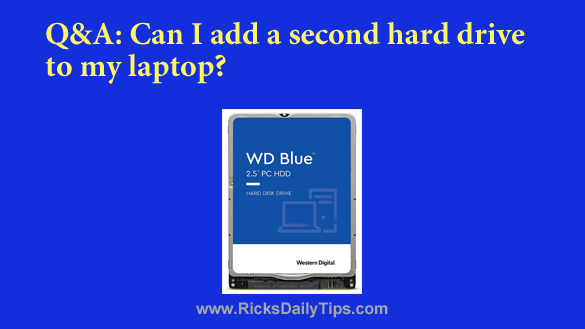
Q&A: Can I add a second hard drive to my laptop?

Posted on September 5, 2021

Rick’s Tech Tips Newsletter

Question from Terry:  I bought an older Dell laptop after answering an ad on Craigslist. The guy I bought it from told me I’d be able to install a second hard drive in it if I wanted to.

I went to Best Buy and bought a 1TB laptop hard drive but when I went to install it I could only find a place for one hard drive (the drive that’s already in it).

There is only one plastic cover on the bottom for accessing a hard drive.

Could there maybe be a second drive bay somewhere else that isn’t accessible by simply removing a cover?  [Read more…]

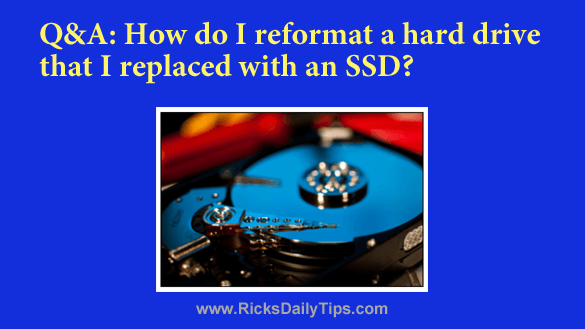
Q&A: How do I reformat a hard drive that I replaced with an SSD?

Posted on August 30, 2021

Click here to sign up for my free Rick’s Tech Tips Newsletter!


Note: The links in this post are affiliate links.

Question from Aaron L.:  A while back I replaced the hard drive in my HP laptop with an SSD, then installed Windows 7 from the DVD.

After I got all the Windows Updates installed I upgraded the system to Windows 10.

I bought one of the external USB drive enclosures for the old hard drive, then I plugged it into a USB port and copied all of my files onto another external drive.

The SSD is working great and so is the old hard drive (which is now being used as an external drive). The problem is the old drive still contains the original partitions for the operating system and the system recovery files.

How can I reformat the old drive as one single large partition? [Read more…]

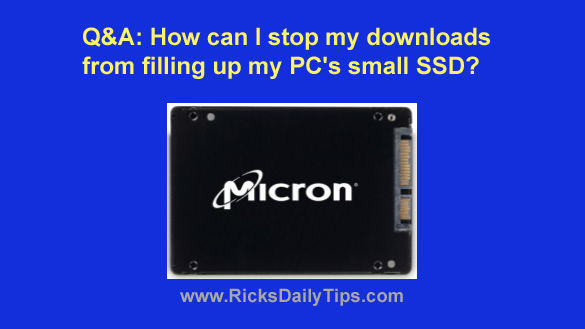
Q&A: How can I stop my downloads from filling up my PC’s small SSD?

Posted on December 4, 2020

Question from Micah H:  I read your post about how replacing the hard drive with an SSD will make a computer run a lot faster.

That really sounded good so I installed a Micron 60GB SSD (I got it at a GREAT price!) in my HP desktop PC.

I installed Windows 10 on the SSD and put most of my programs on the hard drive (which I had left in there for extra storage).

The SSD did speed the computer up quite a bit but I’m having a problem with it running out of storage space.

[Read more…]

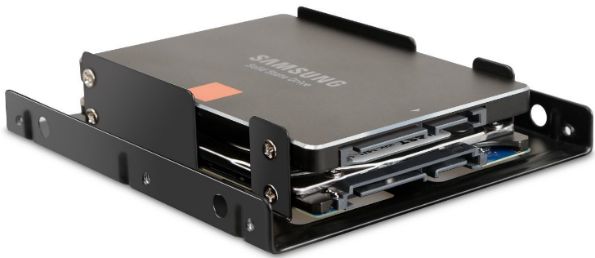
Review: Inateck 2.5 inch to 3.5 inch SSD Mounting Bracket Adapter kit

Posted on July 17, 2019

(#ad)

Regular readers of this blog know I’m always talking about how replacing a computer’s hard drive with an SSD provides more “bang for the buck” than just about any other hardware upgrade you can make.

The only other upgrade that even comes close is a RAM upgrade, and that’s only true if the machine is running low on RAM in the first place.

Luckily, swapping out the hard drive for an SSD in most laptops is a breeze. Since both drives are typically 2.5 inch drives it’s literally as easy as removing the hard drive and installing the SSD in its place. A fast and easy process.

However, that isn’t the case with most desktop PCs. [Read more…]

  • « Previous Page
  • 1
  • …
  • 4
  • 5
  • 6
  • 7
  • 8
  • 9
  • Next Page »

– Ad –
Malwarebytes Standard, Premium Security
1 Year / 5 Devices

I’m often asked which antivirus app is the best you can get and my answer is always the same. Malwarebytes Premium provides excellent real-time protection against viruses plus other forms of malware that other antivirus apps don’t even check for.

Click here to check it out at Amazon.


Popular…

Miss one of my Daily Gadget Picks? Check here.

How do I ask you a tech question?

Step-by-step guide to completely ridding your PC of viruses and other malware

10 reasons why I recommend buying tech gear from Amazon

How to accurately evaluate product reviews on Amazon


Advertise

Guest Post Guidelines

Want to ask me a tech question?

Recommended Tech Gear

Privacy Policy

Computer Tips
Smartphone Tips
Blogging Tips

Tech Q & A
Reviews
Tech News

Write for RicksDailyTips.com

Scam alerts
Downloads

Copyright © 2026 RicksDailyTips.com

Affiliate Disclaimer


Rick's Daily Tips is hosted by InMotion Hosting. Click here to find out why.

This blog uses cookies to ensure that you receive the best experience on my website. Please click 'Accept Cookies' to continue.