Rick's Daily Tips

Your daily dose of practical, easy to follow tech tips!

  • Home
  • Rick’s Bio
  • Advertise
  • Privacy Policy
  • Rick’s Tip Jar
  • Get My Tech Tips Newsletter
  • Recommended Tech Gear
  • Contact Me

Q&A: Is it safe to run ‘chkdsk’ to fix a hard drive with bad sectors?

Posted on January 31, 2017

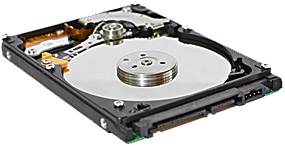
Question from Randy F.:  My hard drive started making a combination of loud whining and clicking sounds last night.

I did some research (thanks Google!) and found a forum post that said to run chkdsk to see if the drive has any bad sectors. It then said if bad sectors are found to run chkdsk/r to fix them.

I ran chkdsk and it did find a bunch of bad sectors. I started to run chkdsk /r to fix the bad sectors but then I remembered reading a follow-up post that said running chkdsk /r can kill a hard drive outright.

What’s your advice on this? I’d like to fix the drive and not have to replace it if that’s possible, but I don’t want to lose my pictures and other files by killing the drive. I need some advice on how to proceed.

Rick’s answer:   [Read more…]
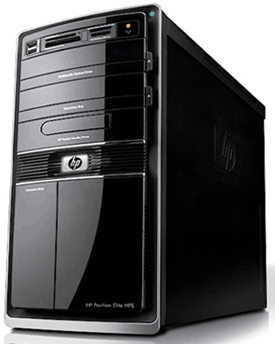
Q&A: What kind of hard drive do I need for an HP Pavilion Elite HPE-120f desktop PC?

Posted on May 27, 2014

hp-pavilion-elite-hpe-120fQuestion from David H.:  My brother gave me his old HP Pavilion Elite HPE-120f desktop computer after the hard drive died. The shop returned the computer to him without the hard drive in it and I need to know what kind of hard drive to buy for it.

Also, I don’t have a set of factory Restore discs for this computer. Will HP send me a set?

Thanks in advance for your help.

Rick’s answer:  David, your HP Pavilion Elite HPE-120f most likely came from the factory with a 1TB SATA hard drive, so virtually any 3.5″ SATA hard drive will work in that system.

That being said, instead of simply installing another hard drive, I recommend installing a solid state drive (#ad) as the boot drive and a spacious hard drive as a secondary data drive. [Read more…]

Q&A: Why won’t my Acer laptop boot into Windows?

Posted on April 14, 2014

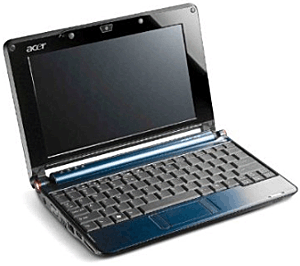
acer-laptopQuestion from Daniel W.:  I have a 2 year old Acer laptop with Windows 7. I can’t get it to boot up anymore. When I turn it on it beeps and displays this message:

“No Bootable Device — Please Restart System”

What could be causing this? I hope it’s not a bad hard drive but I suspect that it is. This just started last night and it’s very aggravating.

Anyway, thanks for your help. I really appreciate it.

Rick’s answer:   [Read more…]

Q&A: Why should I convert my old C: drive to an external drive after an SSD upgrade instead of installing it as a D: drive?

Posted on January 29, 2014

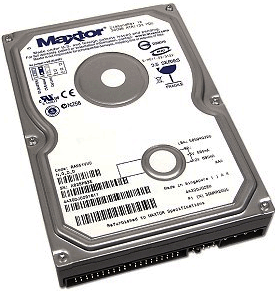
ide-hard-driveQuestion from Gary M.:  Rick, Microsoft is forcing me to get serious about upgrading from Windows XP to Windows 8 (or 8.1). I just finished reading your recommendation to install an SSD drive and convert my XP internal drive into an external USB drive.

I was thinking along similar lines, but figured I would make my existing XP drive into a drive D: after upgrading to Windows 8. Why would converting it to an external USB drive be better?

Thanks, Gary

Ricks answer:   [Read more…]

Review: Western Digital Black2 Dual Drive 2.5″ 120 GB SSD + 1 TB HDD Kit

Posted on November 26, 2013

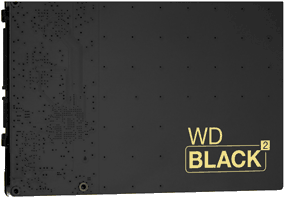
wd-black2-dual-driveHave you ever wished you could add a solid state drive (SSD) to your laptop and keep your internal hard drive too? As you probably know, that can be a bit impractical since most laptops come with just one 2.5 inch drive bay.

But now you can accomplish the same thing with an ingenious new combo drive from Western Digital. That’s right, you can now replace your laptop’s existing hard drive with both a 120GB SSD and a 1TB hard drive – and they’ll both fit into the same bay!  [Read more…]

  • « Previous Page
  • 1
  • …
  • 6
  • 7
  • 8
  • 9
  • Next Page »

– Ad –
Malwarebytes Standard, Premium Security
1 Year / 5 Devices

I’m often asked which antivirus app is the best you can get and my answer is always the same. Malwarebytes Premium provides excellent real-time protection against viruses plus other forms of malware that other antivirus apps don’t even check for.

Click here to check it out at Amazon.


Popular…

Miss one of my Daily Gadget Picks? Check here.

How do I ask you a tech question?

Step-by-step guide to completely ridding your PC of viruses and other malware

10 reasons why I recommend buying tech gear from Amazon

How to accurately evaluate product reviews on Amazon


Advertise

Guest Post Guidelines

Want to ask me a tech question?

Recommended Tech Gear

Privacy Policy

Computer Tips
Smartphone Tips
Blogging Tips

Tech Q & A
Reviews
Tech News

Write for RicksDailyTips.com

Scam alerts
Downloads

Copyright © 2026 RicksDailyTips.com

Affiliate Disclaimer


Rick's Daily Tips is hosted by InMotion Hosting. Click here to find out why.

This blog uses cookies to ensure that you receive the best experience on my website. Please click 'Accept Cookies' to continue.