Rick's Daily Tips

Your daily dose of practical, easy to follow tech tips!

  • Home
  • Rick’s Bio
  • Advertise
  • Privacy Policy
  • Rick’s Tip Jar
  • Get My Tech Tips Newsletter
  • Recommended Tech Gear
  • Contact Me

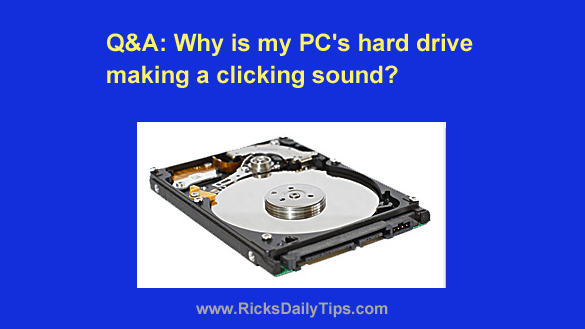
Q&A: Why is my PC’s hard drive making a clicking sound?

Posted on July 9, 2023

Question from Nancy:  Rick, my desktop PC has started making a faint, but noticeable clicking sound when I first turn it on.

It only clicks for about 8-10 seconds, then it boots up normally and runs fine until I shut it down.

It’s hard to tell for sure, but I took the cover off the side of the computer and the clicking sound seems to be coming from the hard drive.

I haven’t downloaded anything recently or made any changes to the system that I’m aware of.

This machine came with Windows 8.1 but it’s been updated to Windows 10.

Do you have any idea what I can do to stop the clicking? [Read more…]

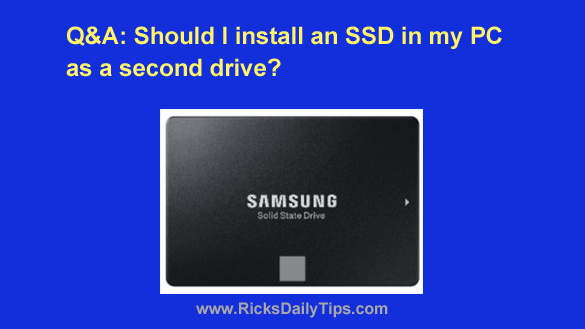
Q&A: Should I install an SSD in my PC as a second drive?

Posted on July 6, 2023

Note: The links in this post are affiliate links.
Question from Eric S.: I’m seriously considering taking your advice about installing an SSD in my Lenovo desktop PC just to install my programs on.

I mostly just use Photoshop and Lightroom along with a couple of web browsers.

I’m not really interested in making the SSD the boot drive by installing Windows on it because I don’t feel confident in my ability to get it done correctly.

My question: Is it worth adding an SSD as a second drive just to make my programs load faster?  [Read more…]

Q&A: Must Windows programs always be installed on the C: drive?

Posted on June 8, 2023

Question from Carita:  I’ve decided to take your advice about replacing the hard drive in my computer with an SSD.

I’ll be installing a 240GB SSD as the primary drive and leaving the 1TB hard drive installed in the computer as a secondary drive for extra storage.

The problem is I’m pretty sure the SSD will be too small to hold all the programs I currently use.

Will I be able to install some of them onto the hard drive even though the operating system (Windows 11) will be on the SSD?  [Read more…]

Q&A: Did I damage my laptop while installing an SSD?

Posted on April 20, 2023

Note: The links in this post are affiliate links.

Question from Shane: I recently found your blog, and I love it. Great job!

I took your advice and replaced the hard drive in my laptop with an SSD to make it run faster.

Everything seems to be working ok and the speed increase is incredible, but I’m worried that I might have possibly damaged something while I was swapping out the drives.  [Read more…]

Q&A: Can carrying a sleeping laptop damage the hard drive?

Posted on April 15, 2023

Question from Larry:  I just bought my first laptop and I have a question about it.

When I close the lid it goes into Sleep mode. Is it safe to carry it around while in Sleep mode or should I shut it down completely?

I’ve always been told never to move a computer that’s powered up or it’ll damage the hard drive, and a sleeping laptop still has power, right?

As you can see I’m confused LOL. Looking forward to your answer.

Rick’s answer:   [Read more…]

  • « Previous Page
  • 1
  • 2
  • 3
  • 4
  • 5
  • 6
  • …
  • 9
  • Next Page »

(Advertisement)

A great laptop for the money…


Lenovo Laptop Computer for Business, Home and Student

  Intel Dual-Core Processor | 16GB RAM |
1TB SSD | Windows 11 Pro

Click here to check it out!


Popular…

How do I ask you a tech question?

Step-by-step guide to completely ridding your PC of viruses and other malware

10 reasons why I recommend buying tech gear from Amazon

How to accurately evaluate product reviews on Amazon


Advertise

Guest Post Guidelines

Want to ask me a tech question?

Recommended Tech Gear

Privacy Policy

Computer Tips
Smartphone Tips
Blogging Tips

Tech Q & A
Reviews
Tech News

Write for RicksDailyTips.com

Scam alerts
Downloads

Copyright © 2025 RicksDailyTips.com

Affiliate Disclaimer


Rick's Daily Tips is hosted by InMotion Hosting. Click here to find out why.

This blog uses cookies to ensure that you receive the best experience on my website. Please click 'Accept Cookies' to continue.