
Rick's Daily Tips

Your daily dose of practical, easy to follow tech tips!

  • Home
  • Rick’s Bio
  • Advertise
  • Privacy Policy
  • Rick’s Tip Jar
  • Get My Tech Tips Newsletter
  • Recommended Tech Gear
  • Contact Me

Q&A: Is it safe to set up a gaming network without Internet access?

Posted on August 23, 2023

Note: The links in this post are affiliate links.

Question from Kevin:  I have 3 computers that I’m planning to place in my bedroom and my two sons’ rooms. We’re going to use these computers for just one thing, and that’s for playing games over a private LAN.

After doing some research I went to Best Buy and bought a 5 port switch and three 50ft Ethernet cables to run up into the attic and then down into each of the rooms.

These computers will NOT be connected to a modem, only to each other through the switch. We won’t need (and I don’t want) to have these computers connected to the Internet.

Now, my question – Since there will be no Internet access we won’t be able to update our virus software. Will that be a big problem or do your recommend going wireless and connecting the machines through our router so they’ll have Internet access?  [Read more…]
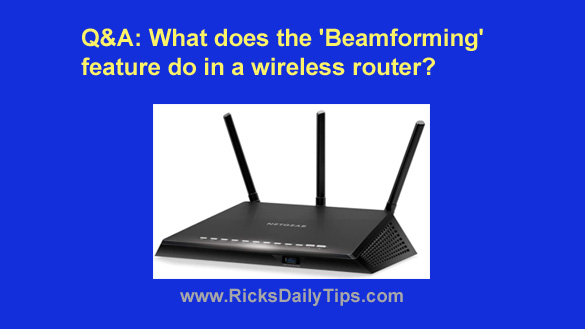
Q&A: What does a wireless router’s ‘Beamforming’ feature do?

Posted on December 10, 2020

Rick’s Tech Tips Newsletter

Note: The links in this post are affiliate links.

Question from Audrey:  I’ve been needing a new wireless router for a while now and I recently began shopping online for one.

I’m pretty tech-savvy and I thought I was fairly knowledgeable about routers but there’s a term that I keep seeing that I’d never heard of before.

[Read more…]

Afraid to install the awesome DD-WRT firmware on your router? No problem – buy one with it already on it!

Posted on June 25, 2018

buffalo-airstation-ac-1750
(#ad)

Do you enjoy keeping up with the latest in technology?

If so, you probably know that replacing your router’s proprietary firmware with the free open-source DD-WRT firmware could possibly increase your Wi-Fi speed, extend your wireless range and make your wireless connection more stable.

That being said, you might also be afraid to install DD-WRT on your own expensive router because of the very real chance that you might accidentally “brick” it.

Well, now you can actually buy an awesome wireless router that comes from the factory with DD-WRT already installed!  [Read more…]

Review: TP-LINK Archer C7 AC1750 Dual Band Wireless AC Gigabit Router

Posted on January 27, 2018

tp-link-archer-c7-ac1750-wifi-router
(#ad)

Your router is the bridge between your computers, mobile devices and other Internet-connected gadgets and your broadband modem, making it one of the most important components of your local network.

Router technology has advanced by leaps and bounds of late, and super-fast and reliable AC class routers are the best ever in my opinion.

I recently had the opportunity to check out the TP-LINK Archer C7 AC1750 Dual Band Wireless AC Gigabit Router (#ad), and I believe it’s the best AC class router you can buy without spending a small fortune. [Read more…]

WiFi Guard – Find out if someone is piggybacking on your Wi-Fi network

Posted on September 2, 2016

wifiMost people assume that their Wi-Fi connection is safe from hackers if it is secured with encryption and a password, but the sad truth is even a “protected” Wi-Fi connection can be broken into by a determined hacker using the right software.

If you suspect that someone might be piggybacking on your wireless network (and even if you don’t), I suggest downloading and running a free tool called WiFi Guard.

WiFi Guard is a small and lightweight utility that will scan your entire network and list all the devices connected to it including computers, tablets, smart phones, wireless printers and more. If it’s logged into your network, it’ll show up!

Using WiFi Guard is easy. Here’s how:  [Read more…]

  • « Previous Page
  • 1
  • 2
  • 3
  • Next Page »

– Ad –
Furniqro Whole House Surge Protector

Wouldn’t it be nice to have one surge protector that can protect everything in your house from lightning strikes and strong power surges?

Well, this one connects directly to your circuit breaker panel and protects everything that’s connected to the power grid, including your major appliances, your heat pump and all of your electronic gadgets.

Click here to check it out at Amazon.

Popular…

Miss one of my Daily Gadget Picks? Check here.

How to save money when shopping for a new computer.

How do I ask you a tech question?

Step-by-step guide to completely ridding your PC of viruses and other malware

10 reasons why I recommend buying tech gear from Amazon

How to accurately evaluate product reviews on Amazon


Advertise

Guest Post Guidelines

Want to ask me a tech question?

Recommended Tech Gear

Privacy Policy

Computer Tips
Smartphone Tips
Blogging Tips

Tech Q & A
Reviews
Tech News

Write for RicksDailyTips.com

Scam alerts
Downloads

Copyright © 2026 RicksDailyTips.com

Affiliate Disclaimer


Rick's Daily Tips is hosted by InMotion Hosting. Click here to find out why.

This blog uses cookies to ensure that you receive the best experience on my website. Please click 'Accept Cookies' to continue.