Rick's Daily Tips

Your daily dose of practical, easy to follow tech tips!

  • Home
  • Rick’s Bio
  • Advertise
  • Privacy Policy
  • Rick’s Tip Jar
  • Get My Tech Tips Newsletter
  • Recommended Tech Gear
  • Contact Me

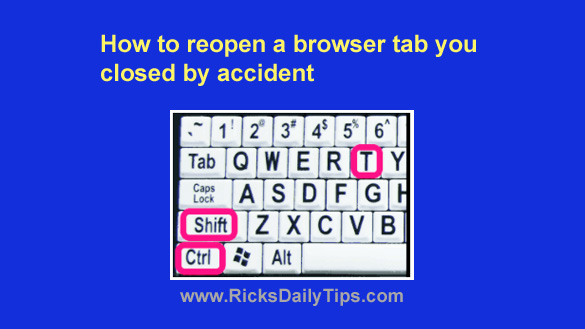
How to reopen a browser tab you closed by accident

Posted on January 23, 2025

Want to get my easy to follow Tech Tips in your email?

Sign up for my daily Rick’s Tech Tips Newsletter!


Have you ever had two or more tabs open in your web browser and closed one of them by accident?

Whether it was caused by an errant mouse click or by simply closing the wrong tab, it’s quite frustrating to say the least.

I do it all the time, and it used to frustrate me to no end. But now I simply work a quick bit of magic and the accidentally closed tab instantly reappears!

Well, truth be told it isn’t really magic, but rather a “trick” using the keyboard… [Read more…]
How (and why) to prevent Chrome from storing your card info

Posted on May 15, 2024

Do you use Google’s popular Chrome web browser to shop online?
If so, Chrome’s auto-fill feature has probably stored your credit card and/or debit card information in the browser.

Allowing Chrome to store your card info can be a real time saver if you do a lot of online shopping, but unfortunately it can also be a huge security risk.

[Read more…]

How to quickly open a bookmarked page in a new tab

Posted on January 5, 2024

Most folks have their favorite websites/pages bookmarked on their browser’s “Favorites” bar.
That makes it easy to quickly launch once of those sites with a single click without having to go through the hassle of using Google or typing the site’s URL into the address bar every time.

There are times when it helps to launch a bookmarked page in a new browser tab to prevent it from replacing the page that’s already displayed in the browser.

[Read more…]

How to place any open browser tab in its own window

Posted on December 26, 2022

Do you frequently have several browser tabs open at the same time and find yourself switching back to one certain tab a lot more than any of the other tabs?
If so, it’s often more efficient to simply separate that tab from the others and place it in its own window.

I do that a lot, and it really makes it a lot easier to concentrate on the contents of that one tab while (mostly) ignoring the others.  [Read more…]

Q&A: How do I view a web page’s source code with Chrome?

Posted on August 17, 2021

Click here to sign up for my free Rick’s Tech Tips Newsletter!


Question from Garry:  Rick, I was a faithful Internet Explorer user for years (I guess you can say I’m a creature of habit) but after switching from Windows 7 to Windows 10 I decided to give Chrome a try.

Now that I’ve tried it for a few weeks, I have to agree with all the good things I’d heard about Chrome because it doesn’t crash all the time, and it seems to really be a lot faster than IE too.

I knew there’d be a learning curve, but it wasn’t all that bad really.

But there’s one thing I just can’t figure out. How the heck do you display a web page’s HTML source code?  [Read more…]

  • « Previous Page
  • 1
  • 2
  • 3
  • 4
  • 5
  • …
  • 8
  • Next Page »

– Ad –
Charmast 20000mAh Portable Charger / Power Bank with Built-in Cables

Are you constantly misplacing the cables to your portable power bank? This little gem solves that problem once and for all.

It comes with USB-C, USB-A and microUSB cables built right into it, ensuring that you always have them when you need them. And if your device uses a Lightning connector you can plug in an external Lightning cable as well.

The 20000mAH capacity is good for 3 – 4 full phone charges or several partial charges, which I’ve found to be more than adequate for my needs.

This has been my go-to portable charger and power bank for a while now and I absolutely love it.

Click here to check it out at Amazon.


Popular…

Miss one of my Daily Gadget Picks? Check here.

How to save money when shopping for a new computer.

How do I ask you a tech question?

Step-by-step guide to completely ridding your PC of viruses and other malware

10 reasons why I recommend buying tech gear from Amazon

How to accurately evaluate product reviews on Amazon


Advertise

Guest Post Guidelines

Want to ask me a tech question?

Recommended Tech Gear

Privacy Policy

Computer Tips
Smartphone Tips
Blogging Tips

Tech Q & A
Reviews
Tech News

Write for RicksDailyTips.com

Scam alerts
Downloads

Copyright © 2026 RicksDailyTips.com

Affiliate Disclaimer


Rick's Daily Tips is hosted by InMotion Hosting. Click here to find out why.

This blog uses cookies to ensure that you receive the best experience on my website. Please click 'Accept Cookies' to continue.