Rick's Daily Tips

Your daily dose of practical, easy to follow tech tips!

  • Home
  • Rick’s Bio
  • Advertise
  • Privacy Policy
  • Rick’s Tip Jar
  • Get My Tech Tips Newsletter
  • Recommended Tech Gear
  • Contact Me

How to charge any laptop (or most any other gadget) with your car

Posted on July 9, 2025

Note: The links in this post are affiliate links.

These days it’s hard to imagine taking a long drive without having a car charger on board to keep the battery in your cell phone topped off.

But what about your laptop?

While some modern laptops can be charged with a standard USB-type car charger and a compatible cable, there are plenty of others that can only be charged using the AC power brick that came with the laptop.  [Read more…]

Try this first when your laptop won’t turn on

Posted on May 5, 2025

Want to get my easy to follow Tech Tips in your email?
Sign up for my daily Rick’s Tech Tips Newsletter!


Note: The links in this post are affiliate links.

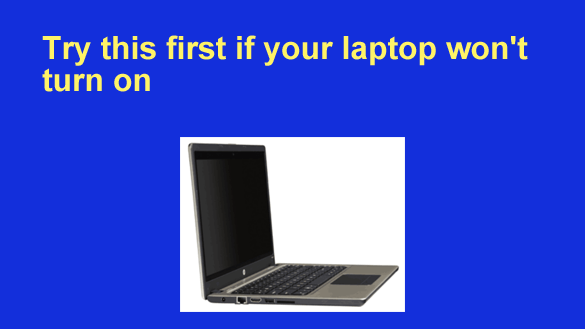
If you ever press the power button on your laptop and it fails to power up, there’s a good chance that you won’t need to replace it or pay for an expensive repair.

A “dead” laptop can be caused by several different issues, but one common cause is a simple transient power issue or some other transient glitch.

If you ever find yourself facing a laptop that won’t turn on when you press the power button, try this before trying anything else:  [Read more…]

Q&A: Can I connect a TV to my laptop so I can watch Netflix on a bigger screen?

Posted on March 4, 2025

Want to get my easy to follow Tech Tips in your email?

Sign up for my daily Rick’s Tech Tips Newsletter!


Note: The links in this post are affiliate links.

Question from Chad:  My laptop has a 13 inch screen, and I’d really like to have a much bigger screen to use when I’m watching Netflix.

I’ve been thinking about buying a 27 inch computer monitor to hook up to the laptop through the HDMI port, but I think I might have just found a better (well, at least a much cheaper) option.

[Read more…]

How to save money when shopping for a new computer

Posted on June 17, 2024

Note: The links in this post are affiliate links.

Folks often ask me what they need to look for when they go shopping for a new computer.

In a nutshell, they want to buy the best machine they can get without spending any more than they have to.

In some ways trying to find the right computer is a lot like shopping for a new car. There are always dozens of “current models” to choose from, and they tend to look a whole lot alike.

[Read more…]

Q&A: How do I disable the keyboard on my laptop?

Posted on May 6, 2024

Note: The links in this post are affiliate links.

Question from Greg:  I dropped my heavy book bag onto my laptop’s keyboard several days ago, and when it landed I heard a cracking sound.

The keyboard still works, but at random times it’ll just start typing garbage on its own. It’s basically unusable so I’d like to disable the built-in keyboard and use a cheap USB keyboard in its place.

I know I can have the internal keyboard replaced but I don’t want to go to the trouble or expense since I’m going to be replacing this machine in a few months anyway.

So what I need to know is can I disable my laptop’s built-in keyboard? If I can, how do I do it? [Read more…]

  • « Previous Page
  • 1
  • 2
  • 3
  • 4
  • 5
  • …
  • 18
  • Next Page »


Popular…

How do I ask you a tech question?

Step-by-step guide to completely ridding your PC of viruses and other malware

10 reasons why I recommend buying tech gear from Amazon

How to accurately evaluate product reviews on Amazon


Advertise

Guest Post Guidelines

Want to ask me a tech question?

Recommended Tech Gear

Privacy Policy

Computer Tips
Smartphone Tips
Blogging Tips

Tech Q & A
Reviews
Tech News

Write for RicksDailyTips.com

Scam alerts
Downloads

Copyright © 2025 RicksDailyTips.com

Affiliate Disclaimer


Rick's Daily Tips is hosted by InMotion Hosting. Click here to find out why.

This blog uses cookies to ensure that you receive the best experience on my website. Please click 'Accept Cookies' to continue.