Rick's Daily Tips

Your daily dose of practical, easy to follow tech tips!

  • Home
  • Rick’s Bio
  • Advertise
  • Privacy Policy
  • Rick’s Tip Jar
  • Get My Tech Tips Newsletter
  • Recommended Tech Gear
  • Contact Me

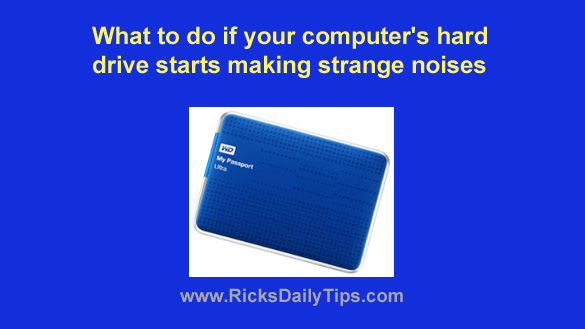
What to do if your computer’s hard drive starts making strange noises

Posted on April 10, 2023

Note: The links in this post are affiliate links.
Even though solid state drives (SSDs) are beginning to replace spinning hard drives in the marketplace, the majority of computers in use today still use a hard drive for long-term data storage.

Unfortunately, most hard drives will eventually fail, and when they do their owners often lose any irreplaceable data that’s stored on them because they didn’t have a current backup on hand.
[Read more…]

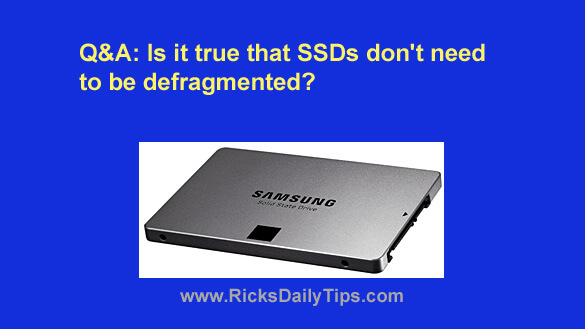
Q&A: Do SSDs need to be defragmented?

Posted on September 30, 2022

Question from Roger:  Rick, I followed your advice and replaced the hard drive in my laptop with a solid state drive (SSD).

I’m absolutely blown away by how much faster the laptop boots up and how much faster my programs load.

I do have one question though. I read in another forum that SSDs don’t get fragmented and they never need to be defragged. Is that true?

Rick’s answer:   [Read more…]

Q&A: How do I decide which programs to install on a small SSD?

Posted on December 25, 2021

Question from Larry:  I read your post explaining the advantages of installing an SSD a while back and I’ve wanted one ever since to go in my HP desktop PC.

I ended up buying a 120GB SSD (I got it for $20!) and installed it as the boot drive in my HP desktop computer. I left the 750GB hard drive in there for extra storage.

I installed Windows 10 from scratch on the SSD and now I’m ready to install my programs. The thing is with only 120GB of space on the SSD it won’t hold anywhere near all of my programs.

I have a couple of questions for you:

1 – Which programs should I install on the SSD and which ones should I leave on the hard drive?

2 – Should I leave the original Windows 10 files on the hard drive or is it safe to delete them to free up that space?

Thanks in advance for your help.

Rick’s answer:  [Read more…]

4 ways to retrieve the files from an old PC’s hard drive

Posted on December 9, 2021

Rick’s Tech Tips Newsletter

It seems that every week I receive at least a couple of frantic emails asking me if there’s any way to retrieve the files from a computer’s hard drive after the machine has gone belly-up.

Luckily, many times the answer is YES!

I have covered each of the following methods before, but I thought it might be helpful if I simply list them all in a single post.  [Read more…]

Q&A: Is a 128GB SSD big enough to hold Windows 10?

Posted on September 23, 2021

Note: The links in this post are affiliate links.

Question from Joseph: I have a 2009 era Dell desktop that’s running Windows 7. The hard drive began acting up a while back so I replaced it with a 128GB SSD.

I’d now like to replace the Windows 7 with Windows 10, but I’ve heard that a 128GB drive isn’t big enough to hold Windows 10.

Will I need to replace the existing SSD with a bigger one before installing Windows 10?

Rick’s answer:   [Read more…]

  • « Previous Page
  • 1
  • …
  • 3
  • 4
  • 5
  • 6
  • 7
  • …
  • 9
  • Next Page »


Popular…

How do I ask you a tech question?

Step-by-step guide to completely ridding your PC of viruses and other malware

10 reasons why I recommend buying tech gear from Amazon

How to accurately evaluate product reviews on Amazon


Advertise

Guest Post Guidelines

Want to ask me a tech question?

Recommended Tech Gear

Privacy Policy

Computer Tips
Smartphone Tips
Blogging Tips

Tech Q & A
Reviews
Tech News

Write for RicksDailyTips.com

Scam alerts
Downloads

Copyright © 2025 RicksDailyTips.com

Affiliate Disclaimer


Rick's Daily Tips is hosted by InMotion Hosting. Click here to find out why.

This blog uses cookies to ensure that you receive the best experience on my website. Please click 'Accept Cookies' to continue.