Rick's Daily Tips

Your daily dose of practical, easy to follow tech tips!

  • Home
  • Rick’s Bio
  • Advertise
  • Privacy Policy
  • Rick’s Tip Jar
  • Get My Tech Tips Newsletter
  • Recommended Tech Gear
  • Contact Me

Q&A: How do I turn off the keyboard sounds on my Samsung Galaxy S4?

Posted on May 12, 2013

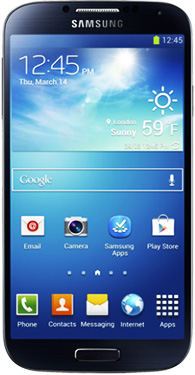
samsung-galaxy-s4Question from Miranda P.:  Hi Rick. I just bought a Samsung Galaxy S4 and I love it, but the annoying clicking sound the keyboard makes when I’m typing is driving me crazy.

I’ve searched the menus from top to bottom and I can’t find a setting to disable the keyboards sounds. Can you please, please, please tell me how to do it?

Rick‘s answer: Indeed I can Miranda. The setting for turning off the key click sound on the Galaxy S4 is hidden under a set of nested menus. Here’s how to find it:

1 – Open the Settings screen, then scroll down and select Language and Input.

2 – Find Samsung keyboard and tap the gear-shaped icon.

3 – Tap Advanced.

4 – Uncheck Key-tap sound. Note: If you’d like to turn off the equally annoying Key-tap vibration, you can do that while you’re on this screen as well.

Here’s a screenshot:  [Read more…]

Q&A: How can I access files on my USB thumb drive that were hidden by a virus?

Posted on May 6, 2013

no-virusQuestion from Mike D:  Rick, a few days ago my Acer laptop running Windows 7 caught a couple of nasty viruses, but I was able to remove them by following the instructions in your great virus removal post. Thanks for the help!

Now that the viruses are gone however, I have a different, but related problem. The viruses apparently “hid” all the files on a very important USB thumb drive that was plugged into the PC when the viruses struck. These are documents that I use at school, and I really need to get them back if at all possible. I’m not really concerned about the drive itself. I just need the files back! Any ideas?

Rick‘s answer:   [Read more…]

Q&A: Why won’t Chrome load some websites when they load just fine in other browsers?

Posted on May 5, 2013

Question from Kenneth O.:  I started using Google Chrome instead of Internet Explorer a while back, and I really like it.

But starting last night I can’t get to certain websites in Chrome even though I can get to them just fine in other web browsers.

As far as I know I haven’t changed any settings or anything. What could be the problem?

Rick’s answer:  There are a number of possible causes for this problem Kenneth, but the two most common (and most likely) are having your browser set to use a proxy server or corrupted cookies on your hard drive. The following steps will eliminate both possibilities:  [Read more…]

Q&A: Will a ZOTAC GeForce GTX 660 Ti video card work with my Gigabyte H77M-D3H motherboard?

Posted on May 4, 2013

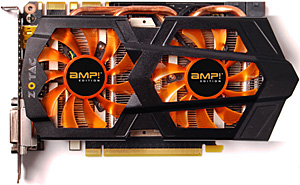
zotac-geforce-gtx-660Question from Lonnie K.:  I paid a guy I know to build me a custom PC around a Gigabyte Intel H77M-D3H motherboard. We had a disagreement and now he won’t talk to me or give me any advice.

What I want to do is add a stand-alone video card. I found a really good deal on an “open box” ZOTAC GeForce GTX 660 Ti but before I buy it I want to make sure it’ll work with my motherboard. Will it?

Rick‘s answer:   [Read more…]

Q&A: How can I exit a frozen program using just the keyboard?

Posted on May 4, 2013

microsoft-windowsQuestion from Anthony H:  Rick, I have a favorite program that I’ve been using for many years, but they haven’t updated it since 2006 and it sometimes freezes up on me in Windows 7.

When the program freezes my mouse does too, and the only way to proceed is to unplug the power cable. I really don’t like doing that cause I’m afraid it’ll damage my PC. Is there any way to exit that program gracefully when it freezes using just the keyboard?

Rick’s answer:  Hi Anthony. My first suggestion would be to ditch that old, no longer supported program and try to find a modern equivalent that won’t crash your computer when you use it. That being said, I understand completely why you’d rather not do that. In fact, I have a couple of programs on my Windows 7 PC that were released long before yours was and I won’t part with them until I absolutely have to!

To answer your question, there is indeed a way to “kill” a frozen program using just the keyboard. Follow these steps:  [Read more…]

  • « Previous Page
  • 1
  • …
  • 250
  • 251
  • 252
  • 253
  • 254
  • …
  • 258
  • Next Page »

– Ad –
 
KAMRUI Pinova P1 Mini PC Computer


This mini-PC puts full desktop power into a tiny package. I use two mini-PCs in my office on a daily basis, and I love them. This one is a great machine for the money. Runs Windows 11 or Linux – just install the O.S. of your choice.

Click here to check it at Amazon.


Popular…

Miss one of my Daily Gadget Picks? Check here.

How do I ask you a tech question?

Step-by-step guide to completely ridding your PC of viruses and other malware

10 reasons why I recommend buying tech gear from Amazon

How to accurately evaluate product reviews on Amazon


Advertise

Guest Post Guidelines

Want to ask me a tech question?

Recommended Tech Gear

Privacy Policy

Computer Tips
Smartphone Tips
Blogging Tips

Tech Q & A
Reviews
Tech News

Write for RicksDailyTips.com

Scam alerts
Downloads

Copyright © 2026 RicksDailyTips.com

Affiliate Disclaimer


Rick's Daily Tips is hosted by InMotion Hosting. Click here to find out why.

This blog uses cookies to ensure that you receive the best experience on my website. Please click 'Accept Cookies' to continue.