Rick's Daily Tips

Your daily dose of practical, easy to follow tech tips!

  • Home
  • Rick’s Bio
  • Advertise
  • Privacy Policy
  • Rick’s Tip Jar
  • Get My Tech Tips Newsletter
  • Recommended Tech Gear
  • Contact Me

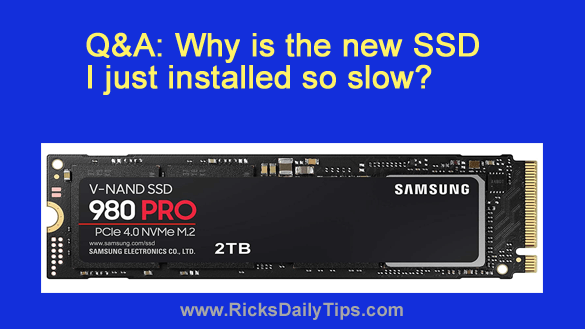
Q&A: Why is the new SSD I just installed so slow?

Posted on September 30, 2022

Note: The links in this post are affiliate links.

Question from Robert:  About a year ago I built a new gaming PC and installed Windows 11 on it.

A few days ago I installed this Samsung 980 Pro 2TB NVMe M.2 SSD thinking it would be a LOT faster than the hard drive.

Well, it isn’t. It actually takes forever for some games to load.  [Read more…]
Q&A: How do I enable Tablet mode in Windows 11?

Posted on September 1, 2022

Note: The links in this post are affiliate links.
Question from Jeannie:  Hi, Rick. I need a little help with a Windows 11 issue if you don’t mind.

When I had Windows 10 on my laptop I could put it onto Tablet mode and I could do a lot of what I needed to do just by touching icons and links and other stuff on the screen.

That was a blessing to me because I have severe arthritis in my hands and that makes it really hard to use the mouse and keyboard.

I recently allowed the update to replace Windows 10 with Windows 11 and now I can’t figure out how to enable Tablet mode on it. Everything is so different!

Can you please tell me how to enable Tablet mode in Windows 11?  [Read more…]

How to quickly get your PC’s Windows 11 Product Key

Posted on August 17, 2022

If you have a computer with Windows 11 installed on it there might come a time when you’ll need to provide someone with the ‘Product Key’ for your Windows installation.
There are several ways to retrieve the product key from the Windows installation itself, but the easiest way is to use the Windows ‘Command Line’. Here’s how:  [Read more…]

Q&A: How can I make my laptop show my name on the network?

Posted on July 6, 2022

Question from Luella:  My sister bought a new laptop a while back and after using it for a couple of days she decided she hates Windows 11.

She was going to return it and buy a Mac but I told her I would just buy the laptop from her since I had been planning to buy one anyway.

The thing is this laptop shows up on our company network under my sister’s name and I don’t know how to fix it. I know our IT guy could do it but he’s out on vacation and won’t be back until the end of the month.

Would you mind telling me how to change the name on this laptop from my sister’s name to my name?  [Read more…]

How to switch a Windows PC to a different WiFi network

Posted on July 5, 2022

If you have a WiFi-enabled Windows PC there might come a time when you’ll need to switch your connection to a different WiFi network than the one your machine is currently connected to.

For example, your laptop might automatically connect to a network with a weak signal when you know there’s another network available with a much stronger signal.

Or perhaps it automatically connected to an insecure unencrypted network instead of the secure network you intended to use.

Whatever the reason, you can easily switch your PC’s Wi-Fi connection from one network to another one with just a few clicks of your mouse. [Read more…]

  • « Previous Page
  • 1
  • …
  • 11
  • 12
  • 13
  • 14
  • 15
  • 16
  • Next Page »

– Ad –
Apple 2026 MacBook Pro Laptop with Apple M5 Pro chip

The MacBook Pro line has long been Apple’s most powerful lineup of laptops, and this one strikes a great balance between power and price.

Simply put, this is one awesome machine.

Click here to check it out at Amazon.


Popular…

Miss one of my Daily Gadget Picks? Check here.

How to save money when shopping for a new computer.

How do I ask you a tech question?

Step-by-step guide to completely ridding your PC of viruses and other malware

10 reasons why I recommend buying tech gear from Amazon

How to accurately evaluate product reviews on Amazon


Advertise

Guest Post Guidelines

Want to ask me a tech question?

Recommended Tech Gear

Privacy Policy

Computer Tips
Smartphone Tips
Blogging Tips

Tech Q & A
Reviews
Tech News

Write for RicksDailyTips.com

Scam alerts
Downloads

Copyright © 2026 RicksDailyTips.com

Affiliate Disclaimer


Rick's Daily Tips is hosted by InMotion Hosting. Click here to find out why.

This blog uses cookies to ensure that you receive the best experience on my website. Please click 'Accept Cookies' to continue.