Rick's Daily Tips

Your daily dose of practical, easy to follow tech tips!

  • Home
  • Rick’s Bio
  • Advertise
  • Privacy Policy
  • Rick’s Tip Jar
  • Get My Tech Tips Newsletter
  • Recommended Tech Gear
  • Contact Me

How to quickly find the MAC address on a Windows 11 PC

Posted on November 21, 2022

If you ever have to call tech support for any issue that’s even tangentially related to networking or Internet connectivity, you’ll likely be asked to provide your machine’s MAC address.

Just so there’s no confusion, MAC addresses aren’t necessarily associated with Apple’s MAC line of computers.

Yes, Mac desktop computers and MacBooks have MAC addresses, but so do Windows PCs, Linux boxes, Android devices, iPhones and every other such device that connects to a network.  [Read more…]
Q&A: How do I stop the Microsoft Store from freezing up on me?

Posted on October 1, 2022

Question from Elian:  Every time I open the Microsoft Store and try to search for an app it freezes up on me.

The only way it will close is if I kill it with the Task Manager.

How can I fix this? [Read more…]

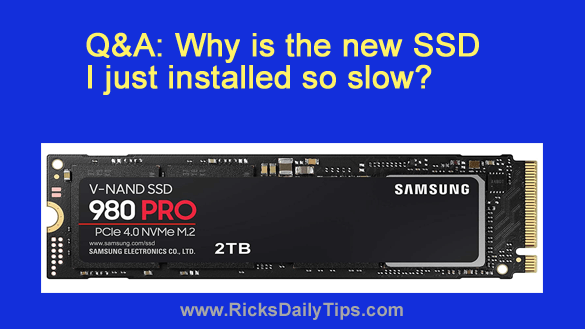
Q&A: Why is the new SSD I just installed so slow?

Posted on September 30, 2022

Note: The links in this post are affiliate links.
Question from Robert:  About a year ago I built a new gaming PC and installed Windows 11 on it.

A few days ago I installed this Samsung 980 Pro 2TB NVMe M.2 SSD thinking it would be a LOT faster than the hard drive.

Well, it isn’t. It actually takes forever for some games to load.  [Read more…]

Q&A: How do I enable Tablet mode in Windows 11?

Posted on September 1, 2022

Note: The links in this post are affiliate links.

Question from Jeannie:  Hi, Rick. I need a little help with a Windows 11 issue if you don’t mind.

When I had Windows 10 on my laptop I could put it onto Tablet mode and I could do a lot of what I needed to do just by touching icons and links and other stuff on the screen.

That was a blessing to me because I have severe arthritis in my hands and that makes it really hard to use the mouse and keyboard.

I recently allowed the update to replace Windows 10 with Windows 11 and now I can’t figure out how to enable Tablet mode on it. Everything is so different!

Can you please tell me how to enable Tablet mode in Windows 11?  [Read more…]

How to quickly get your PC’s Windows 11 Product Key

Posted on August 17, 2022

If you have a computer with Windows 11 installed on it there might come a time when you’ll need to provide someone with the ‘Product Key’ for your Windows installation.

There are several ways to retrieve the product key from the Windows installation itself, but the easiest way is to use the Windows ‘Command Line’. Here’s how:  [Read more…]

  • « Previous Page
  • 1
  • …
  • 10
  • 11
  • 12
  • 13
  • 14
  • …
  • 16
  • Next Page »

– Ad –
 
QINLIANF 5 Outlet Surge Protector w/ 4 USB Charging Ports

This little gem instantly converts a standard 2-outlet 120V receptacle into a full-blown power distribution system.

Click here to check it at Amazon.


Popular…

Miss one of my Daily Gadget Picks? Check here.

How do I ask you a tech question?

Step-by-step guide to completely ridding your PC of viruses and other malware

10 reasons why I recommend buying tech gear from Amazon

How to accurately evaluate product reviews on Amazon


Advertise

Guest Post Guidelines

Want to ask me a tech question?

Recommended Tech Gear

Privacy Policy

Computer Tips
Smartphone Tips
Blogging Tips

Tech Q & A
Reviews
Tech News

Write for RicksDailyTips.com

Scam alerts
Downloads

Copyright © 2026 RicksDailyTips.com

Affiliate Disclaimer


Rick's Daily Tips is hosted by InMotion Hosting. Click here to find out why.

This blog uses cookies to ensure that you receive the best experience on my website. Please click 'Accept Cookies' to continue.