Rick's Daily Tips

Your daily dose of practical, easy to follow tech tips!

  • Home
  • Rick’s Bio
  • Advertise
  • Privacy Policy
  • Rick’s Tip Jar
  • Get My Tech Tips Newsletter
  • Recommended Tech Gear
  • Contact Me

Q&A: Can I put more than one System Image Backup on the same drive?

Posted on November 18, 2025

Want to get my easy to follow Tech Tips in your email?

Sign up for my daily Rick’s Tech Tips Newsletter!


Note: The links in this post are affiliate links.

Question from Julienne:  Hello, Rick. I’m a long time reader of your blog and I’ve read your posts about making System Image backups with Windows.

Your instructions are very good and easy to follow.

I’ve made three backups so far for my laptop but I just noticed that there’s only one backup on my external hard drive. I’m assuming it’s the last one I made?

My question is can I store more than one backup on the same drive? [Read more…]

Q&A: What’s the difference between a ‘System Image’ and a regular backup?

Posted on November 10, 2025

Want to get my easy to follow Tech Tips in your email?

Sign up for my daily Rick’s Tech Tips Newsletter!


Note: The links in this post are affiliate links.

Question from Phillip:  I’ve been reading your blog for a while now and you often mention creating “System Image” backups.

Are these just regular backups or is there something different about them?

[Read more…]

How to create a System Image Backup with Windows 11

Posted on October 17, 2025

Want to get my easy to follow Tech Tips in your email?

Sign up for my daily Rick’s Tech Tips Newsletter!


If you’ve been using computers for a while you probably know that a hard drive or SSD failure, a horrible virus infection or some other catastrophic event can result in data loss.

If that ever happens you, you’ll need to be able to restore the drive’s contents from a backup.

The question is, which backup software should you use to create your backups?  [Read more…]

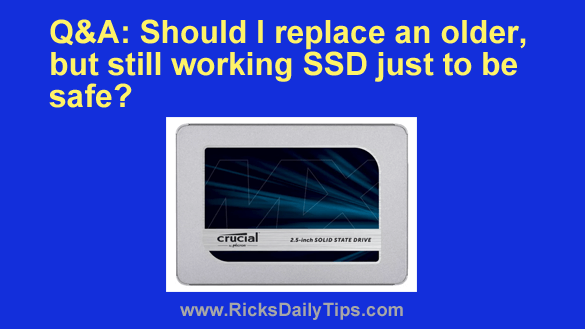
Q&A: Should I replace a 4 year old SSD just to be safe?

Posted on January 26, 2024

Note: The links in this post are affiliate links.

Question from Kendra:  Hi, Rick. I really love your blog, especially the section where you answer questions from your readers.

If you don’t mind I’d like to ask a question of my own.

Back in March of 2020 the tech guy I used at the time installed a Crucial 500GB SSD in my Acer laptop and it really made it run a lot faster.

I recently read on another site that all SSDs wear out over time because they can only be written to a certain number of times.

That has me sort of worried because this drive is now about four years old and I have a lot of personal files on it that I don’t want to lose.

My question is do you think this drive is likely to fail at some time in the near future? [Read more…]

Q&A: Is System Restore adequate for backing up Windows?

Posted on September 28, 2023

Rick’s Tech Tips Newsletter

Question from Mike:  I install lots of free software and I always create a new System Restore Point before installing a program just in case something goes wrong.

I think Windows is great, but as you know, things do go wrong sometimes.

My boss told me that relying on System Restore for my backups isn’t good enough. He said I need to create regular backups too, but I think that’s overkill.

What’s your opinion on this?  [Read more…]
  • 1
  • 2
  • 3
  • Next Page »


Popular…

How do I ask you a tech question?

Step-by-step guide to completely ridding your PC of viruses and other malware

10 reasons why I recommend buying tech gear from Amazon

How to accurately evaluate product reviews on Amazon


Advertise

Guest Post Guidelines

Want to ask me a tech question?

Recommended Tech Gear

Privacy Policy

Computer Tips
Smartphone Tips
Blogging Tips

Tech Q & A
Reviews
Tech News

Write for RicksDailyTips.com

Scam alerts
Downloads

Copyright © 2025 RicksDailyTips.com

Affiliate Disclaimer


Rick's Daily Tips is hosted by InMotion Hosting. Click here to find out why.

This blog uses cookies to ensure that you receive the best experience on my website. Please click 'Accept Cookies' to continue.