Rick's Daily Tips

Your daily dose of practical, easy to follow tech tips!

  • Home
  • Rick’s Bio
  • Advertise
  • Privacy Policy
  • Rick’s Tip Jar
  • Get My Tech Tips Newsletter
  • Recommended Tech Gear
  • Contact Me

Review: Inateck 2.5 inch to 3.5 inch SSD Mounting Bracket Adapter kit

Posted on July 17, 2019

(#ad)

Regular readers of this blog know I’m always talking about how replacing a computer’s hard drive with an SSD provides more “bang for the buck” than just about any other hardware upgrade you can make.

The only other upgrade that even comes close is a RAM upgrade, and that’s only true if the machine is running low on RAM in the first place.

Luckily, swapping out the hard drive for an SSD in most laptops is a breeze. Since both drives are typically 2.5 inch drives it’s literally as easy as removing the hard drive and installing the SSD in its place. A fast and easy process.

However, that isn’t the case with most desktop PCs. [Read more…]
Review: Samsung 860 EVO 2TB SATA III Internal SSD

Posted on March 28, 2019

(#ad)

Thanks to the advent of 3D V-NAND and other new flash memory technologies, solid state drives are getting both larger and less expensive all the time.

While SSDs are still considerably more expensive than hard drives with the same amount of storage capacity, the cost differential is now smaller than ever.

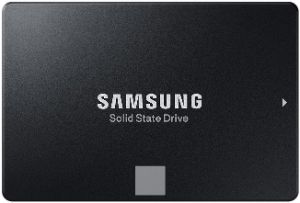
A perfect example is the new Samsung 860 EVO 2TB SATA III Internal SSD (#ad), one of the largest commonly available solid state drives on the market today. I recently had the opportunity to check one out, and I came away quite impressed. [Read more…]

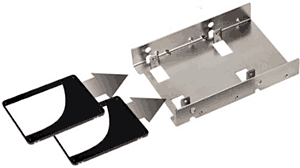
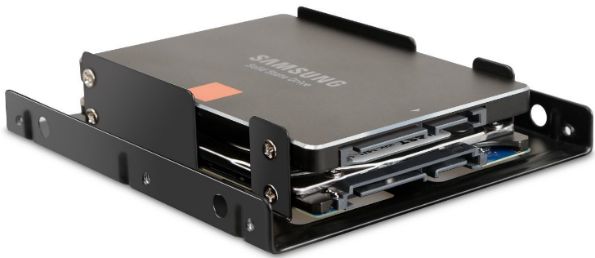
Review: Silverstone Tek 3.5″ to 2 X 2.5″ Hard Drive HDD/SSD Bay Converter

Posted on March 26, 2019

2-5-to-3-5-inch-adapter-bracket
(#ad)

Most solid state drives sold today were designed to fit into a standard 2.5 inch drive bay.

This is perfect if you’re upgrading the hard drive in your laptop to an SSD. Simply remove the hard drive and slide the SSD into it place.

But a problem arises if you’re planning to add an SSD to a typical desktop computer. Most desktop PC cases don’t have an empty 2.5 inch drive bay, so an adapter bracket is required in order to make it fit properly into an empty 3.5 inch bay.

A few days ago I ordered a Silverstone 3.5″ to 2 X 2.5″ Hard Drive HDD/SSD Bay Converter (#ad) that I needed in order to install a Samsung 860 QVO 1TB SSD (#ad) that was shipped to me for review.

After working with the converter I came away very impressed. [Read more…]

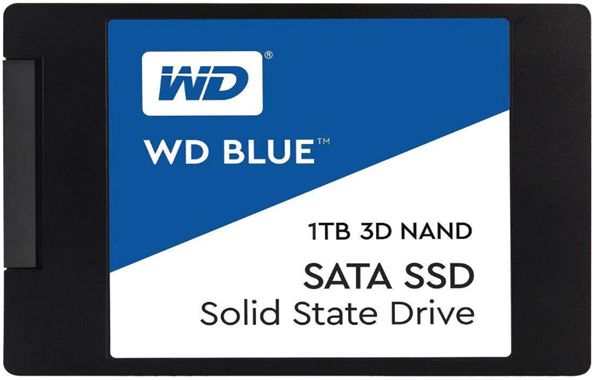
Great news: You can now buy a 1TB SSD for about $100!

Posted on February 25, 2019

(#ad)

Regular readers of this blog know that I often recommend replacing your computer’s hard drive with a super-fast solid state drive (SSD).

As I explain in this post, SSDs have several advantages over spinning hard drives.

But unfortunately they’ve always had one major disadvantage as well: SSDs have always cost a lot more than hard drives with the same storage capacity.

Well, thankfully that’s rapidly changing.

[Read more…]

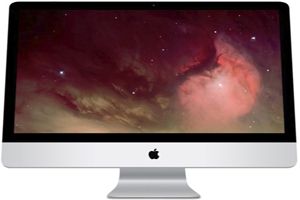
Q&A: Will doubling the RAM in my iMac really make it run faster?

Posted on February 14, 2019

Question from Donna:  I have a 27 inch mid-2011 iMac with 4GB of RAM. It’s running MacOS Sierra.

I’m thinking about taking it to the Geeks Squad and having them to upgrade the RAM to 8GB.

I was talking to them about it a few days ago and they said a RAM upgrade would help a lot since it started running slower after the upgrade to MacOS Sierra.

But the thing is they also quoted me a small fortune for making the upgrade.

My question is would the speed increase from an extra 4GB of RAM speed up the system enough to justify the expense?

Rick’s answer:  [Read more…]

  • « Previous Page
  • 1
  • …
  • 9
  • 10
  • 11
  • 12
  • 13
  • …
  • 17
  • Next Page »

– Ad –
Malwarebytes Standard, Premium Security

Hackers and scammers are spreading viruses and malware like never before, but you can protect yourself.

Malwarebytes Premium provides excellent protection against viruses as well as several other types of malware that typical antivirus apps don’t even check for.

Click here to check it out at Amazon.


Popular…

Miss one of my Daily Gadget Picks? Check here.

How do I ask you a tech question?

Step-by-step guide to completely ridding your PC of viruses and other malware

10 reasons why I recommend buying tech gear from Amazon

How to accurately evaluate product reviews on Amazon


Advertise

Guest Post Guidelines

Want to ask me a tech question?

Recommended Tech Gear

Privacy Policy

Computer Tips
Smartphone Tips
Blogging Tips

Tech Q & A
Reviews
Tech News

Write for RicksDailyTips.com

Scam alerts
Downloads

Copyright © 2026 RicksDailyTips.com

Affiliate Disclaimer


Rick's Daily Tips is hosted by InMotion Hosting. Click here to find out why.

This blog uses cookies to ensure that you receive the best experience on my website. Please click 'Accept Cookies' to continue.