Rick's Daily Tips

Your daily dose of practical, easy to follow tech tips!

  • Home
  • Rick’s Bio
  • Advertise
  • Privacy Policy
  • Rick’s Tip Jar
  • Get My Tech Tips Newsletter
  • Recommended Tech Gear
  • Contact Me

Search Results for: linux

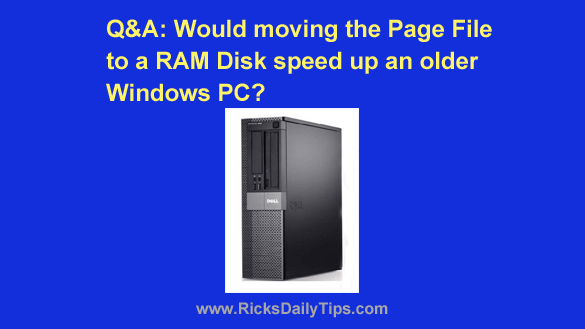
Q&A: Will moving the Page File on my Windows PC make it run faster?

Posted on March 6, 2026

Want to get my easy to follow Tech Tips in your email?

Sign up for my daily Rick’s Tech Tips Newsletter!


Note: The links in this post are affiliate links.

Question from Ethan:  I was reading an article last night that discussed using part of a computer’s unused RAM as a RAM Disk, and it got me to thinking.

I have an older desktop computer that’s running Windows 10 (it can’t be upgraded to Windows 11). It has 4GB of RAM and a 500GB hard drive.

This machine runs really slow, coming almost to a crawl at times. After doing some research I’ve determined that it’s likely sluggish because it’s doing a ton of swapping back and forth with the page file.

Do you think moving the Windows Page File to a RAM Disk would help speed it up?  [Read more…]

Don’t want to pay big bucks for Photoshop? Try this awesome free virtual clone

Posted on December 12, 2025

Want to get my easy to follow Tech Tips in your email?
Sign up for my daily Rick’s Tech Tips Newsletter!


Note: The links in this post are affiliate links.
I used either Photoshop or Photoshop Elements as my go-to image editing app for many years, and I’ll admit they are amazingly powerful. But I eventually realized there are two major drawbacks to using them:

1 – As you can see right here, they are expensive.

2 – You can only install one licensed copy on two computers at one time.

There really isn’t anything you can do about #1. Neither edition of Photoshop is cheap, and that’s just the way it is.  [Read more…]

Q&A: How is my PC booting from an empty hard drive?

Posted on December 1, 2025

Want to get my easy to follow Tech Tips in your email?

Sign up for my daily Rick’s Tech Tips Newsletter!


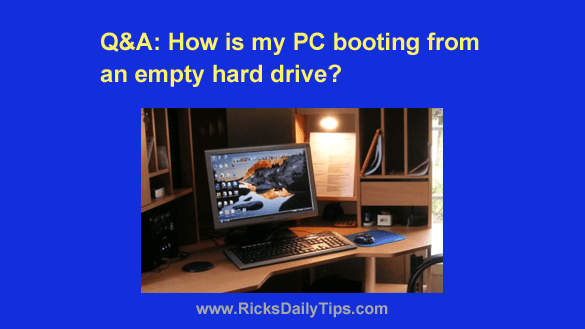
Question from Marvin:  I read your article about upgrading a computer by switching to an SSD to make it run faster.

The following weekend I went to Best Buy and bought a 1TB SSD and cloned the contents of the existing 1TB hard disk onto it.

I then wiped the hard drive and formatted it. Then I installed the SSD in the computer, leaving the now-blank hard drive in place to store my data files on.

Everything works perfectly but something has me baffled. When I look in the BIOS it says the hard drive is set as the boot drive.

How is this machine booting into Windows when the boot drive is blank?

[Read more…]

Warning: Windows 10 stops receiving security updates today. Here are your options.

Posted on October 13, 2025

Note: The links in this post are affiliate links.

You’ve probably heard by now that Microsoft was going to stop supplying updates of any kind for Windows 10 on October 14, 2025, and that includes the all-important security updates.

Well, that infamous day has arrived.

How this change will affect you will depend on the type of PC that you own right now, your personally acceptable level of risk and how you typically use your computer.  [Read more…]

Q&A: Can you recommend a really cheap, but reliable SSD for an older laptop?

Posted on September 8, 2025

Want to get my easy to follow Tech Tips in your email?

Sign up for my daily Rick’s Tech Tips Newsletter!


Note: The links in this post are affiliate links.

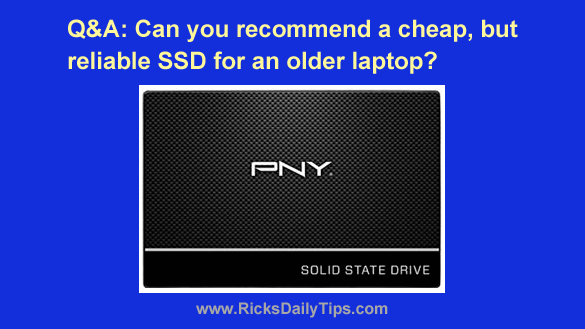
Question from Ari:  The hard drive in my 6 year old Dell laptop died a few days ago. This has been a great machine and I don’t want to just trash it.

I’d like to replace the bad hard drive with an SSD, but I’d rather not spend a lot of money if I can help it.

After reading your post about replacing Windows with Linux, I’d like to install Linux Mint on this laptop and use it as my primary Internet computer. I won’t need a lot of storage space so a fairly small SSD should be ok.

What I’m looking for a really inexpensive SSD that’s large enough to hold the new Linux installation and maybe a few Chrome extensions. But I’d like the SSD to be as reliable as possible.  [Read more…]

  • « Previous Page
  • 1
  • …
  • 7
  • 8
  • 9
  • 10
  • 11
  • …
  • 41
  • Next Page »

– Ad –
Malwarebytes Standard, Premium Security

Hackers and scammers are spreading viruses and malware like never before, but you can protect yourself.

Malwarebytes Premium provides excellent protection against viruses as well as several other types of malware that typical antivirus apps don’t even check for.

Click here to check it out at Amazon.


Popular…

Miss one of my Daily Gadget Picks? Check here.

How do I ask you a tech question?

Step-by-step guide to completely ridding your PC of viruses and other malware

10 reasons why I recommend buying tech gear from Amazon

How to accurately evaluate product reviews on Amazon


Advertise

Guest Post Guidelines

Want to ask me a tech question?

Recommended Tech Gear

Privacy Policy

Computer Tips
Smartphone Tips
Blogging Tips

Tech Q & A
Reviews
Tech News

Write for RicksDailyTips.com

Scam alerts
Downloads

Copyright © 2026 RicksDailyTips.com

Affiliate Disclaimer


Rick's Daily Tips is hosted by InMotion Hosting. Click here to find out why.

This blog uses cookies to ensure that you receive the best experience on my website. Please click 'Accept Cookies' to continue.