Rick's Daily Tips

Your daily dose of practical, easy to follow tech tips!

  • Home
  • Rick’s Bio
  • Advertise
  • Privacy Policy
  • Rick’s Tip Jar
  • Get My Tech Tips Newsletter
  • Recommended Tech Gear
  • Contact Me

Search Results for: how to create system image backup

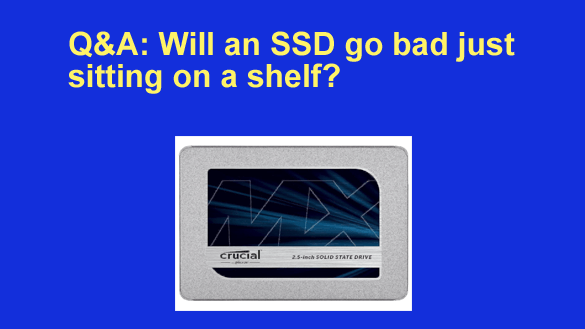
Q&A: Will an SSD go bad just sitting on a shelf?

Posted on May 5, 2026

Want to get my easy to follow Tech Tips in your email?

Sign up for my daily Rick’s Tech Tips Newsletter!


Question from Glen:  A while back I read your post about replacing a computer’s hard drive with an SSD and it sounded like a pretty good idea.

I finally ended up buying a 1TB SSD to replace the hard drive in my old Acer laptop, but the laptop’s screen went bad before I had a chance to make the switch.

I really didn’t want to spend a lot of money to have the Acer fixed so I just ditched it and started using my wife’s Dell laptop.

The Dell has a 1TB hard drive so I don’t really need the SSD at this time. Can I put the SSD on a shelf and keep it for a backup in case the hard drive ever fails, or will it go bad after a while if I don’t use it?  [Read more…]
Q&A: Why do Windows PCs slow down over time?

Posted on April 5, 2026

Want to get my easy to follow Tech Tips in your email?

Sign up for my daily Rick’s Tech Tips Newsletter!


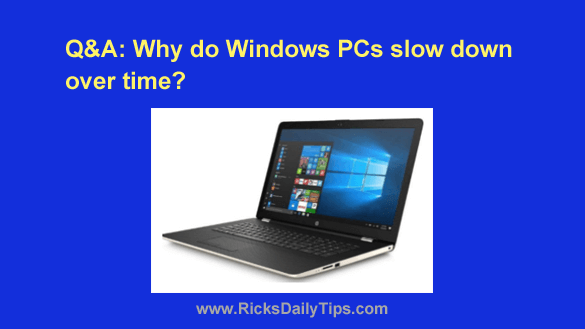
Question from Michael:  I’ve noticed that every Windows computer I’ve ever owned runs lightning fast when I first take it out of the box, but before long they always seem to start slowing down.

Why do they do that? Do the parts just wear out or what?

Is there anything that can be done to reverse the slowdown and get the PC running like new again?  [Read more…]

Q&A: Should I replace a 3 year old SSD just to be safe?

Posted on April 1, 2026

Want to get my easy to follow Tech Tips in your email?

Sign up for my daily Rick’s Tech Tips Newsletter!


Note: The links in this post are affiliate links.

Question from Kendra:  Hi, Rick. I really love your blog, especially the section where you answer questions from your readers.

If you don’t mind I’d like to ask a question of my own.

Back in March of 2023 the tech guy I used at the time installed a Crucial 500GB SSD in my Acer laptop and it really made it run a lot faster.  [Read more…]

5 simple ways to clean up your messy cloud storage

Posted on February 20, 2026

As businesses grow, data naturally accumulates. But when that accumulation turns into “data sprawl,” it stops being an asset and starts becoming a liability. You aren’t just paying for storage you need; you are paying to store redundant, obsolete, and trivial data that no one has touched in years.
This isn’t just a housekeeping issue—it is a significant financial drain. According to Security Magazine, most organizations are spending 30% or more of their IT budget on data storage. That is nearly a third of your resources tied up in maintaining digital clutter rather than driving innovation.

Cleaning up your cloud environment is about more than just tidying up folders. It is about recovering your budget, securing your infrastructure, and turning your storage into a streamlined, strategic asset.  

[Read more…]

How to make your sluggish Windows PC run like new again

Posted on February 5, 2026

Want to get my easy to follow Tech Tips in your email?

Sign up for my daily Rick’s Tech Tips Newsletter!


I frequently receive questions about speeding up computers that have become sluggish over time or fixing problems that prevent Windows from working as it should.

There are a number of different responses that I usually have for those questions, and the one I give depends on the actual issues they are experiencing with their machines.

[Read more…]

  • « Previous Page
  • 1
  • …
  • 7
  • 8
  • 9
  • 10
  • 11
  • …
  • 38
  • Next Page »

– Ad –
Apple 2026 MacBook Pro Laptop with Apple M5 Pro chip

The MacBook Pro line has long been Apple’s most powerful lineup of laptops, and this one strikes a great balance between power and price.

Simply put, this is one awesome machine.

Click here to check it out at Amazon.


Popular…

Miss one of my Daily Gadget Picks? Check here.

How to save money when shopping for a new computer.

How do I ask you a tech question?

Step-by-step guide to completely ridding your PC of viruses and other malware

10 reasons why I recommend buying tech gear from Amazon

How to accurately evaluate product reviews on Amazon


Advertise

Guest Post Guidelines

Want to ask me a tech question?

Recommended Tech Gear

Privacy Policy

Computer Tips
Smartphone Tips
Blogging Tips

Tech Q & A
Reviews
Tech News

Write for RicksDailyTips.com

Scam alerts
Downloads

Copyright © 2026 RicksDailyTips.com

Affiliate Disclaimer


Rick's Daily Tips is hosted by InMotion Hosting. Click here to find out why.

This blog uses cookies to ensure that you receive the best experience on my website. Please click 'Accept Cookies' to continue.