Rick's Daily Tips

Your daily dose of practical, easy to follow tech tips!

  • Home
  • Rick’s Bio
  • Advertise
  • Privacy Policy
  • Rick’s Tip Jar
  • Get My Tech Tips Newsletter
  • Recommended Tech Gear
  • Contact Me

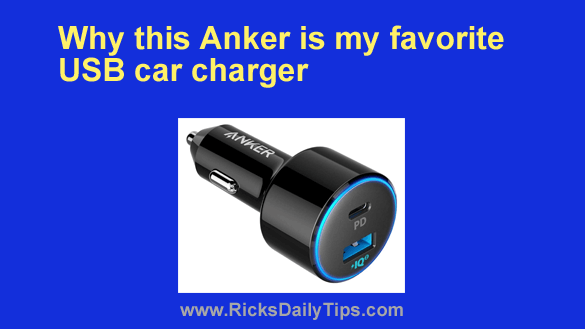
Why this Anker is my favorite USB car charger

Posted on October 21, 2022

Note: The links in this post are affiliate links.

Like most people, I’ve never really been blown away by a particular car charger. I mean, they’re all pretty much alike, right?

Well, they are as long they work.

But truth be told, that changed when I discovered this true gem of a charger from Anker.

[Read more…]

The most common viruses on iPhones

Posted on October 11, 2022

Every owner of a personal computer and modern gadgets knows that the Internet is becoming an increasingly dangerous space.
Despite the active work of antivirus software developers, a huge number of people are exposed to cyber attacks every day.

At the same time, there was an opinion that this applies to everyone except owners of devices on the iOS operating system. Let’s see if this is really the case.  [Read more…]

How to connect your PC to the Internet using your phone’s cellular data

Posted on September 29, 2022

Rick’s Tech Tips Newsletter

Does your Internet service occasionally go out due to storms or equipment failure?

If so, you know how irritating it can be when you have to wait for a tech to come out and restore your service.

But guess what? In a pinch, you can use your smartphone’s cellular data connection to access the Internet with your computer.  [Read more…]

Save battery life and data by disabling 5G on your iPhone

Posted on September 26, 2022

Rick’s Tech Tips

Do you have an iPhone that supports 5G cellular connectivity?

If so, disabling 5G and forcing the device to use 4G LTE instead (if you don’t really need the extra speed provided by 5G, of course) will do two things for you:  [Read more…]

My favorite app for speeding up an Android phone

Posted on September 8, 2022

If you’ve had an Android phone for a while, you’ve probably noticed that it’s slower and less responsive than it was when you first bought it.

If that’s the case, one of the major culprits could be bloated log files, browser caches and other large “temporary” files that are clogging up your phone’s storage space.

Just like Windows and other operating systems, Android and the apps that run on it store all kinds of historical information such as visited web pages, recently used contacts, old text messages, and a whole lot more.  [Read more…]

  • « Previous Page
  • 1
  • …
  • 28
  • 29
  • 30
  • 31
  • 32
  • …
  • 65
  • Next Page »

– Ad –
Hiboost Cell Phone Signal Booster

Do you struggle to use your cell phone at home due to a weak signal? This high quality cell phone signal booster will fix that problem. Works with all major carriers.

Click here to check it out at Amazon.


Popular…

Miss one of my Daily Gadget Picks? Check here.

How do I ask you a tech question?

Step-by-step guide to completely ridding your PC of viruses and other malware

10 reasons why I recommend buying tech gear from Amazon

How to accurately evaluate product reviews on Amazon


Advertise

Guest Post Guidelines

Want to ask me a tech question?

Recommended Tech Gear

Privacy Policy

Computer Tips
Smartphone Tips
Blogging Tips

Tech Q & A
Reviews
Tech News

Write for RicksDailyTips.com

Scam alerts
Downloads

Copyright © 2026 RicksDailyTips.com

Affiliate Disclaimer


Rick's Daily Tips is hosted by InMotion Hosting. Click here to find out why.

This blog uses cookies to ensure that you receive the best experience on my website. Please click 'Accept Cookies' to continue.