 Question from Freddie: I know you’re always recommending that we enable Two-Factor Authentication on all our accounts.
Can you tell me how to enable it on my eBay account?
Thanks for your help.
Rick’s answer: [Read more…]
Your daily dose of practical, easy to follow tech tips!
Question from Freddie: I know you’re always recommending that we enable Two-Factor Authentication on all our accounts.
Can you tell me how to enable it on my eBay account?
Thanks for your help.
Rick’s answer: [Read more…]
 Do you lock your PC every time you leave the room to keep prying eyes from seeing what you’re working on or to prevent others from messing with your computer?
If you only use a computer at home the answer is probably no, but if you use one at work chances are you do.
In fact, many companies actually require their employees to lock their PCs when they leave the room for whatever reason.
If you work for one of those strict employers you probably worry that you might forget to lock your machine sometime and end up getting reprimanded for the lapse.
Well guess what? Windows 10 has a feature called Dynamic Lock that will automatically lock your PC every time you get up and leave the room.
 Virtually every release of a new major Windows version includes a slew of new Windows shortcuts, and Windows 10 is no exception.
In fact, Windows 10 provides dozens of them for you to use at any time!
Some folks prefer to use the mouse and avoid using the keyboard as much as possible, but others love the speed and efficiency gained by replacing three, four or more mouse clicks with a single keystroke combination.
If you’re one of them, check out this extensive list of keyboard shortcuts you can use to do virtually anything in Windows 10… [Read more…]
 As you probably know, having to shut down your PC can be a major hassle at times.
This is especially true if you know you’ll have to reopen all the programs and websites you’re currently using the next time you power the machine back on.
Luckily, that scenario can be avoided by selecting a special shutdown mode called Hibernate.
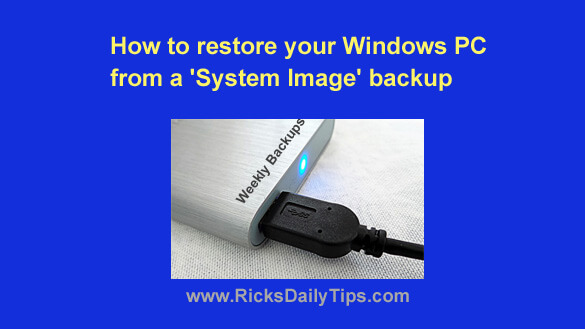 Many of the tips I’ve written explain the importance of creating regular System Image backups in case your PC’s hard drive ever fails or some other catastrophe wipes out your Windows installation.
It really is important to always have a recent backup on hand for those unexpected emergency situations, but one of my blog’s faithful readers recently pointed out that I have never explained how to restore a PC from a System Image backup.
The purpose of this post is to correct that oversight.