 Question from Glenda: I downloaded Autoruns after reading about it here and it keeps showing something called Synaptics.
This has me a little confused.
Is Synaptics a virus? If it is, how do I get rid of it?
Your daily dose of practical, easy to follow tech tips!
Question from Glenda: I downloaded Autoruns after reading about it here and it keeps showing something called Synaptics.
This has me a little confused.
Is Synaptics a virus? If it is, how do I get rid of it?
 Do you have an Amazon Kindle E-reader that runs slow, freezes up or is just weirdly glitchy in some other way?
If so, there are a couple of things you can do to fix the issue.
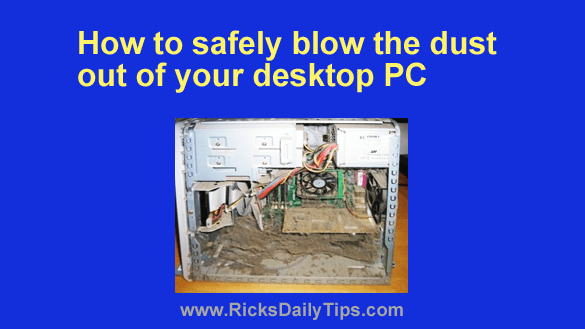 Establishing and maintaining a thorough preventative maintenance routine can help keep your PC’s hardware and operating system running smoothly for years to come.
Of course such a routine includes keeping your PC free of viruses, spyware and other forms of malware.
But it also means keeping the inside of the physical computer itself clear of dust and debris that can smother the components and clog up the fans and cause the computer’s internal components to overheat. [Read more…]
 Question from Karlie: I use my laptop late at night while hubby is trying to sleep, but sometimes the light from the screen keeps him awake.
A friend at work told me I could enable ‘Dark Mode’ on the laptop and it wouldn’t put out near as much light.
I’d love to give that a try. Can you tell me how to turn on Dark Mode on a laptop with Windows 10?
Rick’s answer: [Read more…]
 If you recently purchased a Windows 11 PC or upgraded an existing machine to Windows 11, you’ve probably noticed that the Taskbar is thicker than it was in previous Windows versions.
And if you went looking for one, you probably noticed that there’s no setting in either the Control Panel or the Setting app to change the Taskbar’s thickness.
Personally, I like having my Taskbar as thin as possible to ensure that I have as much of the usable part of the screen in view as possible.
If you’d prefer a thinner Taskbar as well, I have some good news for you… [Read more…]