Rick's Daily Tips

Your daily dose of practical, easy to follow tech tips!

  • Home
  • Rick’s Bio
  • Advertise
  • Privacy Policy
  • Rick’s Tip Jar
  • Get My Tech Tips Newsletter
  • Recommended Tech Gear
  • Contact Me

How can I make Edge copy just the URL instead of the page title?

Posted on February 16, 2022

Question from Dale:  I’ve noticed that when I copy a URL from Edge’s address bar and then paste it into a document, it actually pastes the title of the page into the document and then links the title to the URL.

There are times when this is fine, but there are also times when I want to paste just the bare URL without the title.

How can I make Edge copy just the URL from the address bar without copying the title too?  [Read more…]

How to recover deleted Lost.Dir folder from an SD card

Posted on February 15, 2022

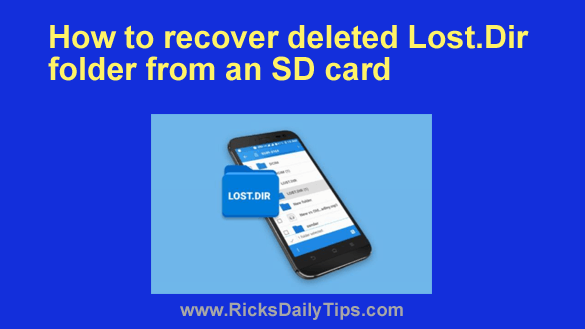
If you use an Android device you might have noticed that there’s a mysterious folder named LOST.DIR on your SD card.
If you look inside this folder you’ll see that it contains a bunch of weird numbered files.

Many people end up deleting this folder, thinking it might be a virus, but truth be told, it isn’t.

[Read more…]

Q&A: How can I find out if ‘Secure Boot’ is enabled on my PC?

Posted on February 10, 2022

Question from Denise:  I recently started a new job and the IT folks said I can connect my personal laptop to their network but only if it has something called Secure Boot enabled?

Can you tell me what that is and how to check to see if its enabled?

[Read more…]

Q&A: Why won’t Windows 11 let me enable ReadyBoost?

Posted on January 23, 2022

Note: The links in this post are affiliate links.

Question from Dale:  I have always kept ReadyBoost enabled on a flash drive to speed up my Windows computers.

I’ve heard people say ReadyBoost doesn’t really help but it always seemed to make my PC’s run faster.

The problem is I can’t get it to work on this new Windows 11 laptop I just bought. [Read more…]

Play your favorite old DOS and early Windows games on your current PC

Posted on January 23, 2022

A while back I received an email from a gentleman asking how he could play his stack of vintage DOS games on his Windows 7 laptop.

In my answer I explained how he could download and install a DOS emulator program called DOSBOX that would allow those old games to run under Windows 10.

If you too would like to play vintage computer games on your Windows PC there’s an even easier solution than using DOSBOX.

I recently stumbled across a wonderful website called gog.com (short for “Good Old Games”) which sells hundreds of old DOS and early Windows games that have been ported to run on the latest versions of Windows right out of the virtual box.  [Read more…]

  • « Previous Page
  • 1
  • …
  • 131
  • 132
  • 133
  • 134
  • 135
  • …
  • 233
  • Next Page »

– Ad –
Beelink SER3 Mini PC with W11 Pro

I’ve been using mini PCs exclusively in my office for over three years and I doubt if I will ever go back to a full-size or mid-size desktop computer.

The power and capabilities they pack into these things is nothing less than astounding. In a nutshell, you get full desktop power in a machine that’s about the size of a brick.

This little gem from Beelink is an exceptional value for the money in my humble opinion. It comes with an AMD Ryzen 3 3200U CPU, 16GB DDR4 RAM and a super-fast 500GB NVME SSD. The Windows 11 Pro is a nice bonus as well.

Click here to check it out at Amazon.


Popular…

Miss one of my Daily Gadget Picks? Check here.

How do I ask you a tech question?

Step-by-step guide to completely ridding your PC of viruses and other malware

10 reasons why I recommend buying tech gear from Amazon

How to accurately evaluate product reviews on Amazon


Advertise

Guest Post Guidelines

Want to ask me a tech question?

Recommended Tech Gear

Privacy Policy

Computer Tips
Smartphone Tips
Blogging Tips

Tech Q & A
Reviews
Tech News

Write for RicksDailyTips.com

Scam alerts
Downloads

Copyright © 2026 RicksDailyTips.com

Affiliate Disclaimer


Rick's Daily Tips is hosted by InMotion Hosting. Click here to find out why.

This blog uses cookies to ensure that you receive the best experience on my website. Please click 'Accept Cookies' to continue.