Rick's Daily Tips

Your daily dose of practical, easy to follow tech tips!

  • Home
  • Rick’s Bio
  • Advertise
  • Privacy Policy
  • Rick’s Tip Jar
  • Get My Tech Tips Newsletter
  • Recommended Tech Gear
  • Contact Me

Q&A: How can I remove saved WiFi networks from my Chromebook?

Posted on March 19, 2022

Question from Mitchell:  Love your site, Rick. I have a question for you if you don’t mind.

I recently retired from a job that required me to travel frequently to multiple states.

As you can imagine, I stayed in a lot of different hotels and now my Chromebook has a long list of WiFi networks that pop up when I go to connect to a network.

Since I’m not traveling anymore I’ll never need to connect to most of those networks again. How can I remove them?  [Read more…]
What to do if your hotel room has a weak WiFi signal

Posted on January 4, 2022

If you do a lot of traveling you have probably found yourself stuck in a hotel room with a weak WiFi signal on more than one occasion.
Several variables control the strength of the WiFi signals in any building, and many older hotels (and even some newer ones) have rooms with weak signals and poor connections.

If you really need to use the Internet during your stay, there are several things you can try in order to get a better connection when you’re stuck in a room with a poor WiFi signal:  [Read more…]

Q&A: Do I need to upgrade to a WiFi6 router?

Posted on December 27, 2021

Question from Carrol:  The other day there was a man on the news talking about new routers that use something called WiFi6.

To be honest I didn’t really understand what he was talking about because he was using a lot of technical terms that went right over my head.

The takeaway from that interview was that some people could benefit from upgrading to a WiFi6 router right away while others can wait a while.

The thing is I don’t know whether I need to upgrade or not. What do I need to know in order to decide? [Read more…]

Q&A: How can I keep the WiFi from disconnecting in Windows 10?

Posted on March 11, 2021

Question from Aaron S:  Hi Rick. I really like your blog and appreciate all the help you give to so many people.

I hope you can help me with an issue I’m having with my HP laptop.

Ever since I updated it to Windows 10 the WiFi automatically disconnects after about 30 minutes and I have to reboot the computer to get it turned back on.

How can I keep the WiFi working until I actually shut the laptop down?

Rick’s answer:   [Read more…]

Q&A: Why can’t I connect my Wi-Fi devices to my new Xfinity Modem/Router?

Posted on May 9, 2014


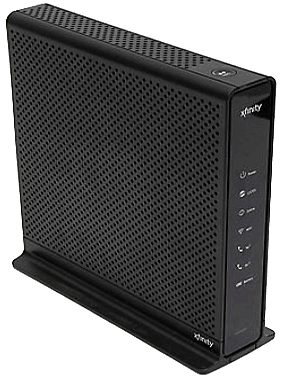
xfinity-smcd3gnv-router-modemQuestion from Bethany Y.:  Comcast just replaced my old cable modem with a new Xfinity Modem/Router (Model # SMCD3GNV). The wired connections work perfectly, but I can’t get any of my wireless devices to connect via Wi-Fi.

The Wi-Fi signal is very strong and I’ve checked the Wi-Fi settings several times and everything seems to be correct. But I just can’t get any of my devices to connect.

Any idea how to fix this? I called Comcast tech support 3 times and the foreigners on the other end of the line can’t help me.

They finally scheduled a service call from a technician but they won’t be here for almost a week! I need my Wi-Fi working ASAP!! I really hope you can help me.

Rick’s answer:   [Read more…]

  • « Previous Page
  • 1
  • 2
  • 3
  • 4
  • 5
  • Next Page »

– Ad –
Malwarebytes Standard, Premium Security
1 Year / 5 Devices

I’m often asked which antivirus app is the best you can get and my answer is always the same. Malwarebytes Premium provides excellent real-time protection against viruses plus other forms of malware that other antivirus apps don’t even check for.

Click here to check it out at Amazon.


Popular…

Miss one of my Daily Gadget Picks? Check here.

How do I ask you a tech question?

Step-by-step guide to completely ridding your PC of viruses and other malware

10 reasons why I recommend buying tech gear from Amazon

How to accurately evaluate product reviews on Amazon


Advertise

Guest Post Guidelines

Want to ask me a tech question?

Recommended Tech Gear

Privacy Policy

Computer Tips
Smartphone Tips
Blogging Tips

Tech Q & A
Reviews
Tech News

Write for RicksDailyTips.com

Scam alerts
Downloads

Copyright © 2026 RicksDailyTips.com

Affiliate Disclaimer


Rick's Daily Tips is hosted by InMotion Hosting. Click here to find out why.

This blog uses cookies to ensure that you receive the best experience on my website. Please click 'Accept Cookies' to continue.