Rick's Daily Tips

Your daily dose of practical, easy to follow tech tips!

  • Home
  • Rick’s Bio
  • Advertise
  • Privacy Policy
  • Rick’s Tip Jar
  • Get My Tech Tips Newsletter
  • Recommended Tech Gear
  • Contact Me

Q&A: How can I stop the screen on my Surface Pro 4 from flickering?

Posted on May 15, 2018

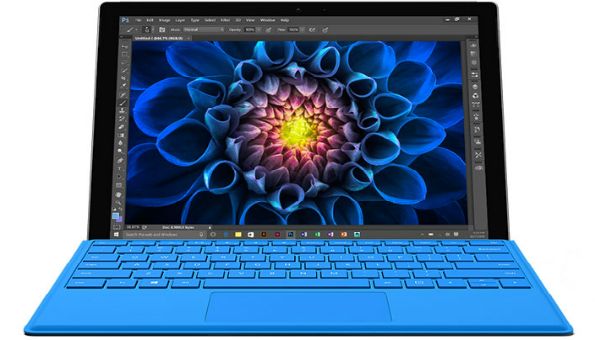
Question from Dolly F.:  I bought a Surface Pro 4 back in December and I recently started noticing a very faint, but irritating screen flicker.

I’ve tried changing pretty much all the available screen settings and installed all the latest updates but I just can’t get the flickering to stop.

This is absolutely driving me up the wall!

If you can tell me how to get this to stop you’ll be my hero lol. Thanks for your help in advance. Love your site by the way.

Rick’s answer:  [Read more…]
Review: ASUS Transformer Book T100HA-C4-GR 10.1″ Detachable 2-in-1 Touchscreen Laptop/Tablet

Posted on November 6, 2015

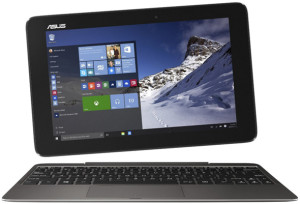
asus-transformer-book-t100ha-c4-grTablet PCs are flying off the shelves these days, and for good reason. Even a budget tablet offers much of the functionality of a full-blown PC along with the awesome convenience of a mobile device.

That being said, many of the best-selling tablets run the Android operating system, and that’s fine if all you need to do with your tablet is use the Internet and play games.

But if you want to perform real computing tasks, you’re going to need something more.

I recently had an opportunity to check out the ASUS Transformer Book T100HA-C4-GR, a nifty tablet from ASUS that doubles as a laptop. It includes all of the following:  [Read more…]

Q&A: Can I use a regular USB keyboard with my Surface RT?

Posted on January 21, 2014

surface-rtQuestion from Hannah G.:  I have a Surface RTand I’ve been wanting to buy a keyboard for it, but they’re a little pricey. And they don’t look all that well made either.

I noticed today that the RT has a full size USB port. Can I just buy a cheap USB keyboard that’s made for a PC and plug it into it?

Rick’s answer:  [Read more…]

How to take a screenshot on a Microsoft Surface tablet

Posted on May 24, 2013

microsoft-surfaceDo you have a Microsoft Surface tablet? They are becoming quite popular, especially in the corporate world where more companies are actually purchasing Surface tablets than iPads these days.
One of the most basic tasks while using any tablet is capturing a screenshot, and it’s extremely easy to do on a Microsoft Surface running Windows 8. Here’s how:  [Read more…]

Onlive Desktop – A Windows Desktop and Apps for iPad and Android

Posted on January 18, 2013

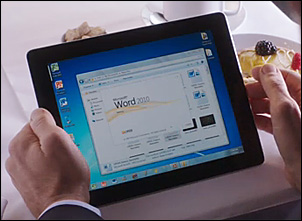
onlive-desktopHave you ever thought it would be nice to have a Windows Desktop on your iPad or Android tablet? How about the ability to create and edit Microsoft Word, Excel, and Powerpoint files?

Onlive Desktop is a free download/cloud-based service that allows you to mimic the Windows experience right on your tablet, at speeds that make it hard to believe that you’re actually working in the cloud instead of natively on your tablet. Also included is 2GB of cloud storage. [Read more…]

  • « Previous Page
  • 1
  • 2

– Ad –
 
Frameo 10.1″ Wood WiFi Digital Picture Frame w/ 32GB Memory

Digital picture frames are awesome because they let you display thousands of precious photos in a never-ending slideshow.

If you’re looking for a really good one but you don’t want to pay a small fortune for it, this is an excellent choice.

Click here to check it out at Amazon.


Popular…

Miss one of my Daily Gadget Picks? Check here.

How do I ask you a tech question?

Step-by-step guide to completely ridding your PC of viruses and other malware

10 reasons why I recommend buying tech gear from Amazon

How to accurately evaluate product reviews on Amazon


Advertise

Guest Post Guidelines

Want to ask me a tech question?

Recommended Tech Gear

Privacy Policy

Computer Tips
Smartphone Tips
Blogging Tips

Tech Q & A
Reviews
Tech News

Write for RicksDailyTips.com

Scam alerts
Downloads

Copyright © 2026 RicksDailyTips.com

Affiliate Disclaimer


Rick's Daily Tips is hosted by InMotion Hosting. Click here to find out why.

This blog uses cookies to ensure that you receive the best experience on my website. Please click 'Accept Cookies' to continue.