Rick's Daily Tips

Your daily dose of practical, easy to follow tech tips!

  • Home
  • Rick’s Bio
  • Advertise
  • Privacy Policy
  • Rick’s Tip Jar
  • Get My Tech Tips Newsletter
  • Recommended Tech Gear
  • Contact Me

Q&A: Is a loose power connector on a brand new laptop a problem?

Posted on July 31, 2018

Question from Darla:  I bought a new laptop from Best Buy a couple of days ago. It cost a little over $800.

The laptop seems to work fine but there’s one problem. Well at least I think it might be a problem and I need your advice/opinion about it.

The power cable doesn’t seem to fit into the laptop’s power connector very well. It just seems to be “loose”.

When I wiggle the connector around it moves quite a bit but the laptop never shuts down or blinks or anything.

Every other laptop I’ve ever owned had a well-fitting power connection. Do you think this one is defective or is that normal for some laptops now?

I would just return it but I know that Best Buy charges a 15% restocking fee, which in this case would be $120! That’s why I’d rather not return it unless you really think I need to.

Rick’s answer:  [Read more…]
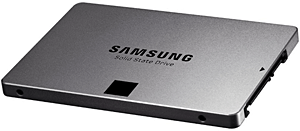
How to install a Solid State Drive (SSD) in your laptop

Posted on July 18, 2018

SSD
(#ad) 

A while back I wrote a post explaining the benefits of replacing your hard drive with a Solid State Drive (aka SSD).

Of course the greatest benefit is the amazing speed increase you’ll gain by replacing your hard drive’s spinning platters and read/write heads with an SSD’s lightning-fast memory chips.

You might recall that in that post I recommended paying a PC Tech to swap out the drives for you, but since then I’ve had a couple of emails from folks who really wanted to try upgrading their laptops themselves, prompting me to decide to write this post explaining the procedure.

But before we get to that, if your laptop was made in such a way that the entire case has to be partially disassembled in order to access the hard drive, I still strongly recommend that you hire a qualified PC tech to remove the hard drive and install the SSD for you. Just sayin’.

On the other hand, if your laptop’s drive bay is easily accessible via a small removable cover you can swap out the drives out yourself. Just follow the instructions below.

[Read more…]

Q&A: Is it worthwhile to double the RAM when buying a new laptop?

Posted on April 20, 2018

(#ad)

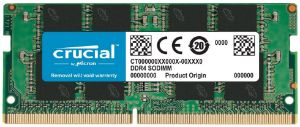
Question from Ashley L:  I’m getting ready to buy a new laptop and the model I’m wanting comes with 4GB of DDR4 RAM but I can add 4GB more (for 8GB total) for an extra $75.

I have two questions for you concerning the RAM options:

1 – Do you think doubling the RAM to 8GB is worth it for Windows 10?

2 – Is $75 a reasonable price to pay for an extra 4GB?

Thanks in advance for your advice. It’ll be a big help!

Rick’s answer:   [Read more…]

Q&A: If I buy a laptop with Windows 10, can I install Windows 7 if I don’t like it?

Posted on March 25, 2018

Windows-10-logoQuestion from Sara A.:  The screen went bad in my laptop so I’m looking for a new one. I’ve been to all the local stores, and all of laptops they have come with Windows 10.

I’m used to Windows 7 and I’ve heard that Windows 10 is a lot different. If I buy a laptop with Windows 10 on it will I be able to install Windows 7 if I don’t like it? I have the Windows 7 CD that came with my old laptop.

Rick’s answer:   [Read more…]

Review: 2018 Premium HP 17.3″ Business Flagship Laptop PC

Posted on February 20, 2018

(#ad)

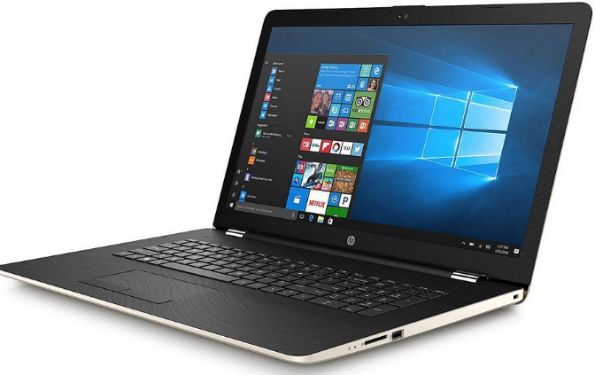
The new year brought with it several new mid-range Windows 10 laptops, one of which is the 2018 Premium HP 17.3″ Business Flagship Laptop PC. (#ad)

I recently had a chance to check one of them out.

To be blunt, I ended up liking this laptop ok but it does have some serious downsides, which I’ll get to later.

Although this is being billed as a business laptop it would also make a decent general-purpose PC. I wouldn’t really recommend it for use as a gaming laptop at all, but it should perform fairly well at most other common computing tasks.

First, let’s take a look at the specs:  [Read more…]

  • « Previous Page
  • 1
  • …
  • 10
  • 11
  • 12
  • 13
  • 14
  • …
  • 18
  • Next Page »


Popular…

How do I ask you a tech question?

Step-by-step guide to completely ridding your PC of viruses and other malware

10 reasons why I recommend buying tech gear from Amazon

How to accurately evaluate product reviews on Amazon


Advertise

Guest Post Guidelines

Want to ask me a tech question?

Recommended Tech Gear

Privacy Policy

Computer Tips
Smartphone Tips
Blogging Tips

Tech Q & A
Reviews
Tech News

Write for RicksDailyTips.com

Scam alerts
Downloads

Copyright © 2026 RicksDailyTips.com

Affiliate Disclaimer


Rick's Daily Tips is hosted by InMotion Hosting. Click here to find out why.

This blog uses cookies to ensure that you receive the best experience on my website. Please click 'Accept Cookies' to continue.