Rick's Daily Tips

Your daily dose of practical, easy to follow tech tips!

  • Home
  • Rick’s Bio
  • Advertise
  • Privacy Policy
  • Rick’s Tip Jar
  • Get My Tech Tips Newsletter
  • Recommended Tech Gear
  • Contact Me

Speed up your slow laptop with an inexpensive Solid State Hybrid Drive

Posted on September 28, 2018

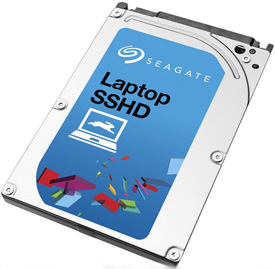
hybrid-drive
(#ad) 

I’ve written several posts in the past explaining how you can speed up your computer dramatically by replacing its hard drive with a Solid State Drive (SSD).

Installing an SSD is, quite literally, the best single upgrade you can make on virtually any computer. That being said, installing an SSD in a laptop does have a downside…

Byte for byte, large capacity SSDs are still relatively expensive when compared to hard drives with similar capacities, and since most laptops only have one drive bay, leaving your larger hard drive installed to hold your data isn’t usually an option.  [Read more…]
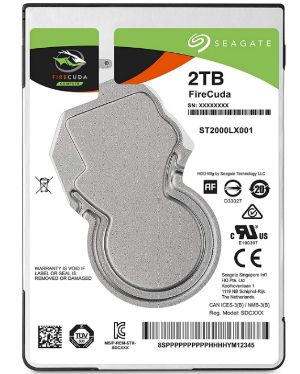
Q&A: What’s the best laptop hard drive I can buy for $100 or less?

Posted on September 18, 2018

(#ad) 

Question from Andy:  The 750GB hard drive in my laptop has started making strange noises and I’m afraid it’s about to go out on me. I need to replace it ASAP but I don’t know which drive I should buy to replace it with.

I’d really like to get an SSD to make the laptop run a lot faster, but my budget for the drive is only about $100 (or preferably less).

I checked around and the largest SSD I can get for that price is way too small for my needs. I really need something that’s at least as big as the drive that’s in the laptop right now.

Can you help me find the fastest hard drive I can get for $100 that’s at least 750GB?

Rick’s answer:   [Read more…]

Q&A: Is it safe to keep using a hard drive after doing a low-level format to lock out bad sectors?

Posted on June 29, 2018

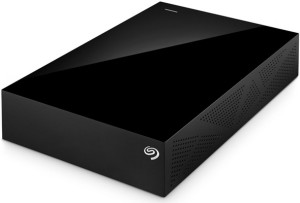
seagate-external-usb-hard-drive
(#ad)

Question from Tom J.:  I have a 4TB Seagate external hard drive that recently came down with a bunch of bad sectors even though it’s only about 2 years old.

A friend of mine said I could do a low level format of the drive to lock out the bad sectors and the rest of the drive would work just fine.

What’s your opinion on this? I hate to just trash a drive that large when it still has most of its capacity available, but I don’t want to risk losing my files either.

Rick’s answer:  [Read more…]

Q&A: Why is my computer saying ‘A hard drive in the system reports that it may fail.’?

Posted on May 3, 2018

Question from Darla:  I have an HP Pavilion laptop with Windows 8.1 on it.

I recently started seeing this message every time I turn it on:

“A hard drive in the system reports that it may fail.”

The thing is the hard drive is working just fine.

Can you tell me what do I need to do to get the computer to stop showing me this message?

Rick’s answer:  [Read more…]

Q&A: Is it safe to run ‘chkdsk’ to fix a hard drive with bad sectors?

Posted on January 31, 2017

Question from Randy F.:  My hard drive started making a combination of loud whining and clicking sounds last night.

I did some research (thanks Google!) and found a forum post that said to run chkdsk to see if the drive has any bad sectors. It then said if bad sectors are found to run chkdsk/r to fix them.

I ran chkdsk and it did find a bunch of bad sectors. I started to run chkdsk /r to fix the bad sectors but then I remembered reading a follow-up post that said running chkdsk /r can kill a hard drive outright.

What’s your advice on this? I’d like to fix the drive and not have to replace it if that’s possible, but I don’t want to lose my pictures and other files by killing the drive. I need some advice on how to proceed.

Rick’s answer:   [Read more…]

  • « Previous Page
  • 1
  • …
  • 5
  • 6
  • 7
  • 8
  • 9
  • Next Page »


Popular…

How do I ask you a tech question?

Step-by-step guide to completely ridding your PC of viruses and other malware

10 reasons why I recommend buying tech gear from Amazon

How to accurately evaluate product reviews on Amazon


Advertise

Guest Post Guidelines

Want to ask me a tech question?

Recommended Tech Gear

Privacy Policy

Computer Tips
Smartphone Tips
Blogging Tips

Tech Q & A
Reviews
Tech News

Write for RicksDailyTips.com

Scam alerts
Downloads

Copyright © 2025 RicksDailyTips.com

Affiliate Disclaimer


Rick's Daily Tips is hosted by InMotion Hosting. Click here to find out why.

This blog uses cookies to ensure that you receive the best experience on my website. Please click 'Accept Cookies' to continue.