Rick's Daily Tips

Your daily dose of practical, easy to follow tech tips!

  • Home
  • Rick’s Bio
  • Advertise
  • Privacy Policy
  • Rick’s Tip Jar
  • Get My Tech Tips Newsletter
  • Recommended Tech Gear
  • Contact Me

Q&A: Should I shut my computer down when it’s not being used?

Posted on October 2, 2026

Want to get my easy to follow Tech Tips in your email?

Sign up for my daily Rick’s Tech Tips Newsletter!


Note: The links in this post are affiliate links.

Question from Milo: I really like your site, Rick. It’s easy to tell that you put a lot of work into it.

I’ve been following you for several months now and I always learn something every time I visit your blog.

I hope you don’t mind but I finally have a question of my own that I need to ask you.
[Read more…]

How to save money when shopping for a new computer

Posted on September 29, 2026

Want to get my easy to follow Tech Tips in your email?
Sign up for my daily Rick’s Tech Tips Newsletter!


Note: The links in this post are affiliate links.

Folks often ask me what they need to look for when they go shopping for a new computer.

In a nutshell, they want to buy the best machine they can get without spending any more than they have to.

In some ways trying to find the right computer is a lot like shopping for a new car. There are always dozens of “current models” to choose from, and they tend to look a whole lot alike.

[Read more…]

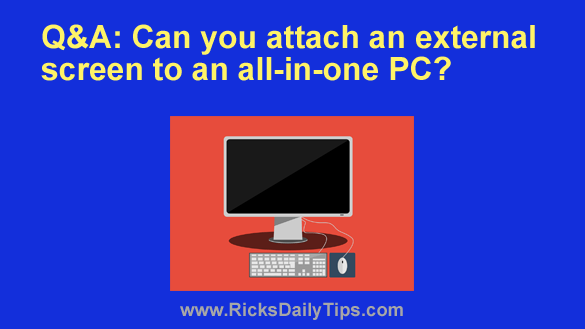
Q&A: Can you attach an external screen to an all-in-one PC?

Posted on May 22, 2026

Want to get my easy to follow Tech Tips in your email?

Sign up for my daily Rick’s Tech Tips Newsletter!


Note: The links in this post are affiliate links.

Question from Marie:  I have a two year old all-in-one Windows PC and its screen has just gone out.

This computer runs well and it has all my files on it so I’d like to keep using it if I can.

I’d really prefer a larger screen if that’s a viable option.

Is it possible to connect an external monitor to an all-in-one computer or will I need to just have the bad screen replaced?  [Read more…]

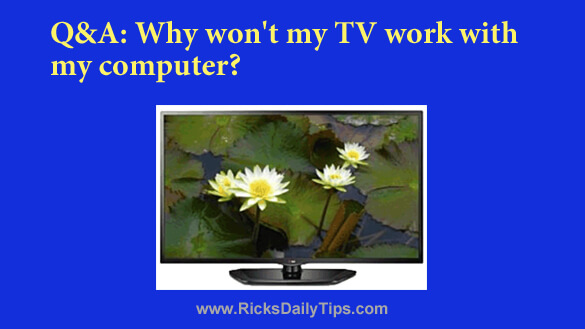
Q&A: Why won’t my TV work with my computer?

Posted on May 7, 2026

Want to get my easy to follow Tech Tips in your email?

Sign up for my daily Rick’s Tech Tips Newsletter!


Question from Glenda:  I bought a used TV at a yard sale and I want to use it as a monitor for an old desktop computer that I’m going to use just for watching Netflix.

I plugged an HDMI cable between the computer and the TV and nothing comes on the screen. It’s like it isn’t getting any signal.

I know the HDMI port on the computer is working because it works with the old monitor just fine. And I know the TV is working because I hooked it up to my cable box.

What could be causing the computer to refuse to work with the TV? [Read more…]

How to keep your work and home computing activities separate

Posted on March 15, 2026

Want to get my easy to follow Tech Tips in your email?

Sign up for my daily Rick’s Tech Tips Newsletter!


Do you use the same computer for both work and home use?

If so, keeping those activities isolated from one another could help prevent confusion and perhaps even embarrassment in the event that the two were to somehow become entangled with one another.

Luckily, it’s very easy to keep your work and home computing activities completely isolated from one another. All you have to do is create a new user account to sign into while you’re working.  [Read more…]

  • 1
  • 2
  • 3
  • Next Page »

– Ad –
Charmast 20000mAh Portable Charger / Power Bank with Built-in Cables

Are you constantly misplacing the cables to your portable power bank? This little gem solves that problem once and for all.

It comes with USB-C, USB-A and microUSB cables built right into it, ensuring that you always have them when you need them. And if your device uses a Lightning connector you can plug in an external Lightning cable as well.

The 20000mAH capacity is good for 3 – 4 full phone charges or several partial charges, which I’ve found to be more than adequate for my needs.

This has been my go-to portable charger and power bank for a while now and I absolutely love it.

Click here to check it out at Amazon.


Popular…

Miss one of my Daily Gadget Picks? Check here.

How to save money when shopping for a new computer.

How do I ask you a tech question?

Step-by-step guide to completely ridding your PC of viruses and other malware

10 reasons why I recommend buying tech gear from Amazon

How to accurately evaluate product reviews on Amazon


Advertise

Guest Post Guidelines

Want to ask me a tech question?

Recommended Tech Gear

Privacy Policy

Computer Tips
Smartphone Tips
Blogging Tips

Tech Q & A
Reviews
Tech News

Write for RicksDailyTips.com

Scam alerts
Downloads

Copyright © 2026 RicksDailyTips.com

Affiliate Disclaimer


Rick's Daily Tips is hosted by InMotion Hosting. Click here to find out why.

This blog uses cookies to ensure that you receive the best experience on my website. Please click 'Accept Cookies' to continue.