Rick's Daily Tips

Your daily dose of practical, easy to follow tech tips!

  • Home
  • Rick’s Bio
  • Advertise
  • Privacy Policy
  • Rick’s Tip Jar
  • Get My Tech Tips Newsletter
  • Recommended Tech Gear
  • Contact Me

My backup plan for absolute protection against data loss

Posted on December 4, 2025

Want to get my easy to follow Tech Tips in your email?
Sign up for my daily Rick’s Tech Tips Newsletter!


Note: The links in this post are affiliate links.

Folks often ask me what they should do to keep their PC working smoothly and keep their photos and other data secure from loss.

Without exception, I always offer the following recommendations: [Read more…]

Q&A: Can I put more than one System Image Backup on the same drive?

Posted on November 18, 2025

Want to get my easy to follow Tech Tips in your email?

Sign up for my daily Rick’s Tech Tips Newsletter!


Note: The links in this post are affiliate links.

Question from Julienne:  Hello, Rick. I’m a long time reader of your blog and I’ve read your posts about making System Image backups with Windows.

Your instructions are very good and easy to follow.

I’ve made three backups so far for my laptop but I just noticed that there’s only one backup on my external hard drive. I’m assuming it’s the last one I made?

My question is can I store more than one backup on the same drive? [Read more…]

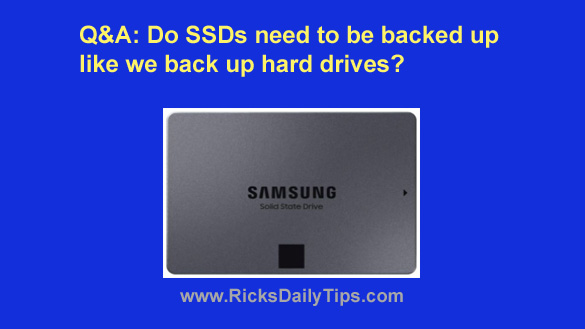
Q&A: Do SSDs need to be backed up like a hard drive?

Posted on January 26, 2025

Want to get my easy to follow Tech Tips in your email?

Sign up for my daily Rick’s Tech Tips Newsletter!


Note: The links in this post are affiliate links.

Question from Brenda:  I took my laptop to Best Buy after the hard drive crashed and they installed a 2TB SSD for me. I can’t believe how much faster the computer runs now.

Luckily I had a backup when the hard drive crashed. I was reading an article today that said SSDs don’t break because they have no moving parts, therefore you don’t really need to back them up.

Is that true? [Read more…]

Q&A: Does a System Image Backup save everything on the hard drive?

Posted on June 17, 2024

Question from Olivene:  Rick, I spent a few minutes reading your post that explains how to create a System Image Backup in Windows 10, but I’m a little confused.

I had Carbonite backing up my files for a couple of years and they didn’t back up any of my Windows files.

I learned that the hard way after my hard drive crashed on me.

What exactly is backed up when you create a System Image Backup?  [Read more…]

Review: Carbonite Online Backup Service

Posted on April 29, 2024

Have you ever had a laptop stolen or suffered a hard drive crash?

If so, you already know that losing your precious photos, music, Word documents and other critical files is even worse than having to replace the hardware.

If you didn’t have a current backup, you most likely lost every scrap of your irreplaceable data. That’s why always having a current backup of your hard drive on hand is absolutely critical.

But did you know that just backing up your data onto an external hard drive isn’t enough?

[Read more…]

  • 1
  • 2
  • 3
  • 4
  • Next Page »

(Advertisement)

Men’s Journal is a rugged and refined lifestyle adventure travel, food and drink.  Get in touch [email protected] to find out how we can help you reach everyday, affluent, and adventure seeking consumers on Men’s Journal.


Popular…

How do I ask you a tech question?

Step-by-step guide to completely ridding your PC of viruses and other malware

10 reasons why I recommend buying tech gear from Amazon

How to accurately evaluate product reviews on Amazon


Advertise

Guest Post Guidelines

Want to ask me a tech question?

Recommended Tech Gear

Privacy Policy

Computer Tips
Smartphone Tips
Blogging Tips

Tech Q & A
Reviews
Tech News

Write for RicksDailyTips.com

Scam alerts
Downloads

Copyright © 2025 RicksDailyTips.com

Affiliate Disclaimer


Rick's Daily Tips is hosted by InMotion Hosting. Click here to find out why.

This blog uses cookies to ensure that you receive the best experience on my website. Please click 'Accept Cookies' to continue.