Rick's Daily Tips

Your daily dose of practical, easy to follow tech tips!

  • Home
  • Rick’s Bio
  • Advertise
  • Privacy Policy
  • Rick’s Tip Jar
  • Get My Tech Tips Newsletter
  • Recommended Tech Gear
  • Contact Me

Search Results for: how to create system image backup

PC Decrapifier: The 2nd thing you should run on your new Windows PC!

Posted on November 7, 2019

pc-decrapifier-logoAre you planning to buy a brand new Windows computer?

If so, there are a couple of things you need to do the very first time you run it:

1 – Ensure that it’s protected with an effective anti-virus program.

2 – Keep your PC malware-free!

In a perfect world, this wouldn’t even be necessary, but sadly it is. [Read more…]

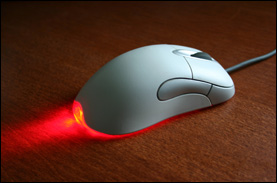
Q&A: Why does the light on my mouse stay lit when I shut down my computer?

Posted on August 9, 2019

Question from Kelly E.:  I just bought a new computer and there’s one thing about it that has me puzzled.

When I shut the computer down (not put it to sleep, but actually shut it down) the little light on the mouse stays lit.

Why is this happening? I’ve never seen it before. Is there some way to turn it off?

Rick’s answer:  [Read more…]

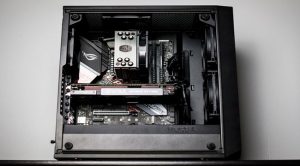
Q&A: Why won’t the computer I just built boot into Windows?

Posted on March 7, 2019

Question from Michael:  Hi Rick. I hope you can help me fix a problem I’m having with a brand new PC I just finished building.

After I got everything put together I installed Windows 10 on it and made a few settings changes.

Everything seemed fine and the system booted up normally a total of three times.

But the next time I turned it on the screen stayed blank and the motherboard’s LED error code display stayed on.

I’ve tried turning it off and back on several times but it just won’t boot up.

Any thoughts on what could be causing this? I don’t think it’s a software problem because I haven’t even installed any programs on it yet.

Rick’s answer:  [Read more…]

Warning: Make sure you back up your PC before installing the ‘Windows 10 October 2018 Update’!

Posted on October 4, 2018

Well, Microsoft has now released their massive annual Fall update for this year.

They’re referring to it as the Windows 10 October 2018 Update, and as usual they’re preparing to roll it out to user’s PCs in stages.

This update is already available for folks who want to install the update manually instead of waiting for it to “roll out” to their machines via the regular update cycle.

Lots of folks have already installed the update on their machines with with no problems whatsoever, but others haven’t been so lucky.

[Read more…]

Warning: The upcoming ‘Windows 10 October 2018 Update’ might break your PC’s Windows installation.

Posted on September 25, 2018

Well, October is just around the corner and that means Microsoft will soon be releasing the annual Fall update to Windows 10.

Unfortunately, the upcoming release of the “Windows 10 October 2018 Update” will end up preventing a lot of PCs from booting up into Windows after the update is installed.

[Read more…]

  • « Previous Page
  • 1
  • …
  • 25
  • 26
  • 27
  • 28
  • 29
  • …
  • 38
  • Next Page »

– Ad –
Hiboost Cell Phone Signal Booster

Do you struggle to use your cell phone at home due to a weak signal? This high quality cell phone signal booster will fix that problem. Works with all major carriers.

Click here to check it out at Amazon.


Popular…

Miss one of my Daily Gadget Picks? Check here.

How do I ask you a tech question?

Step-by-step guide to completely ridding your PC of viruses and other malware

10 reasons why I recommend buying tech gear from Amazon

How to accurately evaluate product reviews on Amazon


Advertise

Guest Post Guidelines

Want to ask me a tech question?

Recommended Tech Gear

Privacy Policy

Computer Tips
Smartphone Tips
Blogging Tips

Tech Q & A
Reviews
Tech News

Write for RicksDailyTips.com

Scam alerts
Downloads

Copyright © 2026 RicksDailyTips.com

Affiliate Disclaimer


Rick's Daily Tips is hosted by InMotion Hosting. Click here to find out why.

This blog uses cookies to ensure that you receive the best experience on my website. Please click 'Accept Cookies' to continue.