
Rick's Daily Tips

Your daily dose of practical, easy to follow tech tips!

  • Home
  • Rick’s Bio
  • Advertise
  • Privacy Policy
  • Rick’s Tip Jar
  • Get My Tech Tips Newsletter
  • Recommended Tech Gear
  • Contact Me

Search Results for: how to create system image backup

The most common reasons for data loss (and a few tips for preventing it)

Posted on July 6, 2020

Rick’s Tech Tips Newsletter

Data loss is one of the most common issues faced by computer users these days.

And as you an imagine, the loss of critical and irreplaceable data can be catastrophic.

For this reason, it’s very important to keep your data as safe and well-protected as possible.

Many factors can contribute to data loss, and I will highlight the main ones in this post. I’ll also offer some tips for protecting your precious data from catastrophic loss.

Here’s a quick rundown of the most common reasons for data loss:
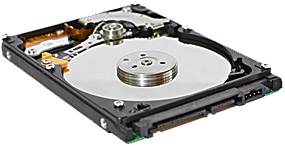
[Read more…]

Save money by doing your own file recovery from a failed hard drive

Posted on June 23, 2020

It happens to most everyone sooner or later. You turn on your PC and discover that it won’t boot.

You hear a clunking sound from your hard drive and whisper “Oh, no!!!” after realizing that the drive has gone belly up on you.

All is not lost if you have a current backup that works. You can simply replace the bad drive with a new one and restore everything in short order.

But what if you don’t have a backup? Or what if you have a backup but it has somehow become corrupted and you can’t restore from it?

Well, that’s when you have a choice to make.  [Read more…]

7 tips for safely sharing your computer with guests during the holiday season

Posted on November 11, 2019

welcome-christmasAre you expecting to have guests staying at your home at any time during the holiday season?

If so, it’s possible that one or more of them might ask to borrow your computer to check their email, get on Facebook, or do whatever it is they enjoy doing online.

There’s really nothing wrong with allowing a visitor to use your computer, but there are a few things you might want to do before your guests arrive:  [Read more…]

PC Decrapifier: The 2nd thing you should run on your new Windows PC!

Posted on November 7, 2019

pc-decrapifier-logoAre you planning to buy a brand new Windows computer?

If so, there are a couple of things you need to do the very first time you run it:

1 – Ensure that it’s protected with an effective anti-virus program.

2 – Keep your PC malware-free!

In a perfect world, this wouldn’t even be necessary, but sadly it is. [Read more…]

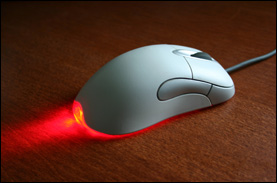
Q&A: Why does the light on my mouse stay lit when I shut down my computer?

Posted on August 9, 2019

Question from Kelly E.:  I just bought a new computer and there’s one thing about it that has me puzzled.

When I shut the computer down (not put it to sleep, but actually shut it down) the little light on the mouse stays lit.

Why is this happening? I’ve never seen it before. Is there some way to turn it off?

Rick’s answer:  [Read more…]

  • « Previous Page
  • 1
  • …
  • 24
  • 25
  • 26
  • 27
  • 28
  • …
  • 38
  • Next Page »

– Ad –
 
Aceup Energy 1200 Watt Portable Inverter Generator

Generators sure come in handy when the power goes out for an extended period of time, but most of them are quite noisy. This one isn’t.

My next-door neighbor used one of these during our recent ice storm outage and I couldn’t even hear it running unless I happened to be outside.

Click here to check it out at Amazon.


Popular…

Miss one of my Daily Gadget Picks? Check here.

How do I ask you a tech question?

Step-by-step guide to completely ridding your PC of viruses and other malware

10 reasons why I recommend buying tech gear from Amazon

How to accurately evaluate product reviews on Amazon


Advertise

Guest Post Guidelines

Want to ask me a tech question?

Recommended Tech Gear

Privacy Policy

Computer Tips
Smartphone Tips
Blogging Tips

Tech Q & A
Reviews
Tech News

Write for RicksDailyTips.com

Scam alerts
Downloads

Copyright © 2026 RicksDailyTips.com

Affiliate Disclaimer


Rick's Daily Tips is hosted by InMotion Hosting. Click here to find out why.

This blog uses cookies to ensure that you receive the best experience on my website. Please click 'Accept Cookies' to continue.