Rick's Daily Tips

Your daily dose of practical, easy to follow tech tips!

  • Home
  • Rick’s Bio
  • Advertise
  • Privacy Policy
  • Rick’s Tip Jar
  • Get My Tech Tips Newsletter
  • Recommended Tech Gear
  • Contact Me

Q&A: How can I prevent my Android phone from automatically connecting to a Wi-Fi network?

Posted on June 17, 2013

wifiQuestion from Donna T.:  I have a Sprint Samsung smart phone running Android (no clue what version). It drives me crazy by automatically connecting to my wireless network every time I walk into the house. Even if I turn Wi-Fi off on the phone, the next thing I know it has connected again.

I never use my phone with my home Wi-Fi network and I’d like to prevent it from automatically connecting to it. How do I do that?

Rick‘s answer:   [Read more…]

Q&A: How do I add a Facebook ‘Like Box’ to my WordPress blog?

Posted on June 12, 2013

facebook-logoQuestion from Brenda K.:  Hi Rick. I have created a Facebook page for my WordPress blog where I post about ladies fashions. I’d like to add a Facebook “Like Box” similar to the one you have on this site to the blog. I’ve searched Facebook from top to bottom and I can’t find and instructions for adding one. Can you tell me how to do it?

Rick‘s answer:  Brenda, when I decided to add a ‘Like Box’ to RicksDailyTips.com I had to search high and low for the instructions as well. Find them I did however, and basically all you have to do is fill out a short form and then copy and paste the code provided into the theme of your WordPress blog wherever you want the ‘Like Box’ to appear (usually in the sidebar).

Here’s how to add a Facebook ‘Like Box’ to your WordPress blog:  [Read more…]

Q&A: Can my hard drive be repaired?

Posted on June 5, 2013

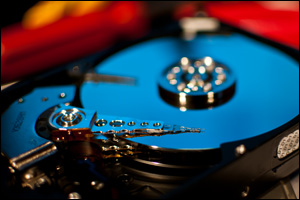
Question from Michael:  I have an HP Pavilion dv5t laptop with a 500GB hard drive which recently began making clicking and clunking sounds. After reading your article about hard drives making unusual sounds I realize that the drive is probably in the process of failing.

My question is can hard drives be repaired? This is a 7200RPM model which I understand to be one of the best. (By the way, I have backed everything up so I’m not worried about losing any programs or data.)

Rick‘s answer: [Read more…]

Q&A: Where are screenshots stored on my computer?

Posted on June 4, 2013

prt-scrn-keyQuestion from Belinda L.:  Hi Rick. I remember reading somewhere that if you press key combination Ctrl+Print Screen the computer will save a screenshot image of whatever is on the screen at the time. But when I press those keys nothing happens.

I’ve searched my documents folder, the desktop and everywhere else I can think to look but I can’t find a screenshot image. What am I doing wrong? My PC uses Windows 7.

Rick‘s answer:  You’re not doing anything wrong Belinda, you’re just not finishing the procedure.

When you press the Ctrl+Print Screen key combination (Note: the Print Screen key is sometimes labeled PrtScrn or something similar) it saves an image of the screen contents to the Windows Clipboard which is nothing more than a small section of RAM set aside as a buffer.

In order to convert that screenshot into an actual image file you’ll need to open your favorite image editor (Paint, Photoshop Express etc.) and paste the contents of the Clipboard into it.

Once you have the screenshot displayed in the image editor, you can crop it, resize it or edit it just like any other image and then save it as a JPEG, BMP or other type of image file.

Since you’re using Windows 7 you have Microsoft Paint already installed on your system by default. Here’s how to use the Ctrl+Print Screen key combination and MS Paint in order to capture a screenshot and save it as an image file:  [Read more…]

Q&A: Can I install 64 bit Windows on my Dell OptiPlex 775?

Posted on June 3, 2013

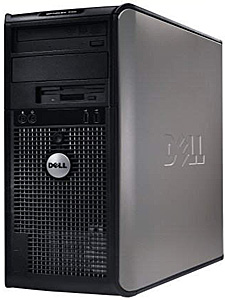
Dell OptiPlex 775Question from Lars K.:  Rick, I have a Dell OptiPlex 775 desktop PC that is maxed out at 4GB RAM. I bought it for practically nothing from a friend and it has Windows 7 – 32 bit installed on a 160GB hard drive. I bought a 1TB drive to replace the old drive with and I plan to do a clean install of Windows when I swap out the drives.

My question for you is can I install the 64 bit version of Windows 7 on this machine? Thanks in advance for your help!

Rick’s answer:  Yes, you sure can Lars. The Optiplex 775 has a 64 bit CPU and the 4GB of RAM and 1TB hard drive are more than adequate. The only possible issue that might arise is finding 64 bit drivers for any older expansion cards and peripherals that you might plan to attach to the computer. But as far as the PC itself is concerned, you’re good to go!


Do you have a tech question of your own for Rick? Click here and send it in!

  • « Previous Page
  • 1
  • …
  • 248
  • 249
  • 250
  • 251
  • 252
  • …
  • 258
  • Next Page »

– Ad –
 
Frameo 10.1″ Wood WiFi Digital Picture Frame w/ 32GB Memory

Digital picture frames are awesome because they let you display thousands of precious photos in a never-ending slideshow.

If you’re looking for a really good one but you don’t want to pay a small fortune for it, this is an excellent choice.

Click here to check it out at Amazon.


Popular…

Miss one of my Daily Gadget Picks? Check here.

How do I ask you a tech question?

Step-by-step guide to completely ridding your PC of viruses and other malware

10 reasons why I recommend buying tech gear from Amazon

How to accurately evaluate product reviews on Amazon


Advertise

Guest Post Guidelines

Want to ask me a tech question?

Recommended Tech Gear

Privacy Policy

Computer Tips
Smartphone Tips
Blogging Tips

Tech Q & A
Reviews
Tech News

Write for RicksDailyTips.com

Scam alerts
Downloads

Copyright © 2026 RicksDailyTips.com

Affiliate Disclaimer


Rick's Daily Tips is hosted by InMotion Hosting. Click here to find out why.

This blog uses cookies to ensure that you receive the best experience on my website. Please click 'Accept Cookies' to continue.