Rick's Daily Tips

Your daily dose of practical, easy to follow tech tips!

  • Home
  • Rick’s Bio
  • Advertise
  • Privacy Policy
  • Rick’s Tip Jar
  • Get My Tech Tips Newsletter
  • Recommended Tech Gear
  • Contact Me

Q&A: Will using ReadyBoost really speed up my computer?

Posted on May 18, 2015

readyboost-logo-2Question from Beverly W.:  I recently read an article that said using ReadyBoost with a flash drive will speed up your computer. My laptop is pretty slow so I decided I wanted to try it.

But now I’m confused because when I asked a friend of mine how to set it up he told me not to bother because it doesn’t really help.

I hope you can clear this up for me. Does ReadyBoost work or not? I don’t want to buy a flash drive to use with it if it won’t really do me any good.

Rick’s answer:   [Read more…]
Q&A: How can I prevent the Camera app from opening automatically on my Galaxy S6?

Posted on April 27, 2015

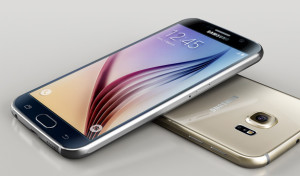
galaxy-s6Question from Freida K.:  I just bought a Samsung Galaxy S6 phone and it keeps loading the Camera app every time I double-tab the “Home” button.

I don’t like that and it’s driving me nuts. Is there a way to stop it from happening?

Rick’s answer:  I understand your frustration Freida, and you aren’t alone in your dislike for Samsung’s “Camera Quick Launch” feature. Luckily, you can easily turn it off. Here’s how:  [Read more…]

Q&A: How do I enable HD Voice on my iPhone 6?

Posted on April 22, 2015

hd-voice-logoQuestion from Rita H.:  I recently went to Verizon and upgraded my phone to an iPhone 6. I’m glad I did because this is my first iPhone and I love it! I still don’t know a lot about it though.

A friend of mine also has an iPhone 6 and she said her son enabled something called HD Voice on her phone and now her calls sound a lot clearer.

I asked her how to enable it on my phone and she said she doesn’t know. Can you tell me how to do it?

Rick’s answer:   [Read more…]

Q&A: Why is Windows 8 not using all of my RAM?

Posted on April 3, 2015

windows-8-logoQuestion from Rodney T: I have an Acer Aspire 5552G-7641 with 8GB of RAM. It came with Windows 7 which always showed the entire 8GB on the System Information screen.

My employer paid for a copy of Windows 8 so I backed up my data and wiped the hard drive, then installed Windows 8 (that was an ordeal in itself but I won’t go into it here lol).

Long story short, after installing Windows 8 the System Information screen is only showing 3GB of RAM even though the BIOS screen shows the full 8GB. Did I do something wrong? [Read more…]

Q&A: Why won’t my laptop’s battery charge past 10%?

Posted on March 24, 2015

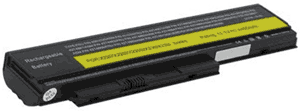
thinkpad-x230-2320hqu-batteryQuestion from Keenan R.:  My 3 year old ThinkPad X230 2320HQU laptop won’t charge the battery past 10% no matter how long I leave it plugged in.

If I try to use the laptop while it’s running from on battery, it shuts off after just a few seconds. It runs fine with the charger plugged in, the battery just refuses to charge up.

How can I tell whether the problem is caused by the battery or the charger? If possible, I need to get it fixed ASAP. Thanks.

Rick’s answer:   [Read more…]

  • « Previous Page
  • 1
  • …
  • 211
  • 212
  • 213
  • 214
  • 215
  • …
  • 258
  • Next Page »

– Ad –
 
KAMRUI Pinova P1 Mini PC Computer


This mini-PC puts full desktop power into a tiny package. I use two mini-PCs in my office on a daily basis, and I love them. This one is a great machine for the money. Runs Windows 11 or Linux – just install the O.S. of your choice.

Click here to check it at Amazon.


Popular…

Miss one of my Daily Gadget Picks? Check here.

How do I ask you a tech question?

Step-by-step guide to completely ridding your PC of viruses and other malware

10 reasons why I recommend buying tech gear from Amazon

How to accurately evaluate product reviews on Amazon


Advertise

Guest Post Guidelines

Want to ask me a tech question?

Recommended Tech Gear

Privacy Policy

Computer Tips
Smartphone Tips
Blogging Tips

Tech Q & A
Reviews
Tech News

Write for RicksDailyTips.com

Scam alerts
Downloads

Copyright © 2026 RicksDailyTips.com

Affiliate Disclaimer


Rick's Daily Tips is hosted by InMotion Hosting. Click here to find out why.

This blog uses cookies to ensure that you receive the best experience on my website. Please click 'Accept Cookies' to continue.