Rick's Daily Tips

Your daily dose of practical, easy to follow tech tips!

  • Home
  • Rick’s Bio
  • Advertise
  • Privacy Policy
  • Rick’s Tip Jar
  • Get My Tech Tips Newsletter
  • Recommended Tech Gear
  • Contact Me

Q&A: Why won’t my Magic Keyboard wake up my Mac?

Posted on March 21, 2016

magic-keyboard
(#ad)

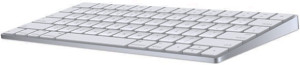
Question from Rhonda H.:  I bought an Apple Magic Keyboard back in December, and I love it. But I have a problem that I can’t figure out.

I was told that this keyboard would wake up my Mac when it’s sleeping just by pressing a key, but I can’t get it to do that.

Can you tell me how to fix this so the keyboard will start waking up my Mac?

Rick’s answer:   [Read more…]

Q&A: Why can’t I scroll with my mouse wheel after upgrading to Windows 10?

Posted on March 14, 2016

Windows-10-logoQuestion from Billie:  I upgraded my computer from Windows 7 to Windows 10 and now I’m having trouble scrolling web pages with my mouse wheel.

Scrolling worked just fine with Windows 7. What can I do to make it work correctly in Windows 10? Thanks in advance for your help.

Rick’s answer:   [Read more…]

Q&A: How can I remove old Wi-Fi networks from my laptop in Windows 10?

Posted on February 19, 2016

Windows-10-logoQuestion from Cindy P.:  I love your blog Rick, and I really appreciate all the great info you provide.

I’ve been following RicksDailyTips for a long time, and now I have question for you.

My company is expanding rapidly and I’ve spent the last 5 months travelling from city to city helping train all the new hires in our stores.

My laptop now has a long list of Wi-Fi networks from the hotels I’ve been staying in. I know I’ll never be staying in most of those hotels again so I’d like to remove those wireless networks.

Can you tell me how to do that? My laptop is a Dell and it’s running Windows 10.

Rick’s answer:   [Read more…]

Q&A: How do I disable my ‘Frequently Visited Sites’ in Safari?

Posted on February 1, 2016

safariQuestion from Amanda: My 7 year old son frequently uses my iPad to get on his school’s website, and every time he loads Safari it lists the sites I’ve been visiting on the “Frequently Visited Sites” page.

I’d really like to turn that off because I’d rather not have him seeing which websites I visit. Can you tell me how to prevent the “Frequently Visited Sites” from showing up?

Rick’s answer:  Amanda, iOS 9 makes it very easy to prevent Safari from showing your frequently visited sites. Just follow the steps below:  [Read more…]

Q&A: Windows 10 keeps nagging me for feedback. How can I stop it?

Posted on January 14, 2016

Windows-10-logoQuestion from Tilda J.:  I finally got around to upgrading my computer to Windows 10, and at least once a day I get a message asking me how I like it.

I haven’t used Windows 10 long enough to form a firm opinion, but all these nagging feedback messages aren’t helping me form a good one.

How can I stop Windows 10 from pestering me for feedback?

Rick’s answer:   [Read more…]

  • « Previous Page
  • 1
  • …
  • 203
  • 204
  • 205
  • 206
  • 207
  • …
  • 258
  • Next Page »

– Ad –
 
Scosche FoundIT 32W Multi-Port Car Charger w/built-in Locator

This isn’t your normal car charger. It’s a fast charger with location services built in. It’ll tell you right on your smartphone where your vehicle is parked / located at all times.

Click here to check it out at Amazon.


Popular…

Miss one of my Daily Gadget Picks? Check here.

How do I ask you a tech question?

Step-by-step guide to completely ridding your PC of viruses and other malware

10 reasons why I recommend buying tech gear from Amazon

How to accurately evaluate product reviews on Amazon


Advertise

Guest Post Guidelines

Want to ask me a tech question?

Recommended Tech Gear

Privacy Policy

Computer Tips
Smartphone Tips
Blogging Tips

Tech Q & A
Reviews
Tech News

Write for RicksDailyTips.com

Scam alerts
Downloads

Copyright © 2026 RicksDailyTips.com

Affiliate Disclaimer


Rick's Daily Tips is hosted by InMotion Hosting. Click here to find out why.

This blog uses cookies to ensure that you receive the best experience on my website. Please click 'Accept Cookies' to continue.