 Question from Phillip: Hi, Rick. Love your site and your tips.
You provide a much needed service to those of us who use computers but don’t know a lot about them. Kudos for all you do.
Now I guess it’s my turn to ask for help if you don’t mind.
Your daily dose of practical, easy to follow tech tips!
Question from Phillip: Hi, Rick. Love your site and your tips.
You provide a much needed service to those of us who use computers but don’t know a lot about them. Kudos for all you do.
Now I guess it’s my turn to ask for help if you don’t mind.
 Question from Gloria: Hi Rick. I hope you can help me find a solution to a problem we’re having with my husband’s iPad.
He recently started using Facebook to keep in touch with the grandkids and some of our other family members.
The problem is he’s completely deaf and he can’t hear the notification alerts when someone sends him a message on the iPad.
Is there any way to have it light up with every new notification?
Rick’s answer: [Read more…]
Question from Carol: My computer (Dell desktop with Windows 10) installed an update a few days ago and after it rebooted the screen was all out of whack.
Everything looks so ugly now. The text is really big and the icons are scattered all over the place.
My monitor is a 23″ Dell S2316M. It’s always worked at its maximum resolution of 1920 x 1080 before but the update changed it to 1024 x 768.
The problem is there doesn’t seem to be any way to change it back.
How can I fix this? [Read more…]
Click here to sign up for my free Rick’s Tech Tips Newsletter!
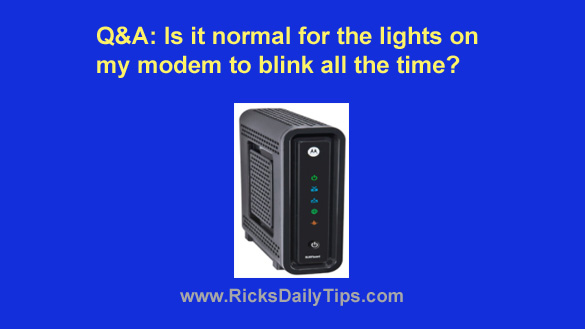
Question from Tina: I’ve noticed that the lights on my modem are blinking more or less constantly.
In fact, they even blink when I’m not using a web browser, checking my email or doing anything else on the Internet.
Is it normal for all those lights to be constantly blinking or should I be worried?
Rick’s answer: Tina, there is always data being passed between your computer and the Internet any time you have a live connection established, so yes, it is normal to see the data lights on your modem flashing pretty much all the time.
Your ISP is responsible for much of the data being sent back and forth because they love to “check in” to see if your connection is healthy along with other mundane housekeeping tasks. [Read more…]
 Click here to sign up for my free Rick’s Tech Tips Newsletter!
Question from Pete: I read your post about speeding up a PC by replacing the hard drive with an SSD. Thanks for such an awesome tip!
I ordered a Crucial 1TB SSD to go in my old HP DV7t-7000 laptop and it arrived today.
When I went to install it the instructions said to set the SATA port to AHCI mode in the BIOS settings. The problem is I couldn’t find a way to make that change in the BIOS.
I emailed HP tech support and asked them how to change to AHCI mode in the BIOS and they said I can’t because that setting is locked out in that machine.
My question is will an SSD not work with this laptop? [Read more…]