
Rick's Daily Tips

Your daily dose of practical, easy to follow tech tips!

  • Home
  • Rick’s Bio
  • Advertise
  • Privacy Policy
  • Rick’s Tip Jar
  • Get My Tech Tips Newsletter
  • Recommended Tech Gear
  • Contact Me

Keep your Facebook messages private by encrypting them with Cryptocat

Posted on September 10, 2015

cryptocat-logoBetween the NSA’s increasingly intrusive snooping and hackers intercepting our web traffic, we can no longer take Internet privacy for granted.

But if you use Facebook’s messaging system, there are a number of simple and free ways to keep your private messages private. A great example is a handy free service called Cryptocat.

Once you add Crytocat’s browser extension to your computer’s web browser(s) and/or install the app on your iPhone, all of your Facebook messages will be encrypted before they even leave your computer. [Read more…]
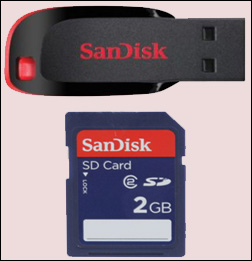
Flash Drive/Card Tester – Check your USB flash drives and memory cards for errors

Posted on August 5, 2015

flash-memoryIf you’re like me you probably have several old flash memory devices laying around. In fact, I have three USB thumb drives and two SD memory cards sitting on my desk at this very moment.



Do they all work without having any dead memory cells? They sure do, and I know that for a fact because I just tested them with a great free download called Flash Drive/Card Tester.

Flash Drive/Card Tester is extremely easy to download and use. Here’s how:  [Read more…]

Download hundreds of great free ebooks directly from Microsoft

Posted on July 20, 2015

microsoft-logoFor all their faults (and they have many IMO), you have to give Microsoft credit where credit is due. They are quite generous their outstanding collection of ebooks.

You can download hundreds of step-by-step how-to guides and other valuable resource ebooks from Microsoft’s MSDN website for free. The topics covered run the gamut from Windows 7 to Windows 10.  You can even download books on Microsoft Office and Computer Programming.
[Read more…]

Log out of Facebook automatically with Facebook Auto Logout

Posted on June 15, 2015

facebook-logoImportant update: This extension is no longer available.

The original post continues below…

Do you ever worry about forgetting to log out of Facebook and having someone else gain access to your Facebook account? Well, if you haven’t you should because it happens all the time.

Even if you close your web browser you aren’t automatically logged out of Facebook. Someone else could sit down at your PC, open your browser and visit Facebook with your account already logged on for them.

And what if you don’t close your browser at all? If you leave your browser window open while you go into another room or run to the corner market, Facebook will happily sit there and await your return.

But what if something comes up and you can’t get back to your PC for  a while? Someone else could easily come along and read your private messages and even chat with your friends while pretending to be you. Or worse. The possibilities for mischief are endless!  [Read more…]

How to log in to multiple accounts on the same website with Google Chrome

Posted on June 6, 2015

multi-account-login-logoA few months ago a reader asked me how to log into multiple Yahoo email accounts at the same time, and I answered that question in this post. In a nutshell, I advised her to use a different browser for each account.

Well, it turns out that there’s an even easier way if you use the Google Chrome web browser. An excellent Chrome extension called Multi-Account Login lets you easily log in to multiple online accounts on the same website by using nothing more than a single instance of your Chrome browser.

Here’s how to install and use the Multi-Account Login extension:  [Read more…]

  • « Previous Page
  • 1
  • …
  • 14
  • 15
  • 16
  • 17
  • 18
  • …
  • 26
  • Next Page »


Popular…

How do I ask you a tech question?

Step-by-step guide to completely ridding your PC of viruses and other malware

10 reasons why I recommend buying tech gear from Amazon

How to accurately evaluate product reviews on Amazon


Advertise

Guest Post Guidelines

Want to ask me a tech question?

Recommended Tech Gear

Privacy Policy

Computer Tips
Smartphone Tips
Blogging Tips

Tech Q & A
Reviews
Tech News

Write for RicksDailyTips.com

Scam alerts
Downloads

Copyright © 2025 RicksDailyTips.com

Affiliate Disclaimer


Rick's Daily Tips is hosted by InMotion Hosting. Click here to find out why.

This blog uses cookies to ensure that you receive the best experience on my website. Please click 'Accept Cookies' to continue.