 Do you want to install Windows 8 and still keep your existing Windows 7 installation too? Well, you can by setting up a dual boot system. Here’s how:
1 – Purchase a copy of your preferred version of Windows 8. In order to set up a dual boot system you’ll need to spring for a full retail copy, not a Windows 8 upgrade package.
If you buy Windows 8 in a brick and mortar store (say from Wal-Mart, Best Buy, etc.) you’ll be all set to proceed once you get home with it. But if you buy it online and download the Windows 8 ISO file you’ll need to burn it onto a blank DVD. Either way, once you have a Windows 8 installation disc at the ready, proceed to step 2. [Read more…]
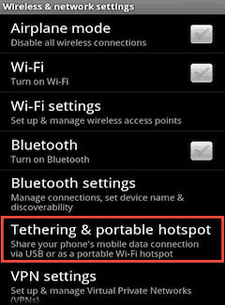 Wouldn’t it be nice to be able to use your laptop, tablet or other Wi-Fi enabled device at any place where there is a decent 3G or 4G signal available?
 If you find the new “Lock Screen” that Microsoft decided to add to Windows 8 annoying, you can easily disable it. Here’s how:
 Obviously, one of the greatest benefits of owning a laptop computer is the ability to use it pretty much anywhere, including in bed.
 If you value your online privacy above all else then you’ll probably enjoy using Firefox’s Private Browsing mode.