Rick's Daily Tips

Your daily dose of practical, easy to follow tech tips!

  • Home
  • Rick’s Bio
  • Advertise
  • Privacy Policy
  • Rick’s Tip Jar
  • Get My Tech Tips Newsletter
  • Recommended Tech Gear
  • Contact Me

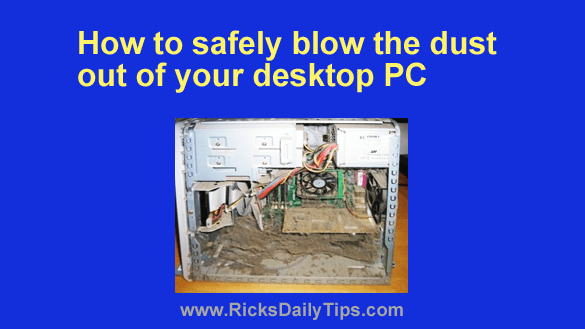
How to safely blow the dust out of your desktop PC

Posted on March 29, 2022

Establishing and maintaining a thorough preventative maintenance routine can help keep your PC’s hardware and operating system running smoothly for years to come.

Of course such a routine includes keeping your PC free of viruses,  spyware and other forms of malware.

But it also means keeping the inside of the physical computer itself clear of dust and debris that can smother the components and clog up the fans and cause the computer’s internal components to overheat. [Read more…]
Q&A: How do I turn on ‘Dark Mode’ in Windows 10?

Posted on March 20, 2022

Question from Karlie:  I use my laptop late at night while hubby is trying to sleep, but sometimes the light from the screen keeps him awake.

A friend at work told me I could enable ‘Dark Mode’ on the laptop and it wouldn’t put out near as much light.

I’d love to give that a try. Can you tell me how to turn on Dark Mode on a laptop with Windows 10?

Rick’s answer:  [Read more…]

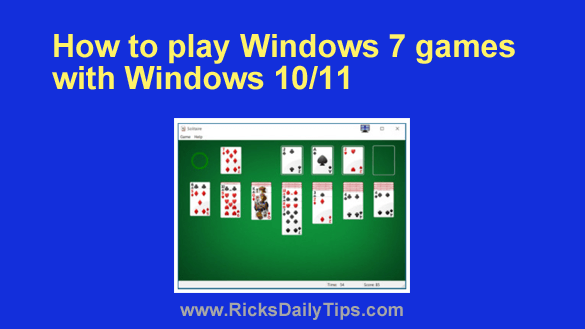
How to play Windows 7 games in Windows 10/11

Posted on March 13, 2022

Do you love the “old-style” games like Solitaire, Hearts, FreeCell and others that you used to be able to play with Windows 7, but can’t find them in Windows 10 or Windows 11?
Well, those beloved old-style games were removed from the most recent versions of Windows and replaced with “modern” versions that you have to download from the Windows Store.

I happen to prefer the old-style games myself. If you prefer them as well, you can get them back!  [Read more…]

How to reduce the thickness of the Taskbar in Windows 11

Posted on March 10, 2022

If you recently purchased a Windows 11 PC or upgraded an existing machine to Windows 11, you’ve probably noticed that the Taskbar is thicker than it was in previous Windows versions.
And if you went looking for one, you probably noticed that there’s no setting in either the Control Panel or the Setting app to change the Taskbar’s thickness.

Personally, I like having my Taskbar as thin as possible to ensure that I have as much of the usable part of the screen in view as possible.

If you’d prefer a thinner Taskbar as well, I have some good news for you…  [Read more…]

Q&A: What’s a good replacement for Windows’ Photos app?

Posted on March 1, 2022

Question from Barbara:  I bought a new computer with Windows 11 on it and after using it for a while I’ve decided that I despise the Photos app.

Can you recommend a good replacement for it?

Free would be great but I don’t mind paying if I have to in order to get a good one.  [Read more…]

  • « Previous Page
  • 1
  • …
  • 128
  • 129
  • 130
  • 131
  • 132
  • …
  • 232
  • Next Page »

– Ad –
 
Frameo 10.1″ Wood WiFi Digital Picture Frame w/ 32GB Memory

Digital picture frames are awesome because they let you display thousands of precious photos in a never-ending slideshow.

If you’re looking for a really good one but you don’t want to pay a small fortune for it, this is an excellent choice.

Click here to check it out at Amazon.


Popular…

Miss one of my Daily Gadget Picks? Check here.

How do I ask you a tech question?

Step-by-step guide to completely ridding your PC of viruses and other malware

10 reasons why I recommend buying tech gear from Amazon

How to accurately evaluate product reviews on Amazon


Advertise

Guest Post Guidelines

Want to ask me a tech question?

Recommended Tech Gear

Privacy Policy

Computer Tips
Smartphone Tips
Blogging Tips

Tech Q & A
Reviews
Tech News

Write for RicksDailyTips.com

Scam alerts
Downloads

Copyright © 2026 RicksDailyTips.com

Affiliate Disclaimer


Rick's Daily Tips is hosted by InMotion Hosting. Click here to find out why.

This blog uses cookies to ensure that you receive the best experience on my website. Please click 'Accept Cookies' to continue.