Rick's Daily Tips

Your daily dose of practical, easy to follow tech tips!

  • Home
  • Rick’s Bio
  • Advertise
  • Privacy Policy
  • Rick’s Tip Jar
  • Get My Tech Tips Newsletter
  • Recommended Tech Gear
  • Contact Me

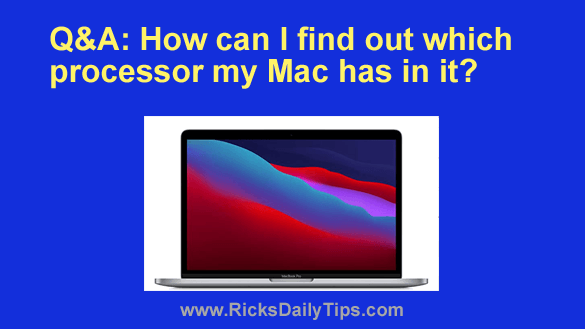
Q&A: How can I find out which processor my Mac has in it?

Posted on May 23, 2022

Question from Michelle:  I bought a new MacBook in December 2020 and I’m curious about which type of processor it has in it.

I recently found out that Apple started putting different processors in their machines around that same time and that some programs won’t work with the new processors.

How can I find out whether my MacBook has the older processor or the new one?  [Read more…]
Q&A: How can I find out how much RAM is in my Mac?

Posted on May 21, 2022

Question from Randy:  I have a two year old Mac desktop computer that runs great, but I heard Macs run a LOT faster if they have at least 16GB of RAM installed.

I’d love to upgrade mine to 16GB if it currently has less than that in it.

The thing is I have no idea how much RAM is in it right now. How can I find out?  [Read more…]

Q&A: How can I get my PC’s clock to stop using military time?

Posted on May 19, 2022


Question from Beverly:  I just bought a new PC with Windows 11 and the time in the lower right corner is in military time.

How do I reset it to normal time (i.e. instead of 17:00, have it say 5:00 PM)?

I’ve tried everything but don’t know how to do it.

Rick’s answer:  [Read more…]

How to open your web browser’s built-in Task Manager

Posted on May 10, 2022

Rick’s Tech Tips Newsletter

A while back I wrote this blog post explaining how to use Chrome’s native Task Manager to find out which Chrome processes could be causing the browser to operate slower than it should.

That post received a lot of engagement, and several readers contacted me to ask if there is a native Task Manager built in to other browsers as well.

I answered those folks directly, but since I keep getting this same question I thought it might be a good idea to write a similar post to answer it on the blog.  [Read more…]

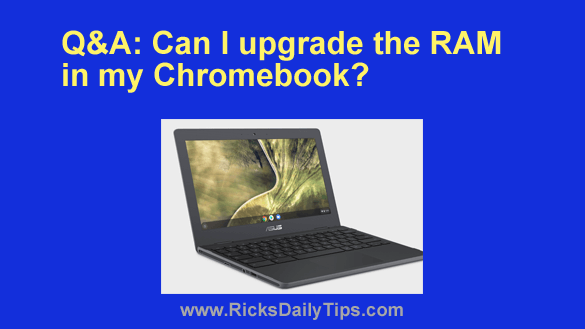
Q&A: Can I upgrade the RAM in my Chromebook?

Posted on May 8, 2022

Question from Julia:  I have an ASUS Chromebook C204 that I’ve had for a while.

My husband (who is serving overseas and unavailable to help) said I might need to upgrade the RAM because the Chromebook is a lot slower than my Dell XPS 13 laptop. The thing is, he isn’t sure it can be upgraded.

I have two questions:  [Read more…]

  • « Previous Page
  • 1
  • …
  • 127
  • 128
  • 129
  • 130
  • 131
  • …
  • 233
  • Next Page »

– Ad –
Hiboost Cell Phone Signal Booster for Home or Office

Is the cellular signal in your home or office so weak you’re constantly struggling to place calls or use your phone’s Internet connection?

This gem will boost your weak cellular signal and blanket your entire home or office with a strong, stable signal. No more dropped calls or unusable Internet connections.

It covers up to 8,000 square feet and it works perfectly with all US cellular carriers, including yours.

Click here to check it out at Amazon.


Popular…

Miss one of my Daily Gadget Picks? Check here.

How to save money when shopping for a new computer.

How do I ask you a tech question?

Step-by-step guide to completely ridding your PC of viruses and other malware

10 reasons why I recommend buying tech gear from Amazon

How to accurately evaluate product reviews on Amazon


Advertise

Guest Post Guidelines

Want to ask me a tech question?

Recommended Tech Gear

Privacy Policy

Computer Tips
Smartphone Tips
Blogging Tips

Tech Q & A
Reviews
Tech News

Write for RicksDailyTips.com

Scam alerts
Downloads

Copyright © 2026 RicksDailyTips.com

Affiliate Disclaimer


Rick's Daily Tips is hosted by InMotion Hosting. Click here to find out why.

This blog uses cookies to ensure that you receive the best experience on my website. Please click 'Accept Cookies' to continue.