Rick's Daily Tips

Your daily dose of practical, easy to follow tech tips!

  • Home
  • Rick’s Bio
  • Advertise
  • Privacy Policy
  • Rick’s Tip Jar
  • Get My Tech Tips Newsletter
  • Recommended Tech Gear
  • Contact Me

Q&A: Is it safe to reset a PC back to its factory state without using Recovery Discs?

Posted on September 26, 2014

windows-8-1Question from Anthony:  I have no discs for windows 8.1, so is going back to factory mode a safe and easy way to restore my computer without the use of discs, and then just download the programs I had back on to my computer?

Rick’s answer:  Anthony, you can certainly restore your Windows 8.1 computer back to its factory state using the Recovery Partition on the hard drive.  [Read more…]
Q&A: How do I get to the Power Options in Windows 8.1?

Posted on July 22, 2014

windows-8-1Question from Marcel Q.:  My old HP laptop stopped working a few days ago and I decided it was time to replace it instead of having it fixed (again!).

I bought a new Lenovo laptop and I like it OK, but making the leap from Windows 7 to Windows 8.1 is turning out to be a pain. It’s so different from earlier versions of Windows!

For 3 days now I’ve been trying to figure out how and where to adjust the power options. Can you tell me how to find them?

Rick’s answer:   [Read more…]

Q&A: How do I make Windows 7 Ultimate genuine?

Posted on June 29, 2014

windows-7Question from Heidi C.:  My ex-boyfriend replaced the Windows XP on my computer with Windows 7 Ultimate after Microsoft abandoned XP, and I’m having problems with it.

He must have done something wrong because every time I turn the computer on it tells me that Windows 7 Ultimate isn’t genuine.

What do I need to do to get rid of this error message? I really need this computer fixed before I start back to college in August. Thanks.

Rick’s answer:  [Read more…]

Q&A: What kind of hard drive do I need for an HP Pavilion Elite HPE-120f desktop PC?

Posted on May 27, 2014

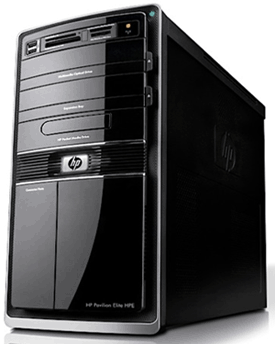
hp-pavilion-elite-hpe-120fQuestion from David H.:  My brother gave me his old HP Pavilion Elite HPE-120f desktop computer after the hard drive died. The shop returned the computer to him without the hard drive in it and I need to know what kind of hard drive to buy for it.

Also, I don’t have a set of factory Restore discs for this computer. Will HP send me a set?

Thanks in advance for your help.

Rick’s answer:  David, your HP Pavilion Elite HPE-120f most likely came from the factory with a 1TB SATA hard drive, so virtually any 3.5″ SATA hard drive will work in that system.

That being said, instead of simply installing another hard drive, I recommend installing a solid state drive (#ad) as the boot drive and a spacious hard drive as a secondary data drive. [Read more…]

Don’t wait for Microsoft! Add an awesome Start Menu to Windows 8.1 right now, for free!

Posted on May 19, 2014

start-menu-reviverMicrosoft recently announced that a future update to Windows 8.1 will return the missing Start Menu (that should have never been removed in the first place IMHO) to the new Windows.

While this a very welcome change of heart on Microsoft’s part, who knows when the update heralding the return of the Start Menu will actually be coming down the pike?

If you really miss your Start Menu, you’ll be happy to know that you don’t have to wait for the guys and gals in Redmond to finally get around to sending it to you. Thanks to a handy free download called Start Menu Reviver, you can add an awesome Start Menu to your Windows 8.1 installation right now! Here’s how:  [Read more…]

  • « Previous Page
  • 1
  • …
  • 7
  • 8
  • 9
  • 10
  • 11
  • …
  • 15
  • Next Page »


Popular…

How do I ask you a tech question?

Step-by-step guide to completely ridding your PC of viruses and other malware

10 reasons why I recommend buying tech gear from Amazon

How to accurately evaluate product reviews on Amazon


Advertise

Guest Post Guidelines

Want to ask me a tech question?

Recommended Tech Gear

Privacy Policy

Computer Tips
Smartphone Tips
Blogging Tips

Tech Q & A
Reviews
Tech News

Write for RicksDailyTips.com

Scam alerts
Downloads

Copyright © 2025 RicksDailyTips.com

Affiliate Disclaimer


Rick's Daily Tips is hosted by InMotion Hosting. Click here to find out why.

This blog uses cookies to ensure that you receive the best experience on my website. Please click 'Accept Cookies' to continue.