Rick's Daily Tips

Your daily dose of practical, easy to follow tech tips!

  • Home
  • Rick’s Bio
  • Advertise
  • Privacy Policy
  • Rick’s Tip Jar
  • Get My Tech Tips Newsletter
  • Recommended Tech Gear
  • Contact Me

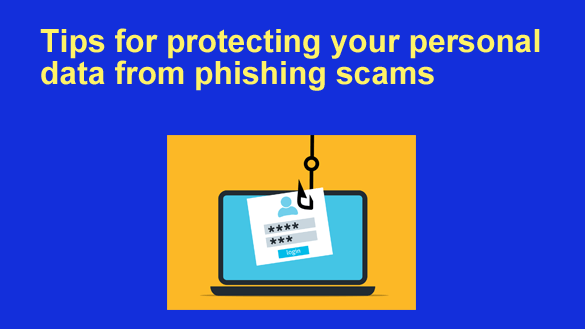
Tips for protecting your personal data from phishing scams

Posted on May 5, 2023

Hackers and scammers are having a bumper year in 2023, and phishing scams are becoming the driving force behind the tidal wave of cybercrime that is fooling even IT professionals.

Phishing scammers use a range of techniques to steal people’s credit card details and passwords, and victims end up losing their money and social standing or getting a malware infestation.

VPNs have recently become a must-have for people to stay private on the internet. But how effective is a VPN to protect you from phishing?  [Read more…]

How to take care of your computer and keep it running in top form

Posted on December 22, 2021

In order for your computer to work perfectly, it’s important to keep it clean and organized. You have to take care of the data that’s stored in it, as well as where it is.

Just as you maintain your body and keep your house clean, you have to do the same with a computer and other devices.

It’s important to keep your computer free of harmful files or viruses because they will cause the device to work slower, have issues with some functions and possibly even result in data loss or identity theft.

Here are a few tips for keeping your computer malware-free and running well:  [Read more…]

Bad news: Opera will be removing the free integrated VPN service from their browsers on April 30

Posted on April 26, 2018

A while back I wrote a post discussing Opera’s addition of a free VPN service that’s integrated right into their awesome Opera desktop and mobile browsers.

I’ve used the free Opera VPN ever since it was first introduced because I really love the convenience of having my VPN seamlessly integrated into my web browser.

Unfortunately, Opera has just announced they’ll be removing the free integrated VPN service from their browsers at the end this month.  [Read more…]

Browse the Internet securely with your Opera browser’s built-in VPN feature

Posted on October 16, 2017

Important Update: Opera has announced that they’ll be removing the integrated VPN from their browsers on April 30, 2018.

I really enjoyed having my VPN seamlessly integrated with my web browser, but things are what they are. It sure was nice while it lasted.

Note: The original post begins below.


If you ever use a Virtual Private Network (VPN) to securely use the Internet with your laptop or desktop PC, you should know that the fantastic Opera browser now has a VPN feature built right in to it!

Opera’s free VPN service allows you to safely access the Internet via open Wi-Fi hotspots such as those commonly found in restaurants, coffee shops and many other types of venues.

And the best part is you can do it without having to install a browser extension or sign into a VPS server!

Once the VPS feature is turned on, your Opera browser will automatically create a secure, encrypted connection between your PC and an Opera-owned VPN server. It really is as simple as that!

Simply follow the steps below to download the latest version of Opera and turn on the VPN feature:  [Read more…]

How to set up a VPN with Hamachi

Posted on September 29, 2016

hamachi-logoIf you travel frequently, you probably use public, unencrypted Wi-Fi fairly often since it’s available for free at restaurants, shopping malls and many other public places around the globe.

If you do use public Wi-Fi, everything you send or receive over the Internet is out in the open for any hacker to intercept and use as he pleases.

But a Virtual Private Network (aka VPN) will let you send and receive your data through a secure, encrypted “tunnel” even when you’re connected to the Internet via an unencrypted Wi-Fi connection.  [Read more…]

  • « Previous Page
  • 1
  • 2
  • 3
  • Next Page »

(Advertisement)

A great laptop for the money…


Lenovo Laptop Computer for Business, Home and Student

  Intel Dual-Core Processor | 16GB RAM |
1TB SSD | Windows 11 Pro

Click here to check it out!


Popular…

How do I ask you a tech question?

Step-by-step guide to completely ridding your PC of viruses and other malware

10 reasons why I recommend buying tech gear from Amazon

How to upscale video – Top 4 AI video enhancers in 2023


Advertise

Guest Post Guidelines

Want to ask me a tech question?

Handy Tech Resources

Privacy Policy

Computer Tips
Smartphone Tips
Blogging Tips

Tech Q & A
Reviews
Tech News

Write for RicksDailyTips.com

Scam alerts
Downloads

Copyright © 2025 RicksDailyTips.com

Affiliate Disclaimer


Rick's Daily Tips is hosted by InMotion Hosting. Click here to find out why.

This blog uses cookies to ensure that you receive the best experience on my website. Please click 'Accept Cookies' to continue.