Rick's Daily Tips

Your daily dose of practical, easy to follow tech tips!

  • Home
  • Rick’s Bio
  • Advertise
  • Privacy Policy
  • Rick’s Tip Jar
  • Get My Tech Tips Newsletter
  • Recommended Tech Gear
  • Contact Me

How to edit a PDF without Adobe Acrobat

Posted on February 7, 2024

Adobe Acrobat is a paid PDF editor that’s extremely popular. But, at a cost of a $156 yearly subscription, it’s perhaps not worth the investment if you’re on a budget or just don’t need a PDF editor in your daily life.

Fortunately, there are many other ways to edit PDF document without Adobe Acrobat. The sensible choice for many is online PDF editors that are freemium and offer plenty of PDF modification tools, accessible across different platforms and devices.

Additionally, there are free PDF editors that you can download to your PC or smartphone, plus some relatively cheap alternatives to Adobe Acrobat that work just as well as the popular, more costly choice.

Let’s take a look at these options to modify your PDFs other than Adobe…  [Read more…]

Q&A: How do I open a PDF document on my phone?

Posted on December 26, 2020

Question from Barry:  I need to do some maintenance on my leaf blower so I downloaded the owner’s manual to my phone.

The file downloaded just fine but when I try to open it I get an error message saying there’s no app for opening PDF files on my device.

What am I doing wrong? I really need to open this file so I can work on my leaf blower.

Rick’s answer:  [Read more…]

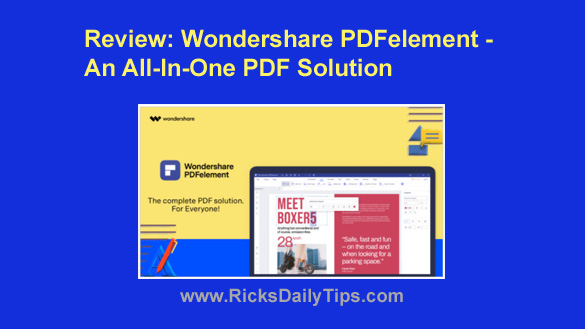
Review: Wondershare PDFelement – An all-in-one PDF solution

Posted on December 4, 2020

Wondershare PDFelement has long been the mainstay of thousands of companies that require a robust and comprehensive document management system to handle their document workflows.

Although the focus is primarily on PDF tools and capabilities, PDFelement works with over 300 file formats by converting them to PDF so they can be edited, protected, organized, scanned to PDF, batch processes, etc.

PDFelement is available for all major operating systems including Windows, Mac, iOS, and Android.

[Read more…]

How to install a PDF printer on your Windows 10 PC

Posted on June 26, 2018

Did you know that Windows 10 includes a native PDF printer?

Well, it does, and it’s typically installed by default when the Windows installation is created.

To save a document in most any program/app as a PDF file you would simply select Print to PDF (or something similar) from the Print dialog.

However, for whatever reason the default Microsoft PDF printer isn’t installed along with Windows 10 on every PC.

You’ll know that’s the case with your computer if you don’t see the “Print to PDF” option when you click File>Print or press Ctrl–P.

Luckily, it’s very easy to install the default Microsoft PDF Printer on your Windows 10 machine if wasn’t installed along with Windows. Just follow these steps:  [Read more…]

  • « Previous Page
  • 1
  • 2

(Advertisement)

A great laptop for the money…


Lenovo Laptop Computer for Business, Home and Student

  Intel Dual-Core Processor | 16GB RAM |
1TB SSD | Windows 11 Pro

Click here to check it out!


Popular…

How do I ask you a tech question?

Step-by-step guide to completely ridding your PC of viruses and other malware

10 reasons why I recommend buying tech gear from Amazon

How to upscale video – Top 4 AI video enhancers in 2023


Advertise

Guest Post Guidelines

Want to ask me a tech question?

Handy Tech Resources

Privacy Policy

Computer Tips
Smartphone Tips
Blogging Tips

Tech Q & A
Reviews
Tech News

Write for RicksDailyTips.com

Scam alerts
Downloads

Copyright © 2025 RicksDailyTips.com

Affiliate Disclaimer


Rick's Daily Tips is hosted by InMotion Hosting. Click here to find out why.

This blog uses cookies to ensure that you receive the best experience on my website. Please click 'Accept Cookies' to continue.