Rick's Daily Tips

Your daily dose of practical, easy to follow tech tips!

  • Home
  • Rick’s Bio
  • Advertise
  • Privacy Policy
  • Rick’s Tip Jar
  • Get My Tech Tips Newsletter
  • Recommended Tech Gear
  • Contact Me

Two great ways to clone a hard drive or SSD

Posted on January 15, 2024

Many of the questions I receive at RicksDailyTips deal with replacing hard drives and SSDs.
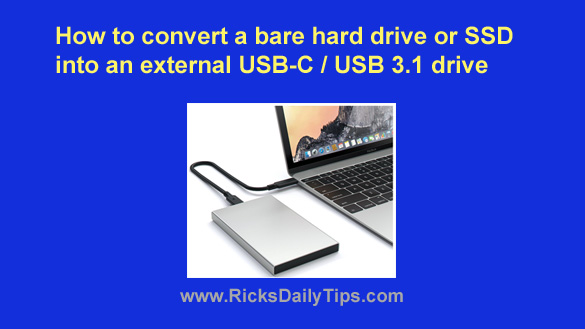
After all, drives go bad and they have to be replaced, and folks are always wanting to upgrade their drives to something larger and faster.

I guess that’s why one of my most frequently asked questions is “How do I clone a hard drive (or SSD)?”

Well, today I’m going to answer that question by briefly describing two drive cloning methods that I’ve written about in the past.

Those two methods range from “inexpensive, and slightly complicated” to “just slightly more expensive, but dead-simple“:   [Read more…]

How to convert a bare hard drive or SSD into an external USB-C 3.1 drive

Posted on November 16, 2023

Note: The links in this post are affiliate links.
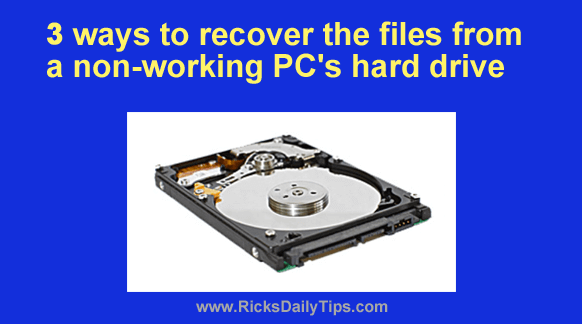
A while back I wrote this post that explains how to convert an unused internal hard drive into an external USB 3.0 drive.

That has turned out to be one of the most popular posts I have ever written, but a lot has changed since then.

[Read more…]

3 ways to recover the files from a dead PC

Posted on October 25, 2023

I receive hundreds of tech questions every week, and the one I seem to get asked most often is how to retrieve the files from the hard drive after a PC goes belly-up.
My answer always depends on which part of the computer has failed.

If the hard drive itself is the component that died, you’ll have to either send the drive off to a data recovery service or purchase a data recovery software utility and attempt to recover the files yourself.  [Read more…]

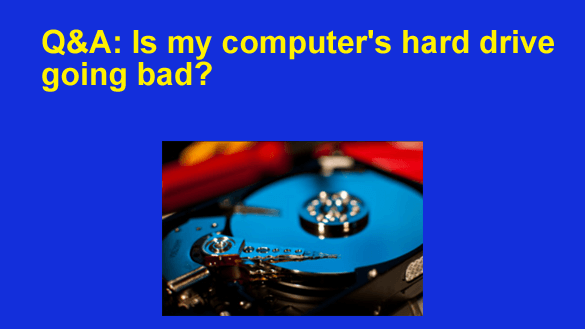
Q&A: Is my computer’s hard drive going bad?

Posted on August 11, 2023

Note: The links in this post are affiliate links.

Question from Brad: I have a really old Dell Optiplex 745 desktop computer that I absolutely love.

This machine has an 80 Gig hard drive and it’s recently started giving me problems.

These past few days when I turn on the PC the hard drive makes clicking sounds for about 5-10 seconds, then it finally starts booting up.

I know it’s the hard drive that’s doing the clicking because I removed the cover and listened to it.  [Read more…]

Q&A: Will my PC need a new power supply if I replace the hard drive with an SSD?

Posted on July 30, 2023

Question from Oliver:  I just read your article about replacing a hard drive with an SSD and I have a question about it.

I remember hearing that upgrading the graphics card in a computer can sometimes require a power supply upgrade as well because the newer graphics card will draw more power than the old one.

My question is do I need to be concerned about the power supply if I replace the hard drive in my computer with an SSD?

[Read more…]

  • « Previous Page
  • 1
  • 2
  • 3
  • 4
  • 5
  • …
  • 9
  • Next Page »


Popular…

How do I ask you a tech question?

Step-by-step guide to completely ridding your PC of viruses and other malware

10 reasons why I recommend buying tech gear from Amazon

How to accurately evaluate product reviews on Amazon


Advertise

Guest Post Guidelines

Want to ask me a tech question?

Recommended Tech Gear

Privacy Policy

Computer Tips
Smartphone Tips
Blogging Tips

Tech Q & A
Reviews
Tech News

Write for RicksDailyTips.com

Scam alerts
Downloads

Copyright © 2025 RicksDailyTips.com

Affiliate Disclaimer


Rick's Daily Tips is hosted by InMotion Hosting. Click here to find out why.

This blog uses cookies to ensure that you receive the best experience on my website. Please click 'Accept Cookies' to continue.