Rick's Daily Tips

Your daily dose of practical, easy to follow tech tips!

  • Home
  • Rick’s Bio
  • Advertise
  • Privacy Policy
  • Rick’s Tip Jar
  • Get My Tech Tips Newsletter
  • Recommended Tech Gear
  • Contact Me

3 reasons to install Linux on an ‘Internet-Only’ PC

Posted on March 13, 2024

Note: The links in this post are affiliate links.

Do you have an older laptop or desktop PC that you use exclusively for visiting websites, checking Gmail, Facebooking, watching YouTube videos or most any other Internet-based activity?

If the answer to the above question is yes, did you know that you would almost certainly enjoy a better user experience by running Linux on your PC instead of Windows?

Well, it’s true, and here are the reasons why:  [Read more…]

How to set up a new Windows PC (the right way)

Posted on December 7, 2023

Note: The links in this post are affiliate links.

Buying a new computer is exciting, but setting it up once you get it home can be a real pain.
And if you don’t set it up correctly, you can open yourself up to having some real problems down the road.

I’ve been setting up new PCs for close to three decades, and during that time I’ve developed a simple step-by-step procedure that’ll have you up and running with your new computer as quickly a possible while avoiding the mistakes that come back to haunt so many others.  [Read more…]

Q&A: Why won’t my TV work with my computer?

Posted on November 17, 2023

Question from Glenda:  I bought a used flat panel TV at a yard sale and I want to use it as a monitor for an old desktop computer that I’m going to use just for watching Netflix.

I plugged an HDMI cable between the computer and the TV and nothing comes on the screen. It’s like it isn’t getting any signal.

I know the HDMI port on the computer is working because it works with the old monitor just fine. And I know the TV is working because I hooked it up to my cable box.

What could be causing the computer to refuse to work with the TV? [Read more…]

Q&A: Can you attach an external screen to an all-in-one PC?

Posted on September 17, 2023

Rick’s Tech Tips Newsletter

Note: The links in this post are affiliate links.

Question from Marie:  I have a two year old all-in-one Windows PC and its screen has just gone out.

This computer runs well and it has all my files on it so I’d like to keep using it if I can.

I’d really prefer a larger screen if that’s a viable option.

Is it possible to connect an external monitor to an all-in-one computer or will I need to just have the bad screen replaced?  [Read more…]

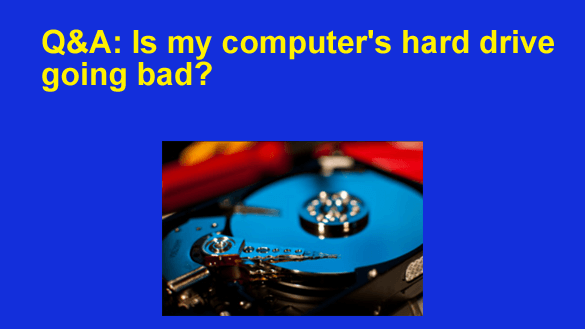
Q&A: Is my computer’s hard drive going bad?

Posted on August 11, 2023

Note: The links in this post are affiliate links.

Question from Brad: I have a really old Dell Optiplex 745 desktop computer that I absolutely love.

This machine has an 80 Gig hard drive and it’s recently started giving me problems.

These past few days when I turn on the PC the hard drive makes clicking sounds for about 5-10 seconds, then it finally starts booting up.

I know it’s the hard drive that’s doing the clicking because I removed the cover and listened to it.  [Read more…]

  • « Previous Page
  • 1
  • 2
  • 3
  • Next Page »

– Ad –
 
Frameo 10.1″ Wood WiFi Digital Picture Frame w/ 32GB Memory

Digital picture frames are awesome because they let you display thousands of precious photos in a never-ending slideshow.

If you’re looking for a really good one but you don’t want to pay a small fortune for it, this is an excellent choice.

Click here to check it out at Amazon.


Popular…

Miss one of my Daily Gadget Picks? Check here.

How do I ask you a tech question?

Step-by-step guide to completely ridding your PC of viruses and other malware

10 reasons why I recommend buying tech gear from Amazon

How to accurately evaluate product reviews on Amazon


Advertise

Guest Post Guidelines

Want to ask me a tech question?

Recommended Tech Gear

Privacy Policy

Computer Tips
Smartphone Tips
Blogging Tips

Tech Q & A
Reviews
Tech News

Write for RicksDailyTips.com

Scam alerts
Downloads

Copyright © 2026 RicksDailyTips.com

Affiliate Disclaimer


Rick's Daily Tips is hosted by InMotion Hosting. Click here to find out why.

This blog uses cookies to ensure that you receive the best experience on my website. Please click 'Accept Cookies' to continue.