Rick's Daily Tips

Your daily dose of practical, easy to follow tech tips!

  • Home
  • Rick’s Bio
  • Advertise
  • Privacy Policy
  • Rick’s Tip Jar
  • Get My Tech Tips Newsletter
  • Recommended Tech Gear
  • Contact Me

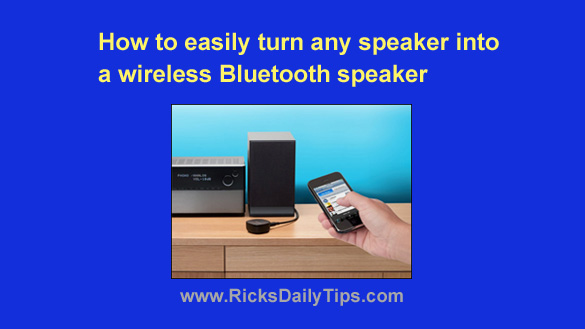
How to easily turn any powered speaker into a wireless Bluetooth speaker

Posted on December 19, 2023

Note: The links in this post are affiliate links.

Smart phones and other mobile devices are great for playing music and videos, but their small speakers often leave a lot to be desired when it comes to sound quality and volume.

Luckily, most modern smartphones, tablets and even modern laptops and desktop computers can wirelessly transmit their sound to large, great sounding external speakers via a wonderful technology known as Bluetooth.  [Read more…]
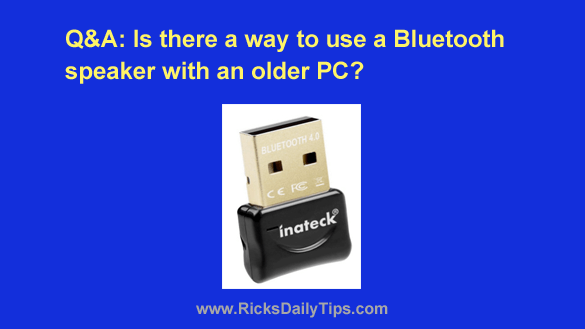
Q&A: Can I use a Bluetooth speaker with an older PC?

Posted on November 25, 2023

Note: The links in this post are affiliate links.

Question from Cody:  Hi Rick. I won a really nice Bluetooth speaker in a contest (it’s about $130 online). I’d like to use it with my old Dell desktop computer but that machine doesn’t have Bluetooth.

Is there an easy and cheap way to connect a Bluetooth speaker to it? [Read more…]

How to use your Mac keyboard with virtually any mobile device

Posted on April 3, 2018

typeeto-logoA few days ago a reader asked me if it’s possible to use a full-size PC keyboard with a Windows tablet. The answer is yes as long as the keyboard supports Bluetooth connectivity.

As I was answering that question it got me to thinking about all the Apple users out there who might have a Bluetooth-enabled Mac keyboard laying around.

As one would imagine, a Mac keyboard should be the perfect keyboard to use with an Apple device running iOS.  [Read more…]

Q&A: Why won’t my Magic Keyboard wake up my Mac?

Posted on March 21, 2016

magic-keyboard
(#ad)

Question from Rhonda H.:  I bought an Apple Magic Keyboard back in December, and I love it. But I have a problem that I can’t figure out.

I was told that this keyboard would wake up my Mac when it’s sleeping just by pressing a key, but I can’t get it to do that.

Can you tell me how to fix this so the keyboard will start waking up my Mac?

Rick’s answer:   [Read more…]

Unlock the door to your house by simply touching the deadbolt!

Posted on October 21, 2013

kwikset-kevoHave you ever had to put down the load of grocery bags you were carrying in order to fumble through your pocket or purse in search of your house key? Even worse, have you ever found yourself standing on the outside of a locked door because you forgot to take your keys with you when you left?

Of course we all have at one time or another, but the awesome Kwikset Kevo Bluetooth Deadbolt makes such misfortunes a thing of the past.

The Kwikset Kevo looks pretty much like a regular deadbolt on the outside, but inside is a tiny computer and bluetooth receiver that let you operate the lock using either your smart phone or the included key FOB. As long as you have your iPhone or FOB in your pocket or purse, you can unlock the deadbolt simply by touching it!  [Read more…]

  • « Previous Page
  • 1
  • 2

– Ad –
 
Frameo 10.1″ Wood WiFi Digital Picture Frame w/ 32GB Memory

Digital picture frames are awesome because they let you display thousands of precious photos in a never-ending slideshow.

If you’re looking for a really good one but you don’t want to pay a small fortune for it, this is an excellent choice.

Click here to check it out at Amazon.


Popular…

Miss one of my Daily Gadget Picks? Check here.

How do I ask you a tech question?

Step-by-step guide to completely ridding your PC of viruses and other malware

10 reasons why I recommend buying tech gear from Amazon

How to accurately evaluate product reviews on Amazon


Advertise

Guest Post Guidelines

Want to ask me a tech question?

Recommended Tech Gear

Privacy Policy

Computer Tips
Smartphone Tips
Blogging Tips

Tech Q & A
Reviews
Tech News

Write for RicksDailyTips.com

Scam alerts
Downloads

Copyright © 2026 RicksDailyTips.com

Affiliate Disclaimer


Rick's Daily Tips is hosted by InMotion Hosting. Click here to find out why.

This blog uses cookies to ensure that you receive the best experience on my website. Please click 'Accept Cookies' to continue.