Rick's Daily Tips

Your daily dose of practical, easy to follow tech tips!

  • Home
  • Rick’s Bio
  • Advertise
  • Privacy Policy
  • Rick’s Tip Jar
  • Get My Tech Tips Newsletter
  • Recommended Tech Gear
  • Contact Me

Search Results for: create system image

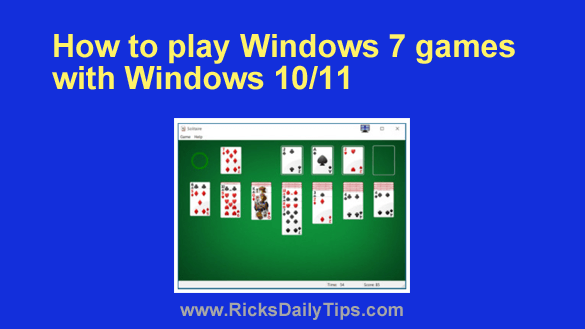
How to play Windows 7 games in Windows 10/11

Posted on July 18, 2026

Want to get my easy to follow Tech Tips in your email?

Sign up for my daily Rick’s Tech Tips Newsletter!


Do you love the “old-style” games like Solitaire, Hearts, FreeCell and others that you used to be able to play with Windows 7, but can’t find them in Windows 10 or Windows 11?

Well, those beloved old-style games were removed from the most recent versions of Windows and replaced with “modern” versions that you have to download from the Windows Store.

I happen to prefer the old-style games myself. If you prefer them as well, you can get them back!  [Read more…]

The Production Gap: Building repeatable workflows with an AI Video Generator

Posted on July 15, 2026

Any creator who has spent an hour cycling through prompts knows the “casino” feeling of generative media. You input a prompt, pull the lever, and wait to see if the machine grants you a usable clip.

Occasionally, you hit the jackpot: a five-second sequence with perfect cinematic lighting, fluid motion, and zero anatomical glitches. But the trouble starts when you try to generate the second shot.

In traditional filmmaking, you have a set, a lighting rig, and a cast. You can move the camera, change the angle, and the environment remains a constant. In the current state of generative AI, every new generation is a roll of the dice. This lack of continuity is the “production gap”—the space between generating a cool isolated visual and actually producing a cohesive piece of content.   [Read more…]

Beyond the One-Click Prompt: Scaling creative output with an AI Photo Editor

Posted on July 15, 2026

The narrative surrounding generative AI often centers on the “magic” of the prompt. We are told that with the right combination of descriptive adjectives and technical parameters, a high-fidelity marketing asset will simply materialize.

In a controlled demo, this holds true. In a high-stakes production environment, the reality is far messier. A creator might spend three hours “prompt engineering” a specific scene in Flux or Seedream, only to find that while the lighting is perfect, the subject’s hand has six fingers, or a background object is nonsensically fused into a wall.   [Read more…]

5 tips for fixing a misbehaving smartphone

Posted on July 5, 2026

Want to get my easy to follow Tech Tips in your email?
Sign up for my daily Rick’s Tech Tips Newsletter!


It’s no secret that smart phones have literally changed the way most of us live our lives.

They allow us to make phone calls and use the Internet from most anywhere, and the list of devices they can replace by simply installing an app boggles the mind.

Truth be told, smartphones are actually just really small computers that can run programs (apps) to perform countless types of tasks.

Unfortunately, like other computers a smartphone can get bloated and inefficient over time as you add more and more apps (some of which can conflict with one another) and its internal storage gets clogged up with digital clutter.

[Read more…]

Q&A: Does using two drives in RAID 1 eliminate the need to make backups?

Posted on July 2, 2026

Want to get my easy to follow Tech Tips in your email?

Sign up for my daily Rick’s Tech Tips Newsletter!


Question from Bill:  I recently read an article about using hard drives or SSDs in a RAID configuration.

The article said RAID 1 copies all data to every drive in the array at the same time, essentially creating a clone of the primary drive in real time.

In the comments on the article someone suggested that using two drives in RAID 1 will automatically create a backup, eliminating the need to back up the hard drive in the usual way.

That made sense to me but then someone else commented and said that’s a really bad idea. But he didn’t explain why.

What’s your opinion on using RAID 1 to create automatic backups? Is it a good idea or not?  [Read more…]

  • « Previous Page
  • 1
  • …
  • 10
  • 11
  • 12
  • 13
  • 14
  • …
  • 86
  • Next Page »

– Ad –
Malwarebytes Standard, Premium Security
1 Year / 5 Devices

I’m often asked which antivirus app is the best you can get and my answer is always the same. Malwarebytes Premium provides excellent real-time protection against viruses plus other forms of malware that other antivirus apps don’t even check for.

Click here to check it out at Amazon.


Popular…

Miss one of my Daily Gadget Picks? Check here.

How do I ask you a tech question?

Step-by-step guide to completely ridding your PC of viruses and other malware

10 reasons why I recommend buying tech gear from Amazon

How to accurately evaluate product reviews on Amazon


Advertise

Guest Post Guidelines

Want to ask me a tech question?

Recommended Tech Gear

Privacy Policy

Computer Tips
Smartphone Tips
Blogging Tips

Tech Q & A
Reviews
Tech News

Write for RicksDailyTips.com

Scam alerts
Downloads

Copyright © 2026 RicksDailyTips.com

Affiliate Disclaimer


Rick's Daily Tips is hosted by InMotion Hosting. Click here to find out why.

This blog uses cookies to ensure that you receive the best experience on my website. Please click 'Accept Cookies' to continue.