 The narrative surrounding generative AI often centers on the “magic” of the prompt. We are told that with the right combination of descriptive adjectives and technical parameters, a high-fidelity marketing asset will simply materialize.
In a controlled demo, this holds true. In a high-stakes production environment, the reality is far messier. A creator might spend three hours “prompt engineering” a specific scene in Flux or Seedream, only to find that while the lighting is perfect, the subject’s hand has six fingers, or a background object is nonsensically fused into a wall.
Professional creative work is rarely about the first output; it is about the distance between the first draft and the final delivery. This is where the workflow shifts from generation to orchestration. To scale output without sacrificing brand integrity, creators are increasingly moving away from the hunt for the perfect prompt and toward a more modular approach. In this system, the AI Photo Editor serves as the primary tool for quality control, refinement, and asset preparation.
The Illusion of the Perfect Prompt
The industry has reached a point of diminishing returns with prompt complexity. There is a common misconception that if you just add enough detail—”8k, ultra-realistic, cinematic lighting, volumetric fog”—the AI will eventually understand the specific spatial relationship you need between two objects. It rarely does. Models like Nano Banana or Seedance are remarkably creative, but they lack the executive function to understand why a logo cannot be slightly crooked or why a product’s reflection must align with its physical geometry.
For a marketing team, a “90% perfect” image is often useless. That final 10%—the artifact in the corner, the slight blur on the product label, or the “uncanny” look in a model’s eyes—is what separates a professional asset from a hobbyist experiment. When creators try to solve these issues by re-running the prompt dozens of times, they lose the very efficiency that AI was supposed to provide. The mindset must shift: the prompt creates the raw material; the AI Photo Editor creates the final product.
The Mid-Generation Pivot: Integrating Precision Editing
Instead of chasing a flawless generation, savvy operators are learning to “pivot” early. This means accepting a generation that gets the composition and lighting right, even if the details are flawed. Once you have a strong foundational image, you move it into a dedicated editing environment.
Using an AI Photo Editor for local corrections is significantly faster than troubleshooting a text prompt. For instance, if a generated interior shot has a strange, distorted lamp in the corner, an object eraser tool can remove it in seconds. If the character’s face doesn’t quite match the established brand persona, a face swap or targeted enhancement tool can bring it into alignment.
This approach also solves the “character consistency” problem that plagues many AI workflows. By using a Photo Editor to manually transplant or refine specific elements across a series of images, creators can maintain a coherent visual narrative that a text-to-image model might struggle to replicate across different scenes. This is a practical, manual intervention that acknowledges the current limitations of generative autonomy.
Model Orchestration: Choosing the Right Tool for the Layer
Modern AI production isn’t about using one “best” model; it’s about model orchestration. You might use Flux for its superior prompt adherence to create the base plate, but then rely on specialized tools within an AI Photo Editor to handle the high-resolution upscaling or background removal.
Each model has a specific “flavor.” Some are better at textures, while others excel at structural integrity. A common workflow involves:
1 – Generating a low-resolution base in a model like Seedream for quick ideation.
2 – Selecting the best composition and moving it to an editor for cleanup.
3 – Utilizing an AI-driven upscaler to add the “micro-details” that were missing in the initial generation.
However, there is a point of uncertainty here that creators must account for. Upscalers, while powerful, can sometimes introduce “hallucinations”—tiny patterns or textures that weren’t in the original image. A creator must remain vigilant during this stage, as a high-res artifact can be more distracting than a low-res blur. It is not yet a “set it and forget it” process.
From Static to Motion: Preparing Assets for Video Animation
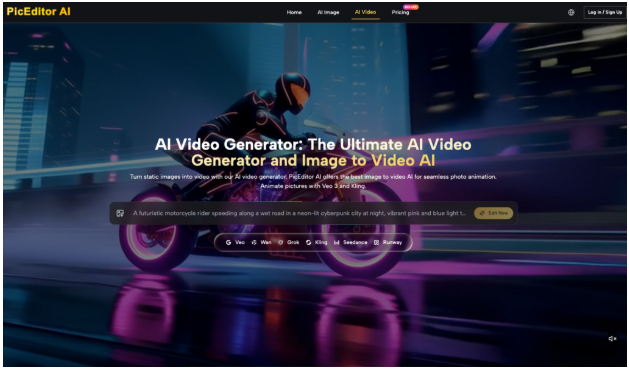
The demand for short-form video has pushed many creators toward image-to-video tools like Kling or Veo. However, these video generators are notoriously sensitive to the quality of the source image. If the input image contains “noise,” conflicting shadows, or structural inconsistencies, the video model will often interpret those flaws as motion cues, leading to “melting” or “pulsing” artifacts in the final animation.
This is why the AI Photo Editor is a critical gateway for video production. Before a static image is fed into a video pipeline, it needs to be “sanitized.” This involves:
- Smoothing out jagged edges that might cause flickering during animation.
- Ensuring that the subject is clearly defined against the background (often using background removal and replacement to create a “cleaner” depth map for the video AI).
- Correcting any anatomical oddities that would look grotesque when set in motion.
A clean, high-contrast source image leads to a much more stable video output. By investing ten minutes in editing the static asset, a creator can save hours of failed video renders.
The Limits of Autonomy: Where the Creator Still Leads
Despite the rapid advancement of these tools, we must address the “black box” nature of AI. One significant limitation is the inability of current AI models to understand nuanced brand guidelines or specific color theory requirements without human oversight. For example, an AI Photo Editor can suggest a color grade, but it cannot know that a specific shade of blue is “off-brand” for a particular client because of its psychological associations or historical usage.
There is also the ongoing challenge of cross-platform color calibration. An image that looks vibrant on a high-end OLED monitor might look muddy when processed through certain AI enhancement filters and viewed on a budget mobile device. AI tools currently lack the “holistic” vision to adjust for these real-world display variations.
Furthermore, we must recognize the “uncanny valley” threshold. There is a specific point where adding more AI-generated detail actually makes a person look less human and more like a plastic composite. Knowing when to stop—when to leave a natural imperfection or a slightly softer focus—is a human judgment call that no AI Photo Editor can yet make autonomously.
Building a Repeatable Asset Pipeline
To move from artisanal one-off creations to a systemized production house, creators need to treat their AI tools as part of a factory line rather than a magic wand. The AI Photo Editor is the quality assurance station on that line.
The long-term ROI for creators isn’t in mastering the latest “secret” prompt; it’s in developing the technical skills to fix, refine, and polish what the AI gives them. This involves understanding layers, masking, and the specific ways that different AI models interact with one another.
By building a workflow around an AI Photo Editor, teams can ensure that their output is consistent, brand-compliant, and professional. It moves the creator from the role of a “prompter” to the role of a “director,” overseeing a suite of specialized tools to produce work that meets the standards of modern marketing and media. The future of creative scale isn’t just about more generation—it’s about better, more controlled refinement.