Rick's Daily Tips

Your daily dose of practical, easy to follow tech tips!

  • Home
  • Rick’s Bio
  • Advertise
  • Privacy Policy
  • Rick’s Tip Jar
  • Get My Tech Tips Newsletter
  • Recommended Tech Gear
  • Contact Me

Search Results for: create system image

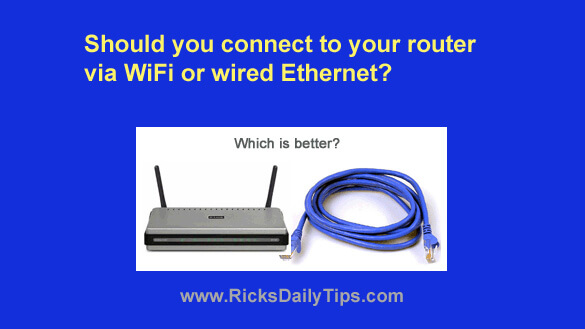
Is it better to connect to your router via WiFi or wired Ethernet?

Posted on June 17, 2026

Want to get my easy to follow Tech Tips in your email?

Sign up for my daily Rick’s Tech Tips Newsletter!


Note: The links in this post are affiliate links.

A friend asked me the other day whether he should connect his computer to his router via WiFi or over a wired Ethernet connection.

My answer was…it depends.

First of all, is the computer in question sitting near the router or is it located in another room in the house?

[Read more…]

Top 5 companies for developing directory websites in 2026

Posted on June 17, 2026

What is a directory website in 2026, and how has it evolved? 
A directory website in 2026 is an online platform with unified information on a specific company, service, experts, or items. Such websites help users find the information faster with the help of search options or filters.

Before, directory websites mainly consisted of company listings with basic contact details. Today, they transform into full-fledged informational and service marketplaces.   [Read more…]

How to force a Windows Desktop shortcut to always ‘Run as Administrator’ by default

Posted on June 12, 2026

Want to get my easy to follow Tech Tips in your email?

Sign up for my daily Rick’s Tech Tips Newsletter!


One of the things I like most about Microsoft Windows is the ability to create shortcuts on the Windows Desktop that simplify the execution of common tasks.

For example, I find myself creating a lot of System Restore Points on my PC so I created a handy desktop shortcut that creates a new Restore Point every time I click on it.

This particular shortcut makes it easy for me to quickly create a Restore Point at any time without having to wade through a series of menus.  [Read more…]

Small business technology decisions that work until employee count hits 40

Posted on May 28, 2026

Your Atlanta company started with eight people sharing a handful of laptops, using Google Workspace for email, and calling your tech-savvy employee whenever something broke. It worked fine. You grew to 20 employees with the same basic approach—added more devices, same IT setup, occasional help from that one person who knows computers.

At 30 employees, you started noticing friction. Systems that used to be fast felt sluggish. The informal “ask whoever knows technology” support model created bottlenecks. But nothing was completely broken, so you kept going with the same approach.   [Read more…]

7 smart home gadgets to monitor air quality & cooling

Posted on May 28, 2026

Modern homes generate data about the air inside them, and you can finally read it. Things that used to be invisible — fine dust, carbon dioxide buildup, humidity creep, and how hard your air conditioner is actually working — now show up as live numbers on your phone. A handful of affordable smart home gadgets turn indoor air quality and cooling performance into something you can watch, track, and act on.

This matters because poor air and weak cooling cost you more than comfort. Stale, humid, or polluted indoor air affects sleep quality, focus, and how often you reach for the thermostat, and an AC that quietly loses efficiency drives up your electricity bill long before it fails outright. The catch is that these devices report symptoms, not causes. A sensor can tell you the humidity is too high or a room never cools down — it can’t tell you the refrigerant is low or the compressor is struggling.   [Read more…]

  • « Previous Page
  • 1
  • …
  • 11
  • 12
  • 13
  • 14
  • 15
  • …
  • 86
  • Next Page »

– Ad –
Malwarebytes Standard, Premium Security
1 Year / 5 Devices

I’m often asked which antivirus app is the best you can get and my answer is always the same. Malwarebytes Premium provides excellent real-time protection against viruses plus other forms of malware that other antivirus apps don’t even check for.

Click here to check it out at Amazon.


Popular…

Miss one of my Daily Gadget Picks? Check here.

How do I ask you a tech question?

Step-by-step guide to completely ridding your PC of viruses and other malware

10 reasons why I recommend buying tech gear from Amazon

How to accurately evaluate product reviews on Amazon


Advertise

Guest Post Guidelines

Want to ask me a tech question?

Recommended Tech Gear

Privacy Policy

Computer Tips
Smartphone Tips
Blogging Tips

Tech Q & A
Reviews
Tech News

Write for RicksDailyTips.com

Scam alerts
Downloads

Copyright © 2026 RicksDailyTips.com

Affiliate Disclaimer


Rick's Daily Tips is hosted by InMotion Hosting. Click here to find out why.

This blog uses cookies to ensure that you receive the best experience on my website. Please click 'Accept Cookies' to continue.