
Rick's Daily Tips

Your daily dose of practical, easy to follow tech tips!

  • Home
  • Rick’s Bio
  • Advertise
  • Privacy Policy
  • Rick’s Tip Jar
  • Get My Tech Tips Newsletter
  • Recommended Tech Gear
  • Contact Me

How to enable Battery Saving GPS mode in Android 4.4 ‘KitKat’

Posted on November 20, 2013

android-kitkatBy now you probably know all too well that the GPS radio on your smart phone sucks battery juice almost as fast as ice melts in the middle of the Sahara. But if your phone is running Android 4.4 “Kitkat” there’s a simple way to keep using the GPS feature without draining your battery quite so fast.
Android 4.4 has a new “Battery Saving GPS” mode that can help extend your battery life considerably over what you’d get by enabling GPS in normal mode. In my opinion, this is one of the most useful enhancements to Android in some time.

Battery Saving GPS mode works by limiting the number of reference points the phone uses to pinpoint your location on the earth’s surface. Checking fewer reference points means the GPS radio works less, which in turn means less current is drawn from the battery.  [Read more…]

Q&A: How do I get my phone to display the full name on Lock Screen messages after updating to iOS 7?

Posted on November 19, 2013

ios7-logoQuestion from Sara T.:  My iPhone used to display the sender’s full name on the Lock Screen when I receive a message, but after updating to iOS 7 it only displays the first name. How can I change it back?

Rick’s answer:  I’ve had several other people ask me about this Sara, so this change must really be annoying to a lot of people. That’s why I figured I might as well turn the answer to your question into a tip.

Here’s how to get the full name back on your Lock Screen message notifications:  [Read more…]

Apple admits to battery problem with the iPhone 5S

Posted on October 31, 2013

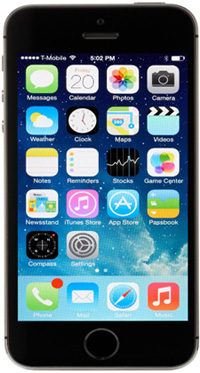
iphone-5sMany users of the new Apple iPhone 5S smart phone have complained that their phones take forever to charge and that the batteries die far quicker than they should. Apple has investigated the issue and discovered that some iPhone 5S’s do indeed suffer from  a serious battery issue.

Since battery life is one of the most important attributes for any mobile device, this is a very big deal. If you believe that your iPhone 5S might be affected by this battery issue, you should either contact Apple or return it to the place where you bought it right away. The fix (or a replacement) is free.

My recommendation is to try to return it to the retailer you bought it from first. They just might give you a replacement on the spot. But either way, it will definitely worth your time to get this issue taken care as soon as possible.

Malwarebytes is now available for your Android phone

Posted on October 22, 2013

malwarebytes-for-androidMalwarebytes has long been one of my most used and most often recommended anti-malware programs, and now the company has released a version that runs on your Android phone.

Malwarebytes for Android still performs its highly effective malware scanning and removal services, but it also does several things that the PC version doesn’t do.

I won’t go into all of the new features, but I will tell you about one of the most interesting and useful ones…  [Read more…]

Unlock the door to your house by simply touching the deadbolt!

Posted on October 21, 2013

kwikset-kevoHave you ever had to put down the load of grocery bags you were carrying in order to fumble through your pocket or purse in search of your house key? Even worse, have you ever found yourself standing on the outside of a locked door because you forgot to take your keys with you when you left?

Of course we all have at one time or another, but the awesome Kwikset Kevo Bluetooth Deadbolt makes such misfortunes a thing of the past.

The Kwikset Kevo looks pretty much like a regular deadbolt on the outside, but inside is a tiny computer and bluetooth receiver that let you operate the lock using either your smart phone or the included key FOB. As long as you have your iPhone or FOB in your pocket or purse, you can unlock the deadbolt simply by touching it!  [Read more…]

  • « Previous Page
  • 1
  • …
  • 58
  • 59
  • 60
  • 61
  • 62
  • …
  • 65
  • Next Page »


Popular…

How do I ask you a tech question?

Step-by-step guide to completely ridding your PC of viruses and other malware

10 reasons why I recommend buying tech gear from Amazon

How to accurately evaluate product reviews on Amazon


Advertise

Guest Post Guidelines

Want to ask me a tech question?

Recommended Tech Gear

Privacy Policy

Computer Tips
Smartphone Tips
Blogging Tips

Tech Q & A
Reviews
Tech News

Write for RicksDailyTips.com

Scam alerts
Downloads

Copyright © 2026 RicksDailyTips.com

Affiliate Disclaimer


Rick's Daily Tips is hosted by InMotion Hosting. Click here to find out why.

This blog uses cookies to ensure that you receive the best experience on my website. Please click 'Accept Cookies' to continue.