Rick's Daily Tips

Your daily dose of practical, easy to follow tech tips!

  • Home
  • Rick’s Bio
  • Advertise
  • Privacy Policy
  • Rick’s Tip Jar
  • Get My Tech Tips Newsletter
  • Recommended Tech Gear
  • Contact Me

Save battery life and data by disabling 5G on your iPhone

Posted on September 26, 2022

Rick’s Tech Tips

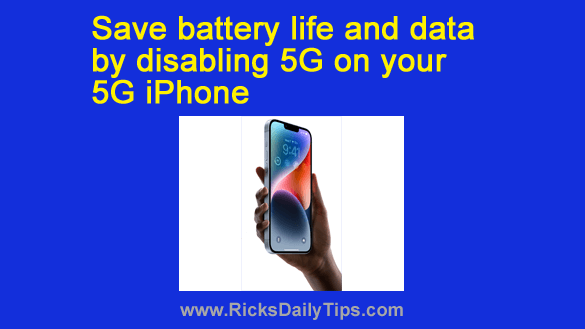
Do you have an iPhone that supports 5G cellular connectivity?

If so, disabling 5G and forcing the device to use 4G LTE instead (if you don’t really need the extra speed provided by 5G, of course) will do two things for you:  [Read more…]
My favorite app for speeding up an Android phone

Posted on September 8, 2022

If you’ve had an Android phone for a while, you’ve probably noticed that it’s slower and less responsive than it was when you first bought it.
If that’s the case, one of the major culprits could be bloated log files, browser caches and other large “temporary” files that are clogging up your phone’s storage space.

Just like Windows and other operating systems, Android and the apps that run on it store all kinds of historical information such as visited web pages, recently used contacts, old text messages, and a whole lot more.  [Read more…]

How to save Gmail attachments to your Google Drive storage

Posted on August 27, 2022

Do you often receive photos and other files that were sent to you as attachments to Gmail messages?
If so, it might be a good idea to save a copy of the important attachments in order to prevent losing them if those emails ever get deleted or lost.  [Read more…]

How to protect your Android devices from malware attacks

Posted on August 14, 2022

Hackers and scammers have been infecting Windows PCs with malware for years, and the problem is getting worse all the time.
In fact, the majority of the questions I receive every week involve malware infections of one type or another.

[Read more…]

5 tips for fixing a misbehaving smartphone

Posted on August 9, 2022

It’s no secret that smart phones have literally changed the way most of us live our lives.

They allow us to make phone calls and use the Internet from most anywhere, and the list of devices they can replace by simply installing an app boggles the mind.

Truth be told, smartphones are actually just really small computers that can run programs (apps) to perform countless types of tasks.

Unfortunately, like other computers a smartphone can get bloated and inefficient over time as you add more and more apps (some of which can conflict with one another) and its internal storage gets clogged up with digital clutter.

[Read more…]

  • « Previous Page
  • 1
  • …
  • 28
  • 29
  • 30
  • 31
  • 32
  • …
  • 65
  • Next Page »

– Ad –
 
Samsung Galaxy Tab A11+ Tablet


Looking for a really good Android tablet with a large 11 inch screen?

Click here to check out this gem from Samsung.


Popular…

Miss one of my Daily Gadget Picks? Check here.

How do I ask you a tech question?

Step-by-step guide to completely ridding your PC of viruses and other malware

10 reasons why I recommend buying tech gear from Amazon

How to accurately evaluate product reviews on Amazon


Advertise

Guest Post Guidelines

Want to ask me a tech question?

Recommended Tech Gear

Privacy Policy

Computer Tips
Smartphone Tips
Blogging Tips

Tech Q & A
Reviews
Tech News

Write for RicksDailyTips.com

Scam alerts
Downloads

Copyright © 2026 RicksDailyTips.com

Affiliate Disclaimer


Rick's Daily Tips is hosted by InMotion Hosting. Click here to find out why.

This blog uses cookies to ensure that you receive the best experience on my website. Please click 'Accept Cookies' to continue.