Rick's Daily Tips

Your daily dose of practical, easy to follow tech tips!

  • Home
  • Rick’s Bio
  • Advertise
  • Privacy Policy
  • Rick’s Tip Jar
  • Get My Tech Tips Newsletter
  • Recommended Tech Gear
  • Contact Me

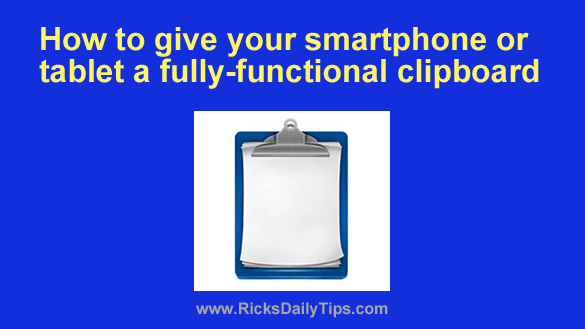
How to give your phone or tablet a fully-functional clipboard

Posted on October 31, 2023

Just like desktop and laptop computers, all smartphones and tablets have a very basic clipboard that allows you to “copy” and “paste” text from one app to another.

Unfortunately, that’s about all you can do with it. Even worse, the contents of the clipboard are overwritten every time you “copy” something else.

The good news is you can download a handy third-party clipboard app that will give your phone a fully-functional clipboard.  [Read more…]

Q&A: How do I disable the Promotions tab in Gmail?

Posted on October 23, 2023

Rick’s Tech Tips Newsletter

Question from Kevin:  I hope you can help me with a Gmail problem, Rick.

I subscribe to several email newsletters (including yours), and almost all of them always end up in the “Promotions” tab instead of the Inbox.

That includes the newsletters I pay for, and I’m really tired of it.

I’ve selected “Not Promotions” so many times but Gmail ignores my choice and keeps on putting them in Promotions anyway.

I heard that I can disable the Promotions tab altogether so the newsletters will always go into my Inbox, but I can’t find that setting. Can you help me?  [Read more…]

How to easily back up the photos on your smartphone

Posted on October 20, 2023

Do you have a large collection of irreplaceable photos stored on your phone?

Photos that you’d hate to lose if your phone should ever go belly-up, or get lost or stolen?

If so, there’s a very easy way to prevent losing your photos if something ever happens to your phone: Keep them backed up to the cloud!

[Read more…]

How to use an unused Android tablet as a digital picture frame

Posted on October 20, 2023

Rick’s Tech Tips Newsletter

These days most everyone has an old unused Android tablet sitting on a shelf somewhere. And chances are a good number of them still work just fine.

If you happen to be one of those folks that have an old, but working tablet sitting around, why not do something productive with it instead of letting it gather dust?  [Read more…]

How to play games on your phone without the annoying ads

Posted on October 19, 2023

Do you find the ads that are displayed while you’re playing free games on your smart phone to be distracting? Most people do, so you’re certainly not alone if you do as well.

There’s a simple way to block the ads on most free games.

Simply put your phone into Airplane Mode to temporarily turn off the phone’s radios and you’ll be able to play many games without getting distracted by the flashing ads.

Why does this work? It’s pretty simple, really…  [Read more…]

  • « Previous Page
  • 1
  • …
  • 19
  • 20
  • 21
  • 22
  • 23
  • …
  • 65
  • Next Page »


Popular…

How do I ask you a tech question?

Step-by-step guide to completely ridding your PC of viruses and other malware

10 reasons why I recommend buying tech gear from Amazon

How to accurately evaluate product reviews on Amazon


Advertise

Guest Post Guidelines

Want to ask me a tech question?

Recommended Tech Gear

Privacy Policy

Computer Tips
Smartphone Tips
Blogging Tips

Tech Q & A
Reviews
Tech News

Write for RicksDailyTips.com

Scam alerts
Downloads

Copyright © 2025 RicksDailyTips.com

Affiliate Disclaimer


Rick's Daily Tips is hosted by InMotion Hosting. Click here to find out why.

This blog uses cookies to ensure that you receive the best experience on my website. Please click 'Accept Cookies' to continue.