Rick's Daily Tips

Your daily dose of practical, easy to follow tech tips!

  • Home
  • Rick’s Bio
  • Advertise
  • Privacy Policy
  • Rick’s Tip Jar
  • Get My Tech Tips Newsletter
  • Recommended Tech Gear
  • Contact Me

Q&A: Can I delete the files that came on my new USB hard drive?

Posted on May 17, 2024

Note: The links in this post are affiliate links.

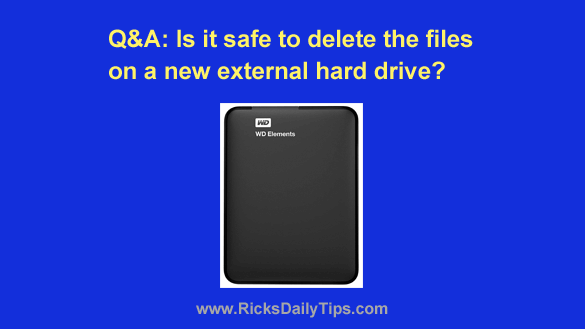
Question from Maurine:  I bought a 2TB external USB hard drive to store my large collection of old family pictures on.

When I plugged the new drive into my computer I noticed that it has several files on it already.

One is a file with info about the warranty. Another is a user guide. I’m not sure what the other two files are.

My question is can I delete all these files or do I need to keep them?
[Read more…]

Q&A: Why doesn’t my Chromebook have a ‘Delete’ key?

Posted on May 16, 2024

Note: The links in this post are affiliate links.
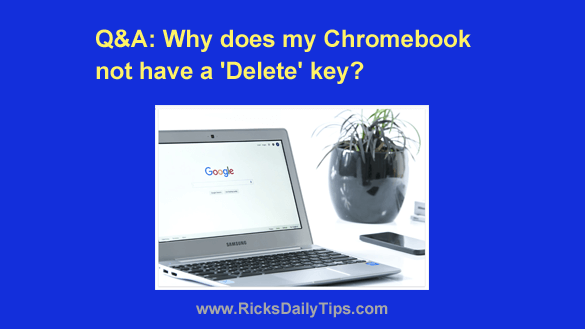
Question from Eugene:  I just bought a new Chromebook and to my amazement there is no ‘Delete’ key on the keyboard.

What’s up with that? I’ve been using computers for years and I’ve never see a keyboard without some type of Delete key before.  [Read more…]

Q&A: How can I make my Mac’s mouse pointer easier to see?

Posted on May 15, 2024

Note: The links in this post are affiliate links.

Question from Leslie:  Hi, Rick. I hope you won’t mind answering a question for me.

I recently bought a new MacBook Pro and I absolutely love it except for one small problem.

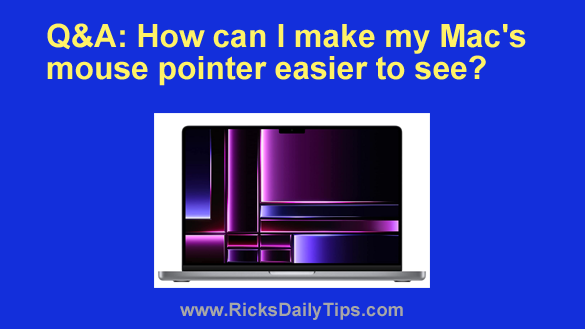
I love the beautiful look of the screen but I sometimes have trouble finding the mouse cursor on it when there’s a lot of stuff being displayed all at once.

Can you tell me how to increase the size of the mouse pointer on my MacBook Pro so it’ll be easier to find?  [Read more…]

Q&A: How do I back up my paid Android apps?

Posted on May 12, 2024

Question from Tabitha:  I’ve had my current Android phone for three years and I love it, but I finally decided it was time to upgrade to take advantage of newer technology.

I haven’t decided on a new phone yet, but I know it’ll definitely be an Android.

The problem is I have several paid apps that I don’t want to lose when I switch phones.

How do I back up the apps from the old phone so that I can reinstall them on the new one?

[Read more…]

Q&A: How do I disable the keyboard on my laptop?

Posted on May 6, 2024

Note: The links in this post are affiliate links.

Question from Greg:  I dropped my heavy book bag onto my laptop’s keyboard several days ago, and when it landed I heard a cracking sound.

The keyboard still works, but at random times it’ll just start typing garbage on its own. It’s basically unusable so I’d like to disable the built-in keyboard and use a cheap USB keyboard in its place.

I know I can have the internal keyboard replaced but I don’t want to go to the trouble or expense since I’m going to be replacing this machine in a few months anyway.

So what I need to know is can I disable my laptop’s built-in keyboard? If I can, how do I do it? [Read more…]

  • « Previous Page
  • 1
  • …
  • 43
  • 44
  • 45
  • 46
  • 47
  • …
  • 258
  • Next Page »

– Ad –
 
Frameo 10.1″ Wood WiFi Digital Picture Frame w/ 32GB Memory

Digital picture frames are awesome because they let you display thousands of precious photos in a never-ending slideshow.

If you’re looking for a really good one but you don’t want to pay a small fortune for it, this is an excellent choice.

Click here to check it out at Amazon.


Popular…

Miss one of my Daily Gadget Picks? Check here.

How do I ask you a tech question?

Step-by-step guide to completely ridding your PC of viruses and other malware

10 reasons why I recommend buying tech gear from Amazon

How to accurately evaluate product reviews on Amazon


Advertise

Guest Post Guidelines

Want to ask me a tech question?

Recommended Tech Gear

Privacy Policy

Computer Tips
Smartphone Tips
Blogging Tips

Tech Q & A
Reviews
Tech News

Write for RicksDailyTips.com

Scam alerts
Downloads

Copyright © 2026 RicksDailyTips.com

Affiliate Disclaimer


Rick's Daily Tips is hosted by InMotion Hosting. Click here to find out why.

This blog uses cookies to ensure that you receive the best experience on my website. Please click 'Accept Cookies' to continue.