 If it seems like you’re prompted to update Adobe Reader more often than you visit the grocery store, there’s a reason: It’s an inherently insecure program that requires more patches than a NASCAR driver’s racing uniform in order to keep hackers from breaking into your system.
Yep, hackers love Adobe Reader – which means you shouldn’t.
The good news is you don’t really need Adobe Reader on your computer at all, even if you tend to read lots of PDF files. If you use Google Chrome or Firefox instead of Internet Explorer, those browsers now display PDF files by default without having to load Adobe Reader at all. [Read more…]
 I recently downloaded and began testing a Chrome browser extension I read about called Grammarly Lite, and let me tell you, it’s awesome! Once you install the extension you’ll see a little green “G” in the lower right-hand corner of every text box letting you know that Grammarly Lite is loaded and on the job.
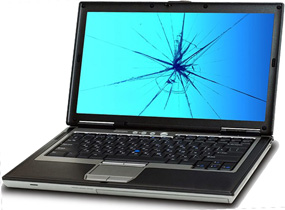 If you ever find yourself needing to have a cracked laptop screen replaced, you can save quite a few bucks by ordering the replacement screen yourself and then taking the new screen along with the laptop to a repair shop for installation.
 There are several ways to open the Control Panel in Windows 7, but if you use it a lot like I do you can add it to the menu that pops up whenever you right-click on the Desktop.
 Chances are you use the Windows Task Switcher utility by pressing Alt+Tab in order to scroll through a series of thumbnails representing all the open windows, then switch to a different task.