Rick's Daily Tips

Your daily dose of practical, easy to follow tech tips!

  • Home
  • Rick’s Bio
  • Advertise
  • Privacy Policy
  • Rick’s Tip Jar
  • Get My Tech Tips Newsletter
  • Recommended Tech Gear
  • Contact Me

How to view all the devices that are using your WiFi network

Posted on October 30, 2021

Do you suspect that someone might be using your WiFi network without your knowledge and permission?

If they are, you really need to know about it so you can boot them off and lock down your network ASAP!

“Piggy-backers” can slow down your network and make your devices appear sluggish and unstable.

Even worse, they could potentially cause you some pretty serious legal problems if they’re using your network to break the law in some way.  [Read more…]
Q&A: Should I let Windows Update install ‘optional’ driver updates?

Posted on October 29, 2021

Question from William:  Every time I check for new Windows Updates on my Windows 10 Lenovo laptop it tells me there are a couple of driver updates available as “optional” updates.

Should I go ahead and let Windows Update install those optional updates or should I just skip them?

I’ve been confused by this for a long time.

Rick’s answer:  [Read more…]

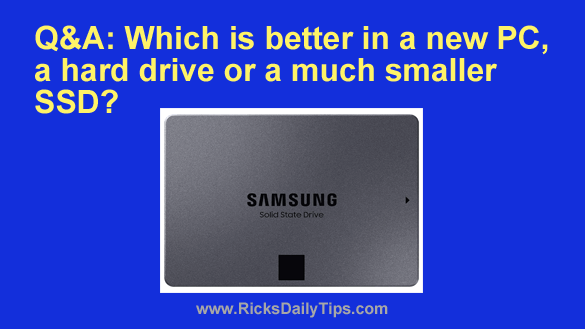
Q&A: Which is better in a new PC, a hard drive or a much smaller SSD?

Posted on October 27, 2021

Question from Ellen:  I need to purchase a new laptop. What are your thoughts on an SSD drive vs a regular hard drive?

Costco has two HP computers going on sale both with 12GB of memory. Both come with an Intel i5 CPU.

The difference between the two machines is the first one comes with a 512GB SSD and the other one comes with a 1TB hard drive.

They both are coming with Windows 11 (which I’m not thrilled about).

Which drive do you recommend? [Read more…]

How to disable Taskbar Previews in Windows 10

Posted on October 22, 2021

Like Windows 7 and 8 before it, Windows 10 has a Taskbar Preview feature that is enabled by default.

As with most every other Windows feature, some folks love having a small preview of a window’s contents pop up when the mouse is hovered over a Taskbar button.

Others, myself included, find it a bit irritating.

If you find it irritating as well, you can ditch Taskbar Previews in Windows 10 by following the instructions below. But first, I must ask you to read my semi-standard disclaimer:  [Read more…]

This app can help protect your Android devices from malware

Posted on October 20, 2021

AVG has long been recognized as a leader in the field of computer security.

They have made top quality antivirus software for desktop and laptop PCs for over a quarter of a century, and now they’re offering quality protection for your Android tablets and mobile phones as well.

The free version of AVG for Android will protect your device in a variety of ways.

[Read more…]

  • « Previous Page
  • 1
  • …
  • 135
  • 136
  • 137
  • 138
  • 139
  • …
  • 232
  • Next Page »

– Ad –
 
Frameo 10.1″ Wood WiFi Digital Picture Frame w/ 32GB Memory

Digital picture frames are awesome because they let you display thousands of precious photos in a never-ending slideshow.

If you’re looking for a really good one but you don’t want to pay a small fortune for it, this is an excellent choice.

Click here to check it out at Amazon.


Popular…

Miss one of my Daily Gadget Picks? Check here.

How do I ask you a tech question?

Step-by-step guide to completely ridding your PC of viruses and other malware

10 reasons why I recommend buying tech gear from Amazon

How to accurately evaluate product reviews on Amazon


Advertise

Guest Post Guidelines

Want to ask me a tech question?

Recommended Tech Gear

Privacy Policy

Computer Tips
Smartphone Tips
Blogging Tips

Tech Q & A
Reviews
Tech News

Write for RicksDailyTips.com

Scam alerts
Downloads

Copyright © 2026 RicksDailyTips.com

Affiliate Disclaimer


Rick's Daily Tips is hosted by InMotion Hosting. Click here to find out why.

This blog uses cookies to ensure that you receive the best experience on my website. Please click 'Accept Cookies' to continue.