Rick's Daily Tips

Your daily dose of practical, easy to follow tech tips!

  • Home
  • Rick’s Bio
  • Advertise
  • Privacy Policy
  • Rick’s Tip Jar
  • Get My Tech Tips Newsletter
  • Recommended Tech Gear
  • Contact Me

Thursday, February 24, 2022 – How (and why) to add a Legacy Contact to your Apple ID – Why you need a SATA/IDE to USB adapter

Posted on February 24, 2022

Hello, and welcome…

Rick’s Daily Tech Tips Update for Thursday, February 24, 2022.


Topics covered in this issue…

• How to get the Word Count back onto MS Word’s status bar

• How (and why) to add a Legacy Contact to your Apple ID

• Why you need a SATA/IDE to USB adapter

• Video: The North Carolina bridge that insurance companies love to hate

• Info about my photo / file recovery service
[Read more…]

Why you need to own a SATA/IDE to USB adapter

Posted on February 23, 2022

Note: The links in this post are affiliate links.

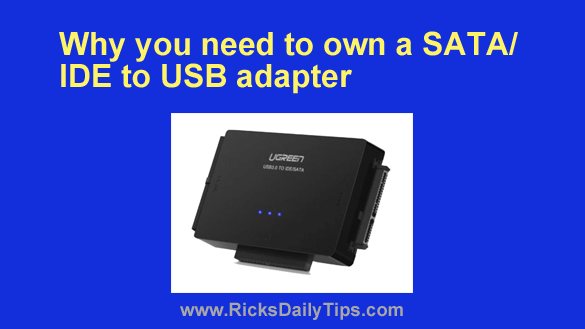
Virtually every computer technician on the planet keeps one very special piece of equipment on hand, and you should too.

It’s called a SATA/IDE to USB adapter, and it’s quite simply the handiest tool on any computer tech’s test bench.  [Read more…]

How can I make Edge copy just the URL instead of the page title?

Posted on February 16, 2022

Question from Dale:  I’ve noticed that when I copy a URL from Edge’s address bar and then paste it into a document, it actually pastes the title of the page into the document and then links the title to the URL.

There are times when this is fine, but there are also times when I want to paste just the bare URL without the title.

How can I make Edge copy just the URL from the address bar without copying the title too?  [Read more…]

How to recover deleted Lost.Dir folder from an SD card

Posted on February 15, 2022

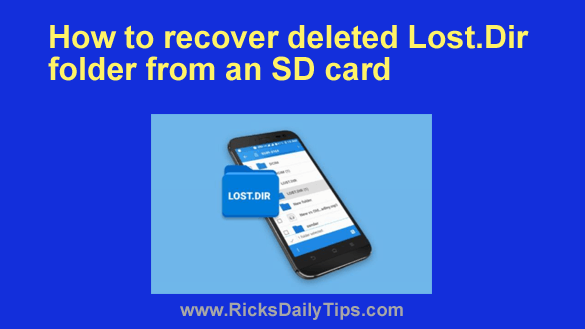
If you use an Android device you might have noticed that there’s a mysterious folder named LOST.DIR on your SD card.
If you look inside this folder you’ll see that it contains a bunch of weird numbered files.

Many people end up deleting this folder, thinking it might be a virus, but truth be told, it isn’t.

[Read more…]

Q&A: How can I find out if ‘Secure Boot’ is enabled on my PC?

Posted on February 10, 2022

Question from Denise:  I recently started a new job and the IT folks said I can connect my personal laptop to their network but only if it has something called Secure Boot enabled?

Can you tell me what that is and how to check to see if its enabled?

[Read more…]

  • « Previous Page
  • 1
  • …
  • 129
  • 130
  • 131
  • 132
  • 133
  • …
  • 232
  • Next Page »

– Ad –
 
Frameo 10.1″ Wood WiFi Digital Picture Frame w/ 32GB Memory

Digital picture frames are awesome because they let you display thousands of precious photos in a never-ending slideshow.

If you’re looking for a really good one but you don’t want to pay a small fortune for it, this is an excellent choice.

Click here to check it out at Amazon.


Popular…

Miss one of my Daily Gadget Picks? Check here.

How do I ask you a tech question?

Step-by-step guide to completely ridding your PC of viruses and other malware

10 reasons why I recommend buying tech gear from Amazon

How to accurately evaluate product reviews on Amazon


Advertise

Guest Post Guidelines

Want to ask me a tech question?

Recommended Tech Gear

Privacy Policy

Computer Tips
Smartphone Tips
Blogging Tips

Tech Q & A
Reviews
Tech News

Write for RicksDailyTips.com

Scam alerts
Downloads

Copyright © 2026 RicksDailyTips.com

Affiliate Disclaimer


Rick's Daily Tips is hosted by InMotion Hosting. Click here to find out why.

This blog uses cookies to ensure that you receive the best experience on my website. Please click 'Accept Cookies' to continue.